Transparencies CF-102
This film is ideal for printing presentation material for use with overhead projectors.
Loading
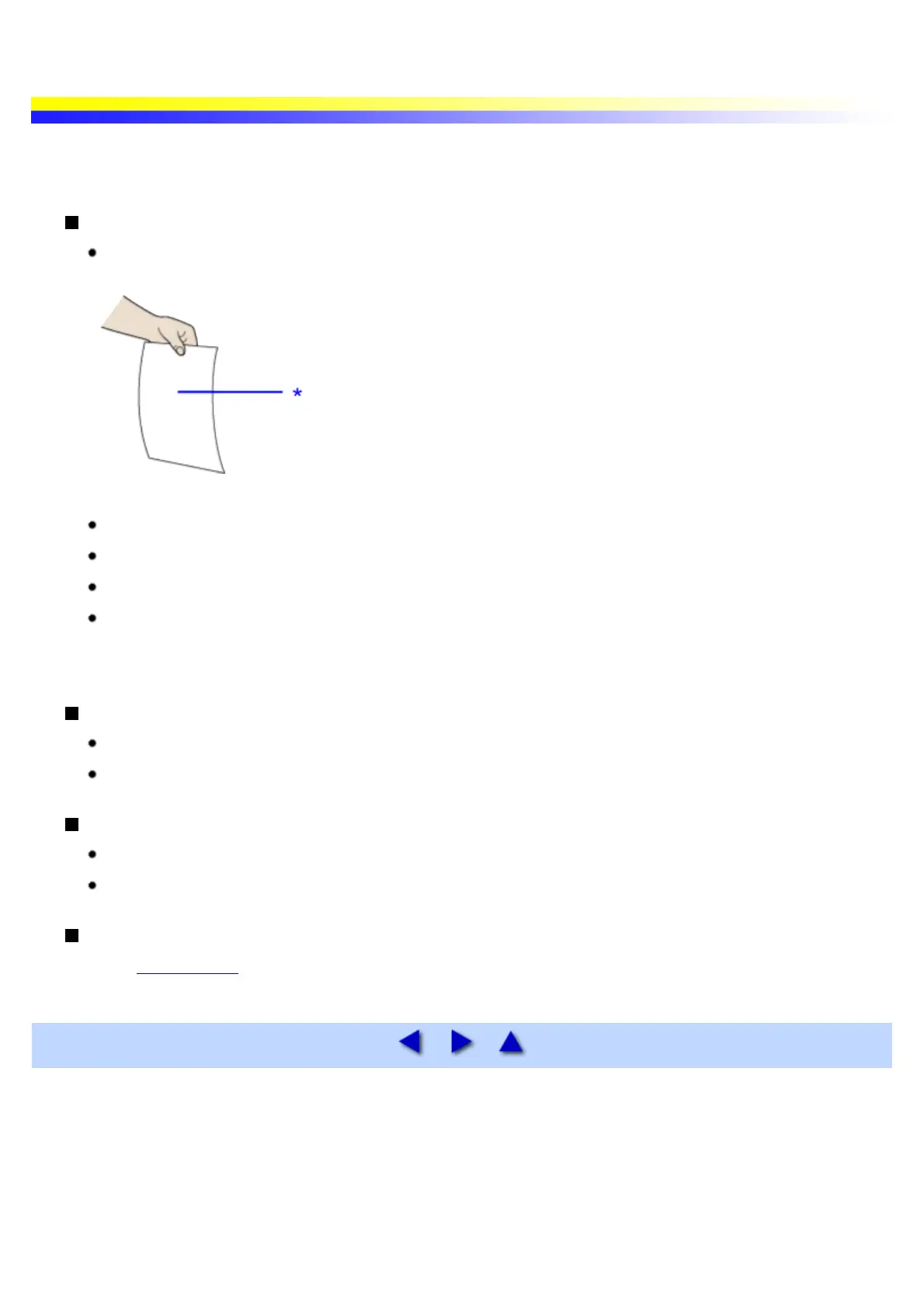
Although you can print on either side of Transparencies CF-102, best results can be obtained by printing
on the side toward which it curls when held by the edge.
* print side
Place one sheet of plain Letter paper under the transparencies in the sheet feeder.
A maximum of 10 sheets can be loaded at once.
Set the paper thickness lever to the right.
To prevent sheets from sticking to each other, separate them from each other before loading them in the
auto sheet feeder. Load the necessary number of paper (up to 10 sheets) in the auto sheet feeder one at a
time.
Printer Driver Settings
Media Type: Transparency
Page Size: Ensure the setting matches the size set in the application.
Handling of Printed Output
Remove each transparency as soon as it is printed.
Do not touch the printed surface until the ink is fixed (approx. 15 minutes).
Printable Area
See Printing Area


 To Next Page