Table of Contents
How to Use This Manual
Printer Parts and Their Function
Useful Printing Techniques
Printing Media
Checking the Status of the Printer
Troubleshooting
Appendix
Printing Area
Using the Printer with a Network
Uninstalling Printer Drivers
Uninstalling the User's Guide
Transporting Printer
Printer Driver Functions(Windows)
Printer Driver Functions (Macintosh)
Index
Appendix
Printing Area
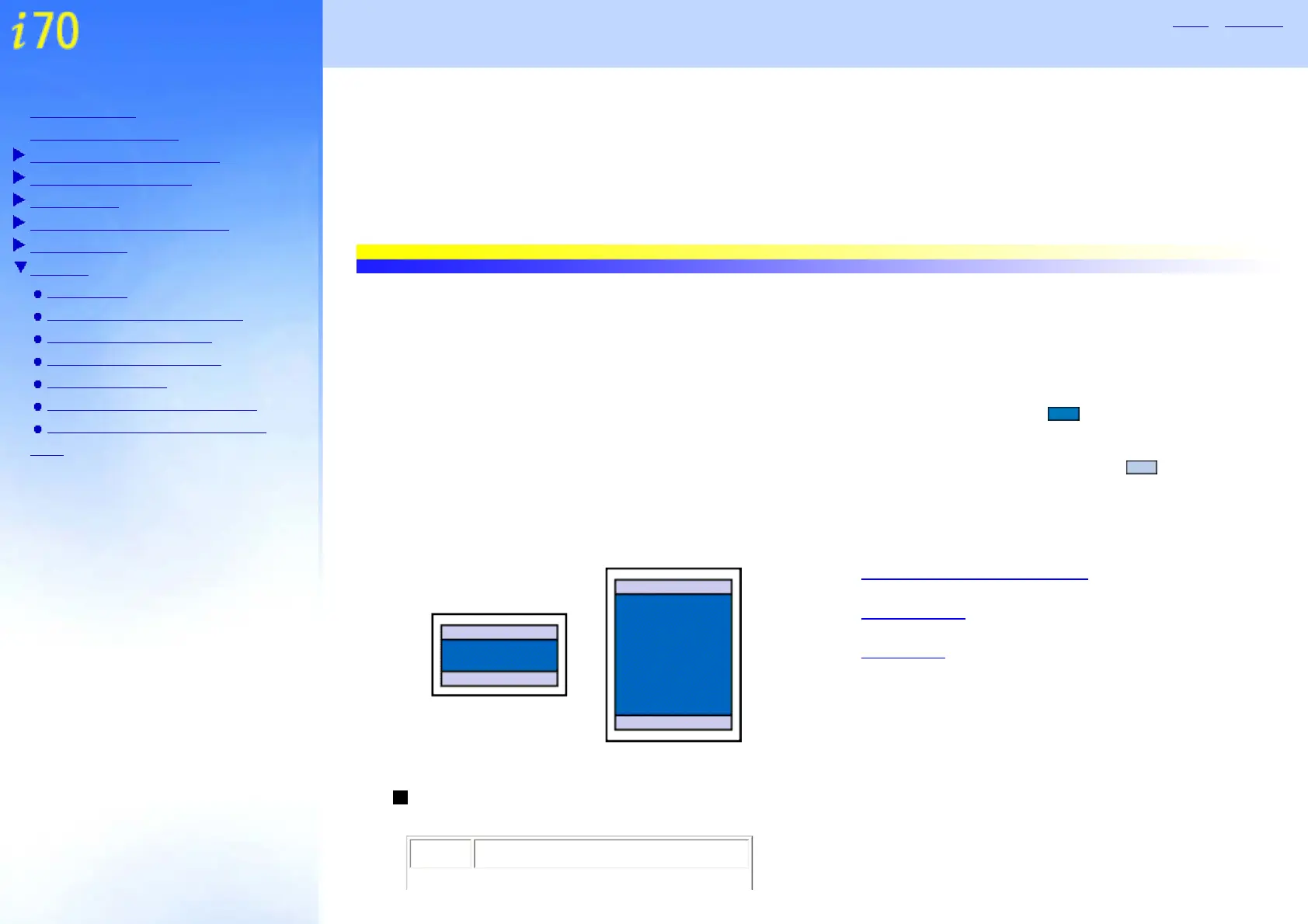
To ensure the best print quality, the printer allows a margin along each edge of media. The actual printable area
will be the area without these margins. By selecting Borderless Printing*, printing with no margins is possible.
* This is available in Letter, 4" x 6" and 5" x 7" paper size.
Printing area (dark blue): Canon recommends that you print within this area. ( )
Printable area (light blue): The area where it is possible to print. However, printing in this area can
adversely affect the print quality or the paper feed precision. (
)
See A4, B5, A5, 4" x 6", 5" x 7"
See Letter, Legal
See Envelopes
A4, B5, A5, 4" x 6", 5" x 7"
Size Printable Area (width x height)


 To Next Page