Detailed Setting Dialog Box
To open the Detailed Setting dialog box, select Manual from Print Mode
in the Print dialog box and then click Details....
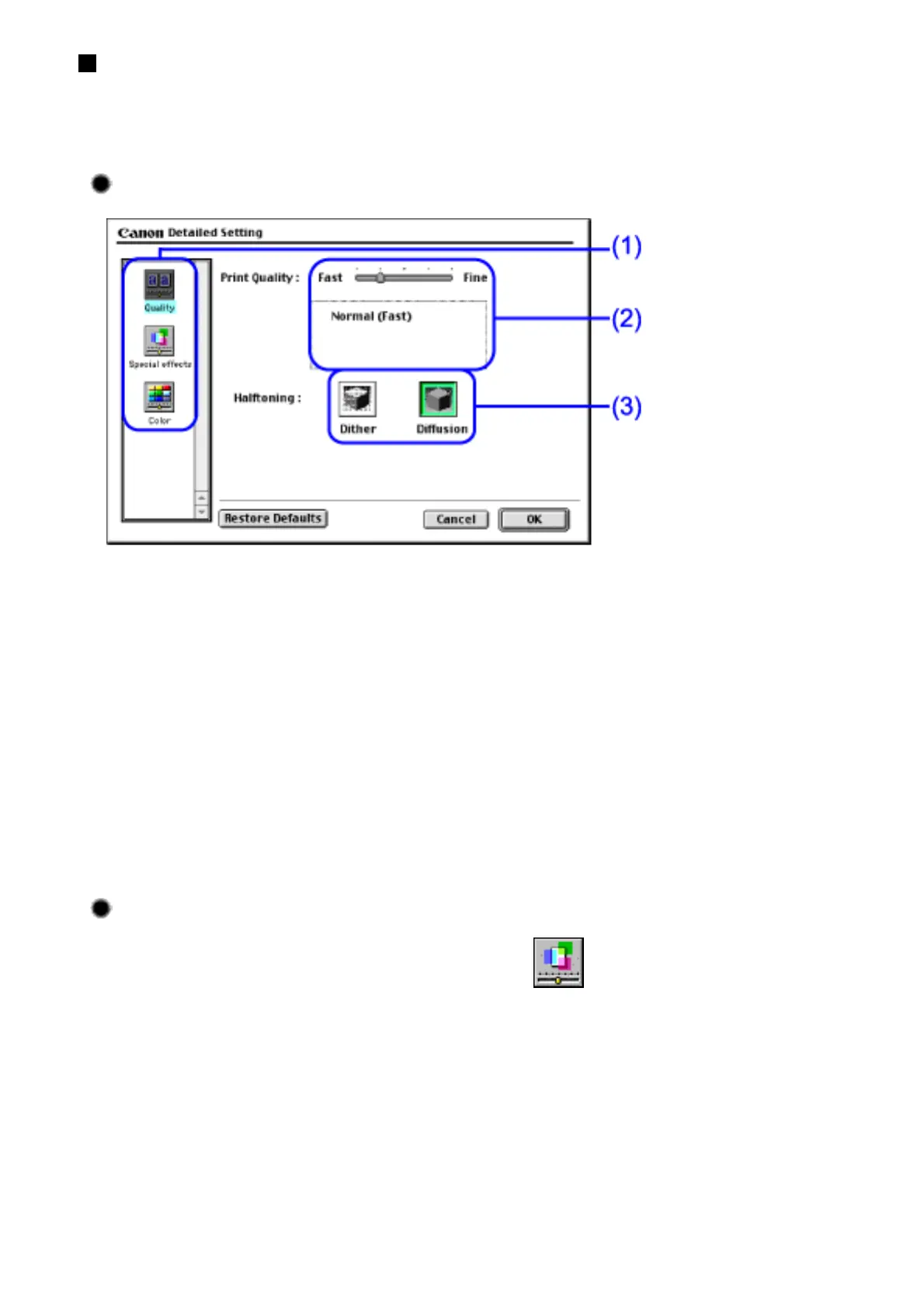
Quality panel
(1) Panel display icons
Click these icons to switch between panels in the Detailed Setting dialog
box.
(2) Print Quality
Move the slide bar to adjust the balance between print quality and speed.
Moving the bar to the right enhances print quality, and moving it to the left
increases printing speed.
(3) Halftoning
Select either Dither or Diffusion ink dot configurations.
Special Effects Panel
To display the Special Effects panel, click (Special effects).


 To Next Page