9-7
Troubleshooting
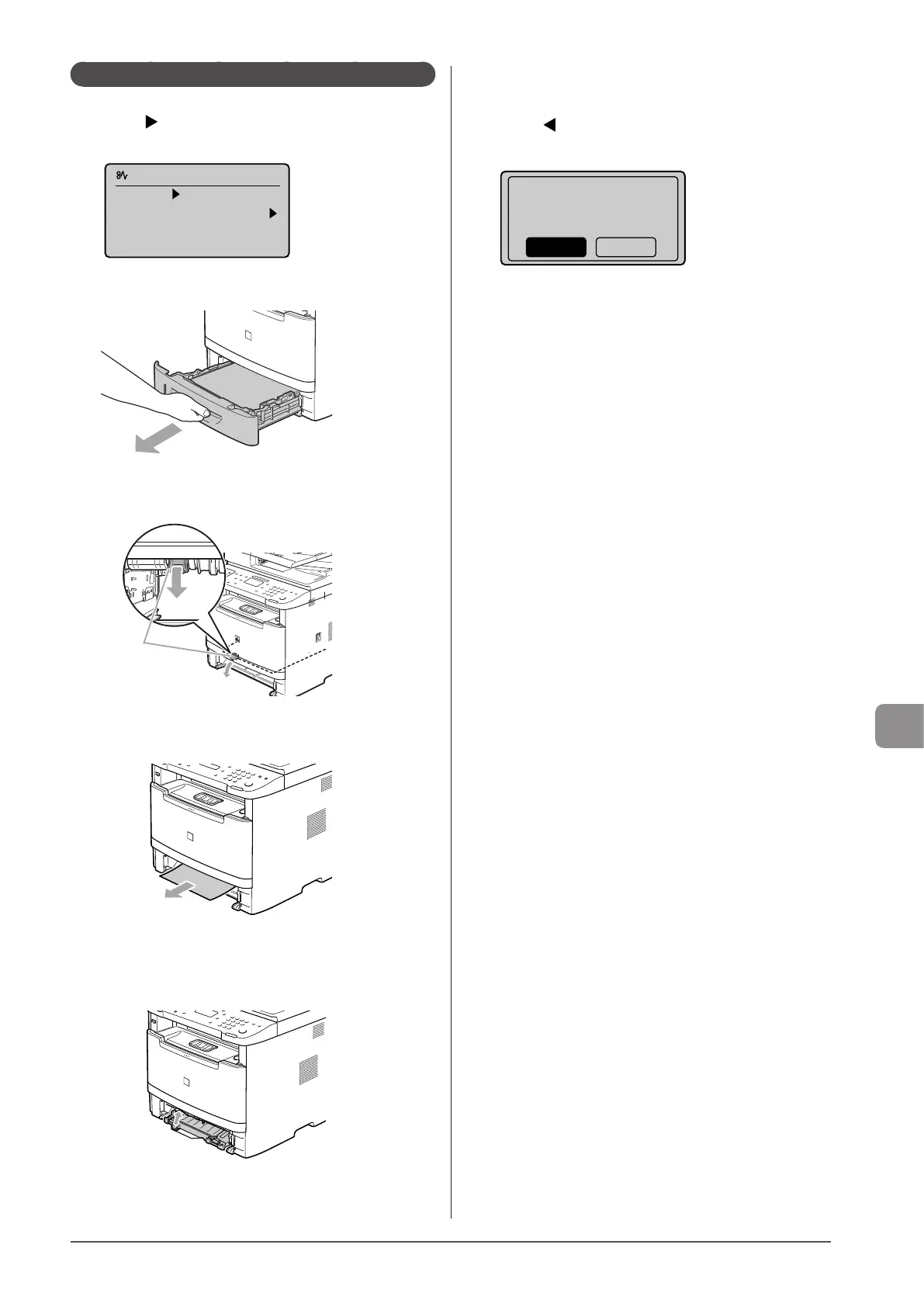
Paper Jams in the 2-sided Transport Guide
1
Press [ ].
Press [OK] to exit the operation screen.
Paper jam.
Press [ ] to
display steps.
(End: Press OK)
2
Pull out the paper drawer.
3
Holding the green tabs (A), open the 2-sided
transport guide.
(A)
4
Remove the jammed paper by pulling it out
gently.
5 Holding the green tabs, close the 2-sided
transport guide securely.
Make sure that both ends of the paper exit guide are closed.
6 Set the paper drawer.
7 When the following screen appears, select <Yes>
using [ ] and press [OK].
The machine is ready to print.
Is all of the jammed
paper removed?
Yes No










 To Next Page