2-2
Document and Paper Handling
Supported Document Types
Platen Glass Feeder
Type
• Plain paper
• Heavy paper
• Photograph
• Small documents (for example, index cards)
• Special types of paper (for example, tracing paper,
transparencies, etc.)*
1
• Booklet (Up to 7/8” (20 mm) thickness)
Plain paper
(Multi-page documents of the same size, thickness and
weight/one-page documents)
Size (W x L) Up to 8 1/2” x 11 5/8” (216 mm x 297 mm)
Maximum size: 8 1/2” x 14” (215.9 mm x 355.6 mm)
Minimum size: 5 1/2” x 5” (139.7 mm x 128 mm)
Weight Up to 4.4 lb (2 kg)
1-sided scanning (1 page): 13 to 28 lb Bond (50 to 105g/m²)
2-sided scanning: 17 to 28 lb Bond (64 to 105 g/m²)
Paper Capacity 1 sheet
Up to 50 sheets (Letter)*
2
Up to 30 sheets (Legal)*
2
*1
To copy transparent documents (for example, tracing paper or transparencies), make sure to place the documents face down on the platen glass
and cover them with plain white paper.
*2
22 lb Bond (80 g/m²)
IMPORTANT
To place your document
Make sure any glue, ink, or correction fluid on the document is completely dry before placing it on the platen glass or into the feeder.
To prevent paper jams in the feeder
Do not use any of the following.
• Wrinkled or creased paper
• Carbon paper or carbon-backed paper
• Curled or rolled paper
• Coated paper
• Torn paper
• Onion skin or thin paper
• Stapled or clipped documents
• Paper printed by a thermal transfer printer
• Transparencies
Document Type
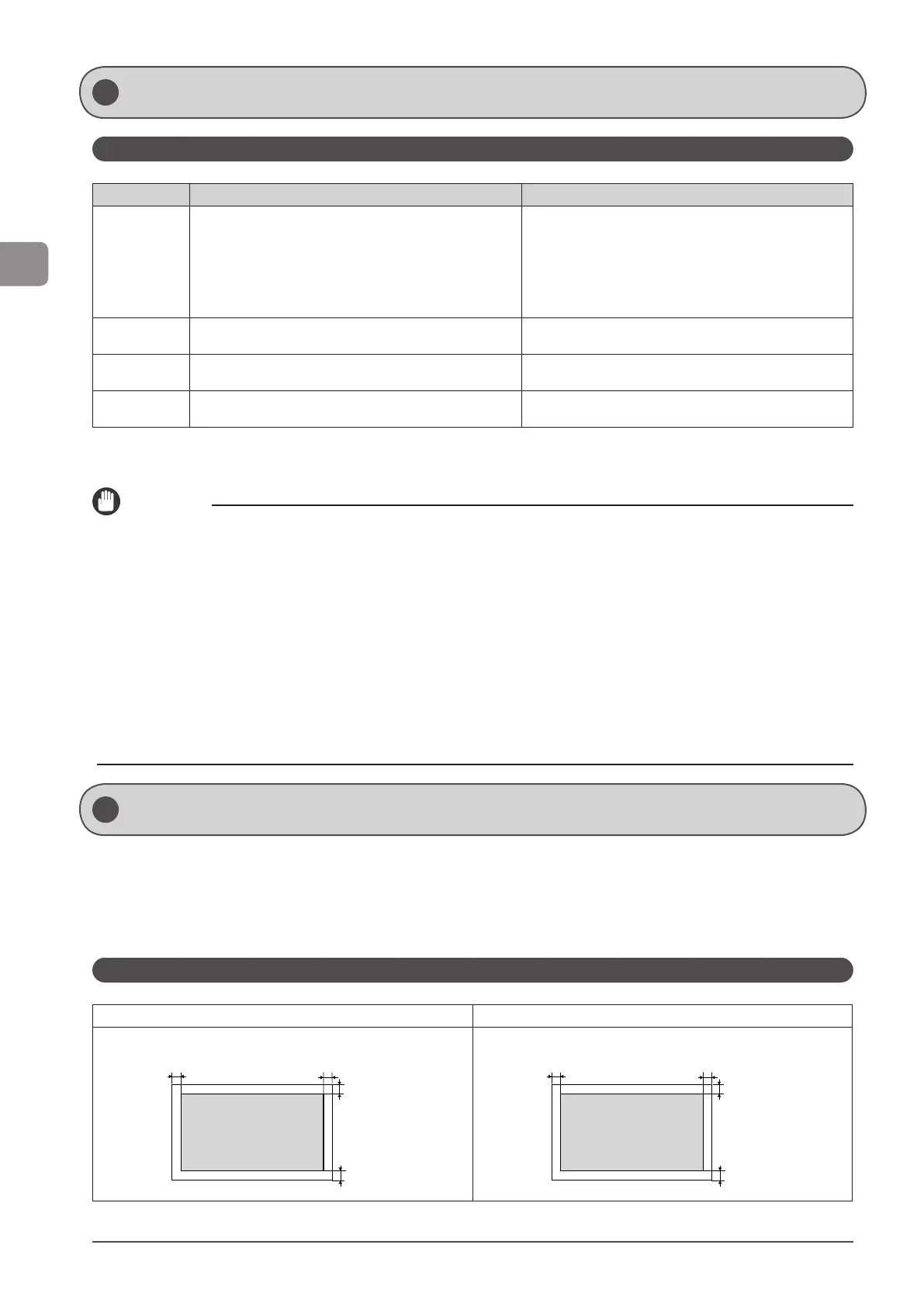
Scan Area
Make sure that your scan area fits within the shaded area, as shown in the illustrations on the following page.
* Note that the margins indicated in the illustrations are for your reference. Actual margins can vary.
* Refer to the following document loading orientation.
• Platen glass: With the document face down
• Feeder: With the document loaded in the document feeder tray
Copy
Platen Glass Feeder
9/32"
(7 mm)
9/32"
(7 mm)
9/32"
(7 mm)
9/32"
(7 mm)
9/32"
(7 mm)
9/32"
(7 mm)
9/32"
(7 mm)
9/32"
(7 mm)
* See “Printable Area” (→P. 2-8) if you would like to know the practical printable area.










 To Next Page