6-9
Using the Fax Functions
Sending a Fax Abroad (Adding Pauses)
When making an overseas call, you may need to add a pause
to the fax number.
Since signals are transmitted over long distances across a
complicated channel, your call may not be connected without
adding a pause after the country code or in front of the fax
number. By adding a pause, enough time elapses before the
machine starts dialing the number again.
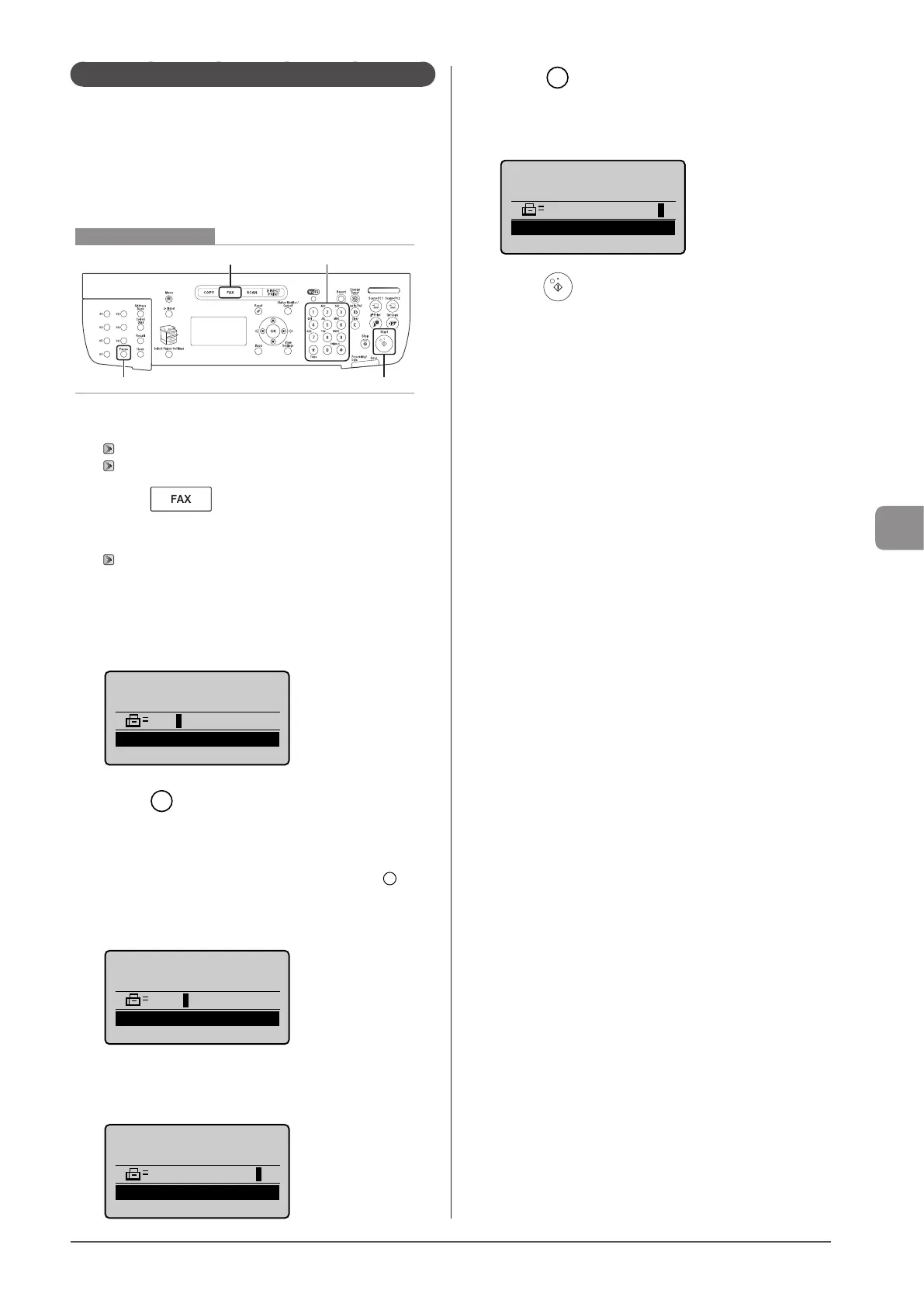
Keys to be used for this operation
Start
FAX Tone, Numeric keys
Pause
1 Place your document.
“Placing Documents” (→P. 2-4)
“Supported Document Types” (→P. 2-2)
2 Press [ ].
3 Specify the scanning settings as needed.
“Changing the Scan Settings (Fax)” (→P. 6-3)
4 Enter the international access code using the
numeric keys.
For more information on international access codes, contact your
telephone company.
Fax Number
012
<Apply>
5 Press [ ] (Pause) to enter a pause as needed.
• The letter <p> is displayed to indicate that a pause is added.
• The default pause length is two seconds*. To change it, see
“Pause Time” (→P. 6-23)
• To add more pauses into the dialing sequence, press [ ]
(Pause) again.
* The default pause length varies depending on the country
where you are using the machine.
Fax Number
012P
<Apply>
6 Enter the country code, the area code, and the
fax/telephone number using the numeric keys.
Fax Number
012p031XXXXXXX
<Apply>
7 Press [ ] (Pause) to add a pause to the end of
the fax/telephone number as needed.
• The letter <P> is displayed at the end of the fax number.
• A pause added to the end of the number is set to 10 seconds.
Fax Number
012p031XXXXXXXP
<Apply>
8 Press [ ] (Start).










 To Next Page