6-10
Using the Fax Functions
Sending to Multiple Destinations at a
Time (Sequential Broadcast)
You can send the same fax to multiple destinations
simultaneously.
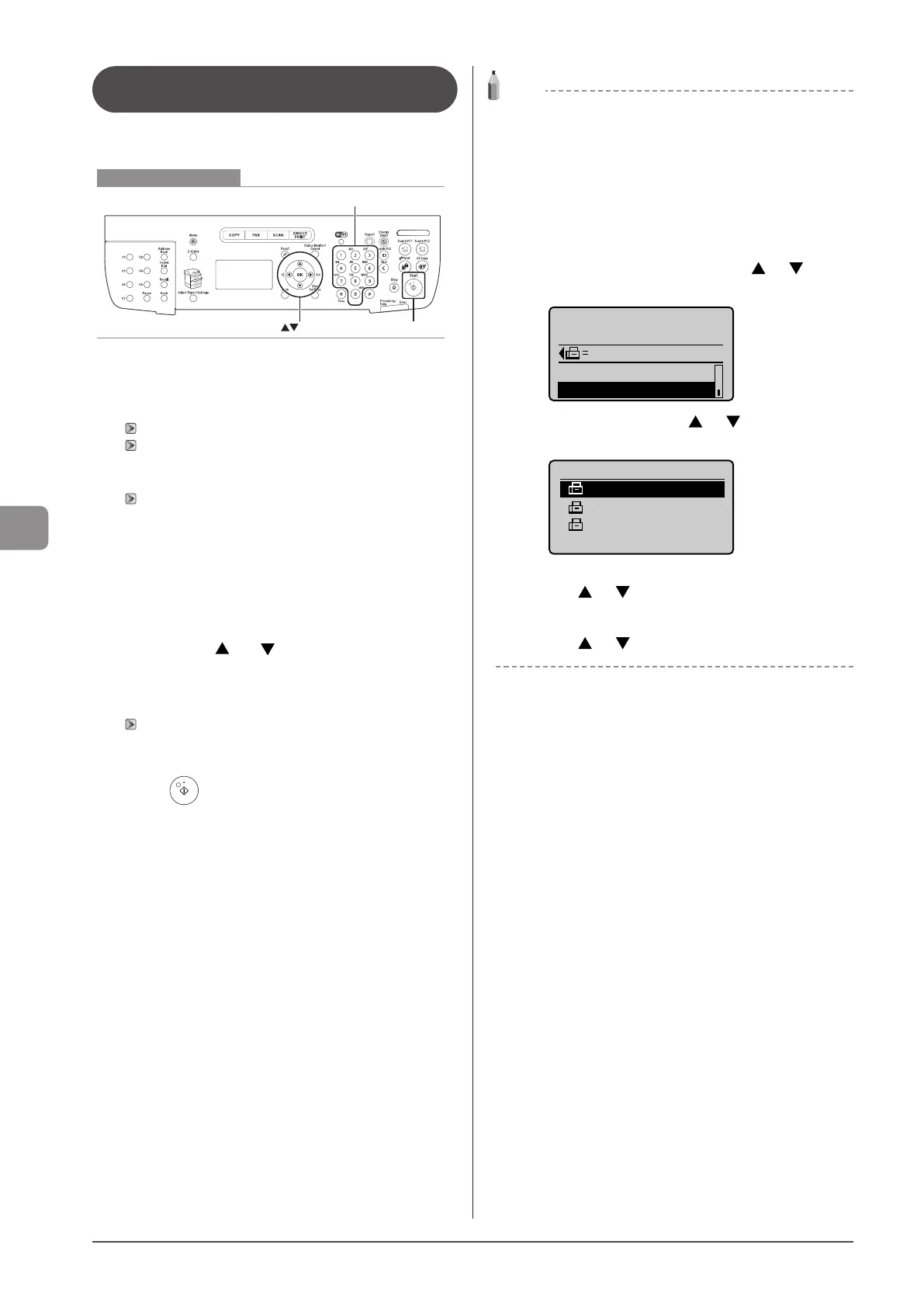
Keys to be used for this operation
OK
Start
Numeric keys
1 Place your document.
“Placing Documents” (→P. 2-4)
“Supported Document Types” (→P. 2-2)
2 Specify destination.
“Specifying Destinations” (→P. 6-4)
To specify destination, following methods are available.
• Specifying destinations by entering the fax number
• Specifying destinations using one-touch keys
• Specifying destinations using coded dial codes
• Specifying destinations using group addresses
• Specifying destinations using the address book
3 Select how to specify destinations that you want
to add using [ ] or [ ] and press [OK].
• Address Book
• Coded Dial
• Specify Next Destination (New)
“Specifying Destinations” (→P. 6-4)
4 Repeat Step 2 and 3 to enter all the destinations.
5 Press [ ] (Start).
NOTE
The number of destinations that you can specify for a
sequential broadcast
• Using the numeric keys: Up to 10 destinations
• One-touch keys: Up to 19 destinations
• Coded dial codes: Up to 181 destinations
To specify destinations using the numeric keys
Enter the numbers and press [OK].
For confirming/deleting/editing the specified
destinations
(1) Select <Confirm/Edit Destination> using [ ] or [ ] and
press [OK].
Send: Press Start
0123456789
Specify Next Destin
...
Confirm/Edit Destina
(2) Select the destination using [ ] or [ ] and press [OK].
Details of the destination are displayed.
Confirm/Edit Dest.
Canon 0987654321
User01 9876543210
0123456789
(3) In order to delete the destination, select <Delete Destination>
using [ ] or [ ] and press [OK].
For editing destinations being entered using numeric keys
Edit the destinations using numeric keys and select <Apply>
using [ ] or [ ] and press [OK].










 To Next Page