2-11
Document and Paper Handling
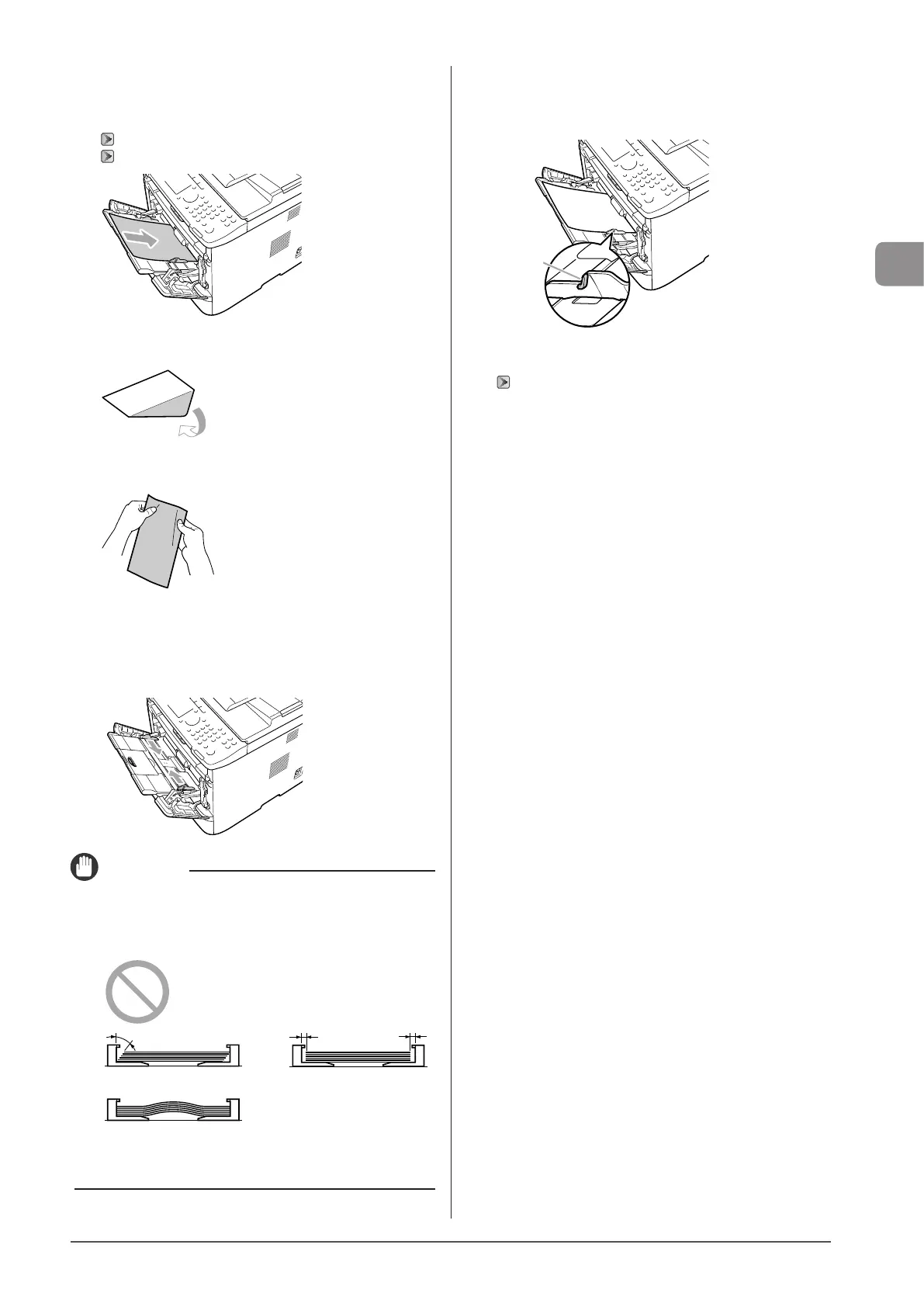
3 Gently insert the paper stack into the multi-
purpose tray with the print side face up.
“Paper Loading Capacity” (→P. 2-12)
“Paper Loading Orientation” (→P. 2-13)
When loading envelopes
(1)
Fold the envelope flap.
(2) Loosen any stiff corners of the envelope and flatten curls as
shown in the figure.
(3)
Gently insert the envelope into the multi-purpose tray with the
print side face up.
4 Adjust the paper guides to the paper width
without space.
IMPORTANT
Adjust the paper guides to the paper width without
space.
If the paper guides are too loose or too tight, this may result in
misfeeds or paper jams.
5 Be sure that the paper stack is loaded under the
load limit guides (A).
(A)
6 Specify the loaded paper size and type.
“For the Paper Drawer” (→P. 2-14)










 To Next Page