2
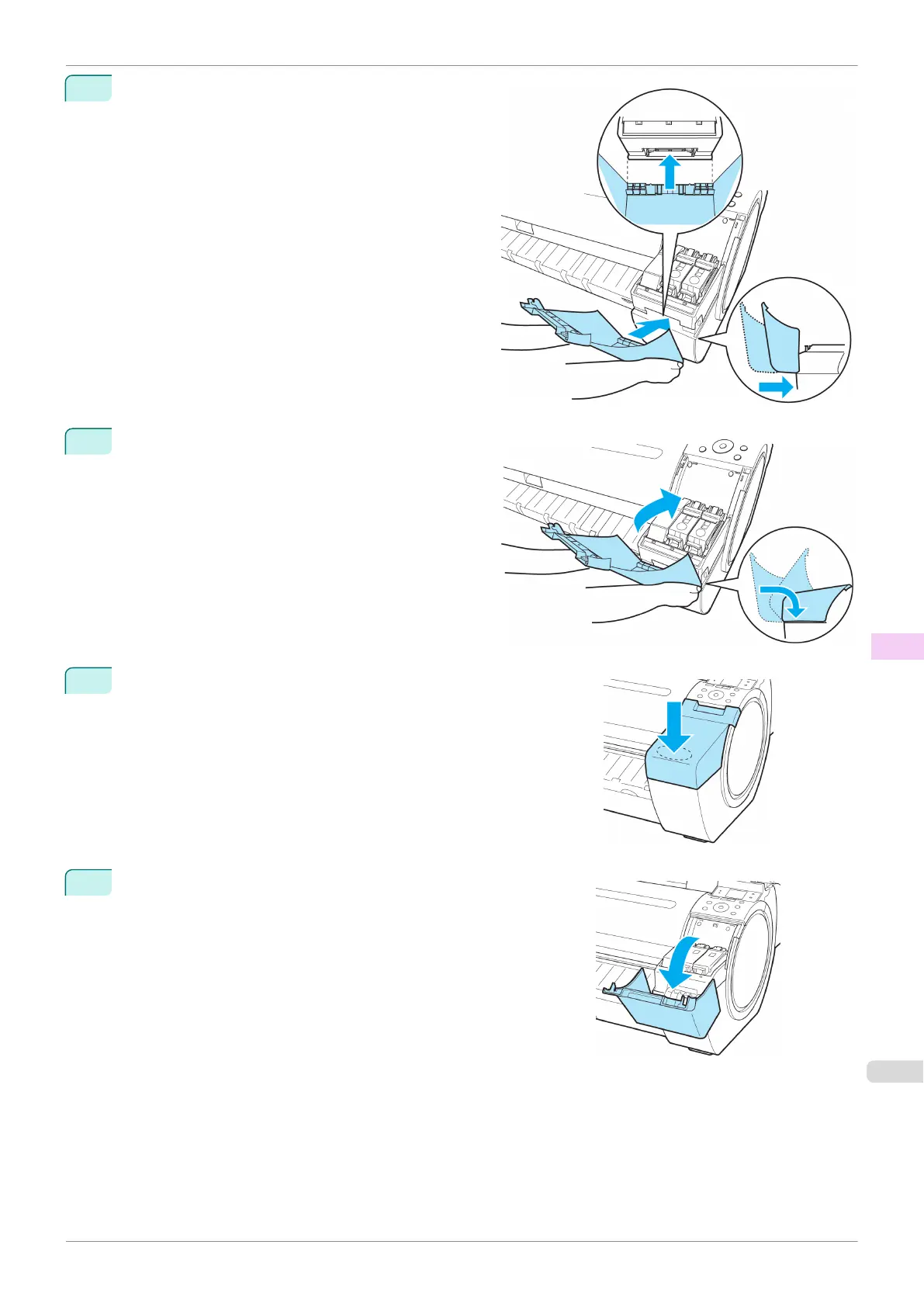
Move the Ink Tank Cover horizontally to align the po-
sition with the printer.
3
Rotate the Ink Tank Cover and place it on the printer.
4
Push down on the near side of the Ink Tank Cover from the top until
it clicks.
5
Open the Ink Tank Cover and check that it is attached to the print-
er.
iPF785
Attach the Ink Tank Cover to the printer
User's Guide
Maintenance and Consumables Ink Tanks
543


 To Next Page
 Loading...












