WebCAM user manual -58-
Chapter 6: MultiMonitor
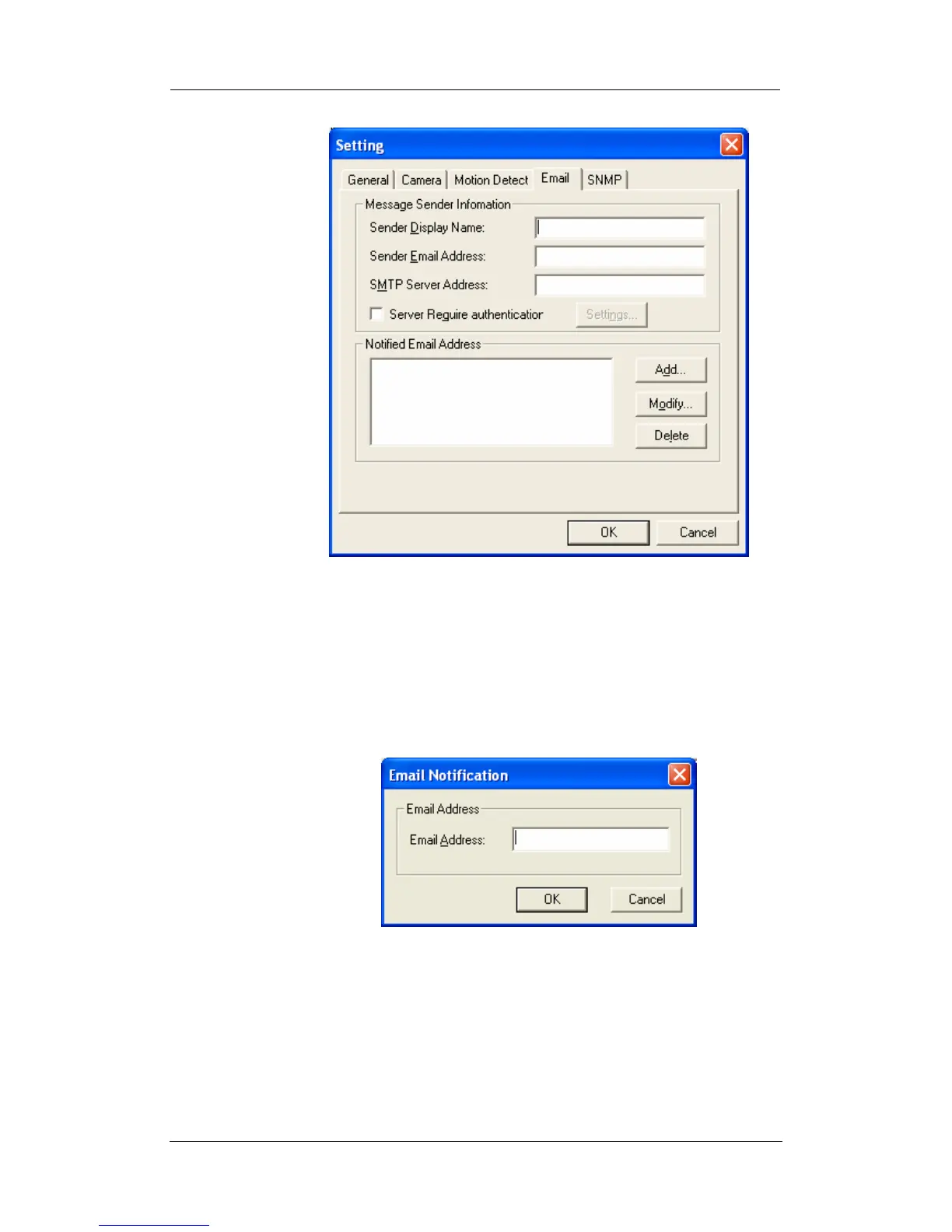
Configure Settings for Email Notification
You will need to enter the correct “Message Sender Information” in
order for WebCAM to send emails.
Server Require Authentication
Click “settings…” then enter your Account Name and Account
Password if your Server Requires Authentication.
Notified Email Address
Click “Add…” and enter a new Email address below
Click “Modify…” to modify the entered Email Address
Click “Delete” to remove an email address from the notification list.
SNMP Settings














 To Next Page