Chapter 4
4-8
f. Front cover
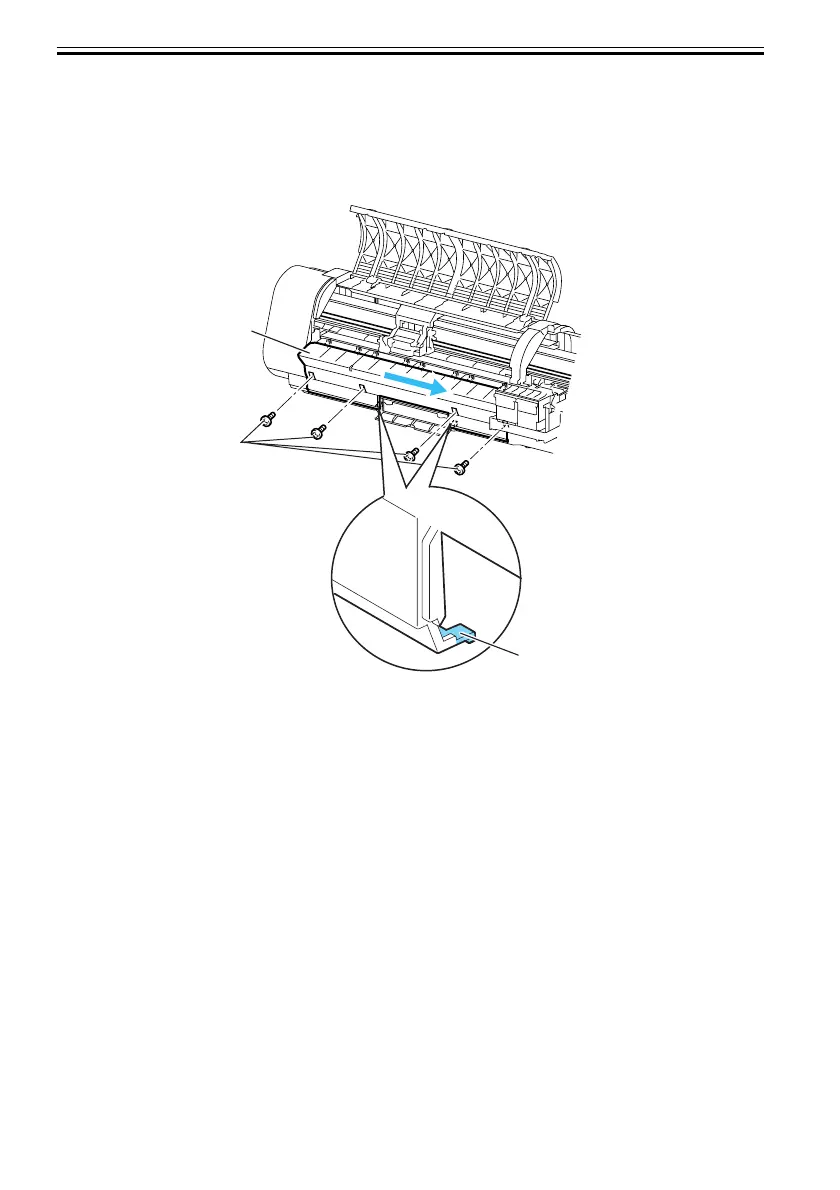
To detach the front cover[1], the right cover needs to be removed and the maintenance cartridge cover opened
beforehand so the front cover can be slid to right to remove.
To do this, unscrew the four front-panel screws[2] and remove two bottom claws[3], and slide the front cover
to right. Then, pull out the upper eight hooks to front to detach the front cover.
F-4-11
[3]
[1]
[2]













 To Next Page