Chapter 1
1-19
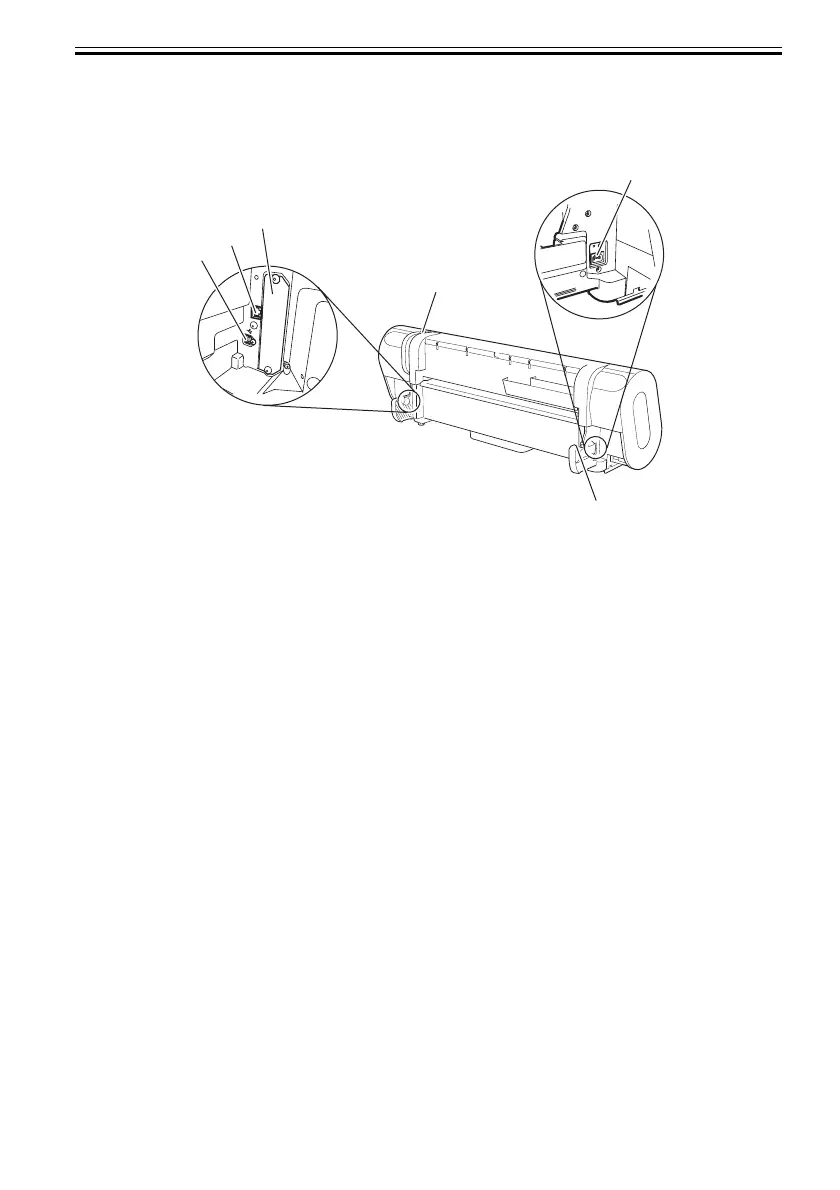
1.5.2 Rear
0013-4638
F-1-13
[1] Release lever
Releases the paper retainer. Press this lever rearward to load paper or clean the interiors of the
printer.
[2] Power connector
Connect the power cord to this connector.
[3] Roller holder slot
Set the roll holder in this guide slot.
[4] Expansion PCB slot
Mount an IEEE1394 (Fire Wire) expansion PCB on his slot.
[5] USB port
Connect the USB cable to this port. Ready for the USB2.0 hi-speed mode.
[6] Ethernet connector
Connect the Ethernet cable to this connector.
[4]
[5]
[6]
[3]
[2]
[1]













 To Next Page