Chapter 4
4-28
4.3.15 Opening the Cap/Moving the Wiper Unit
0013-9674
The procedures for manually opening the caps and ink supply valves are presented below.
The carriage lock pin and caps need to be released manually if moving the carriage when the power is turned off.
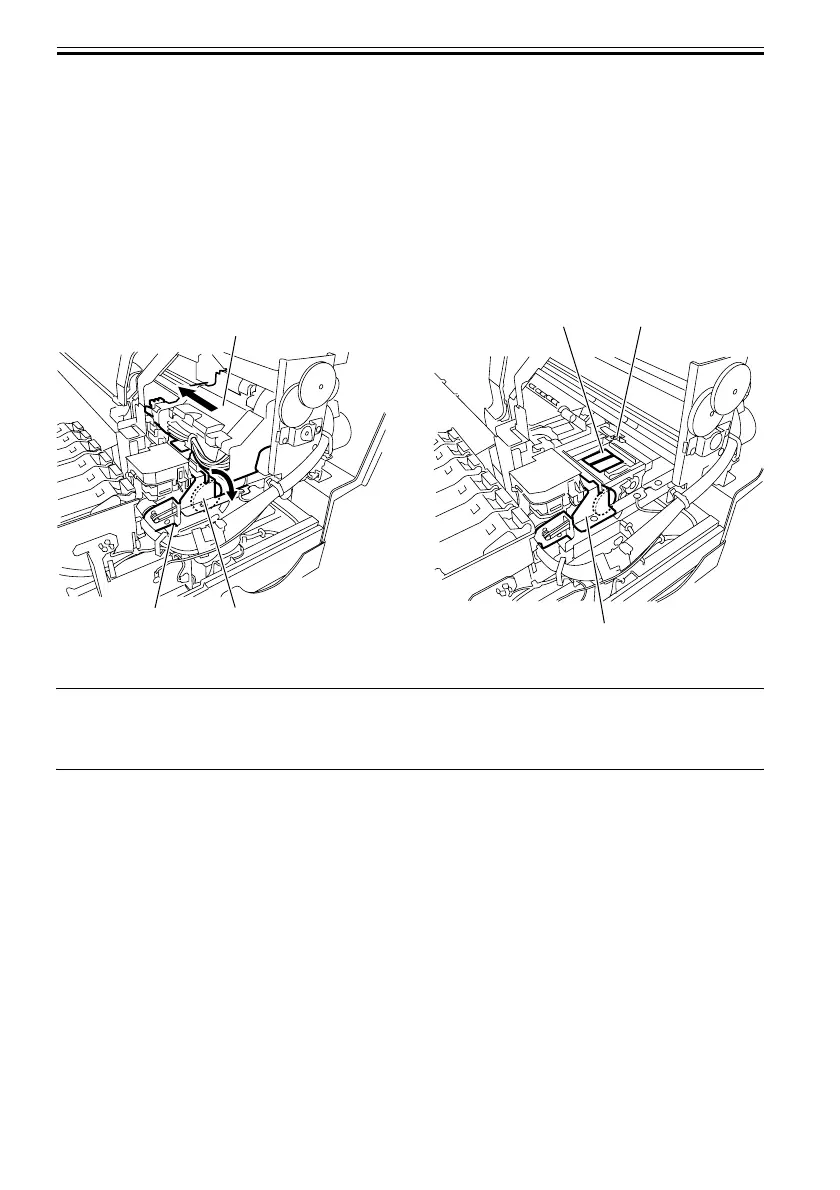
1. Opening the caps and releasing the carriage lock pins
1) Remove the right side cover, right rear cover, and right upper cover.
2) Turn the gear[1] of the purge unit[3] in the direction of the arrow. The cap[5] and lock pin[4] move down,
allowing you to move the carriage[2].
F-4-34
MEMO:
After opening the caps and removing the carriage lock pin, rotating the gear further will close the caps after the
wiper unit has completed the return movement, and the carriage lock pin will rise and lock the carriage.
[5]
[2]
[4]
[3]
[3]
[1]













 To Next Page