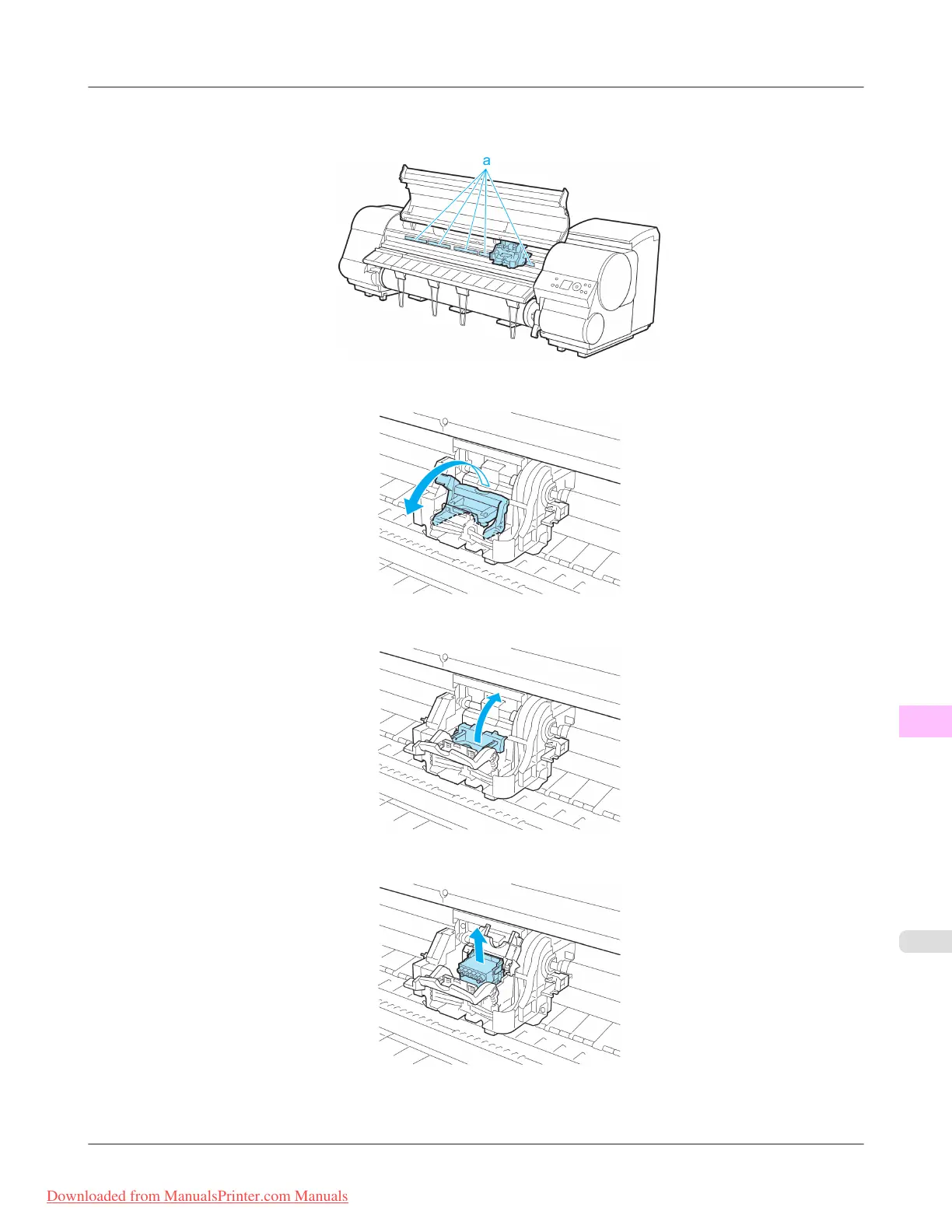
9. If
the ventilation duct (a) is dirty, use a damp cloth that you have wrung out completely to wipe it clean. Move the
Carriage out of the way manually if the Carriage is concealing the ventilation duct, and then clean the duct.
10. Pull the Printhead Fixer Lever forward all the way to open it completely.
11. Pull up the Printhead Fixer Cover to open it completely.
12. Remove the used Printhead.
Maintenance
>
Printheads
>
iPF815 Replacing the Printhead
11
823
Downloaded from ManualsPrinter.com Manuals














 To Next Page