Note
• Dispose of the used Printhead in accordance with local regulations.
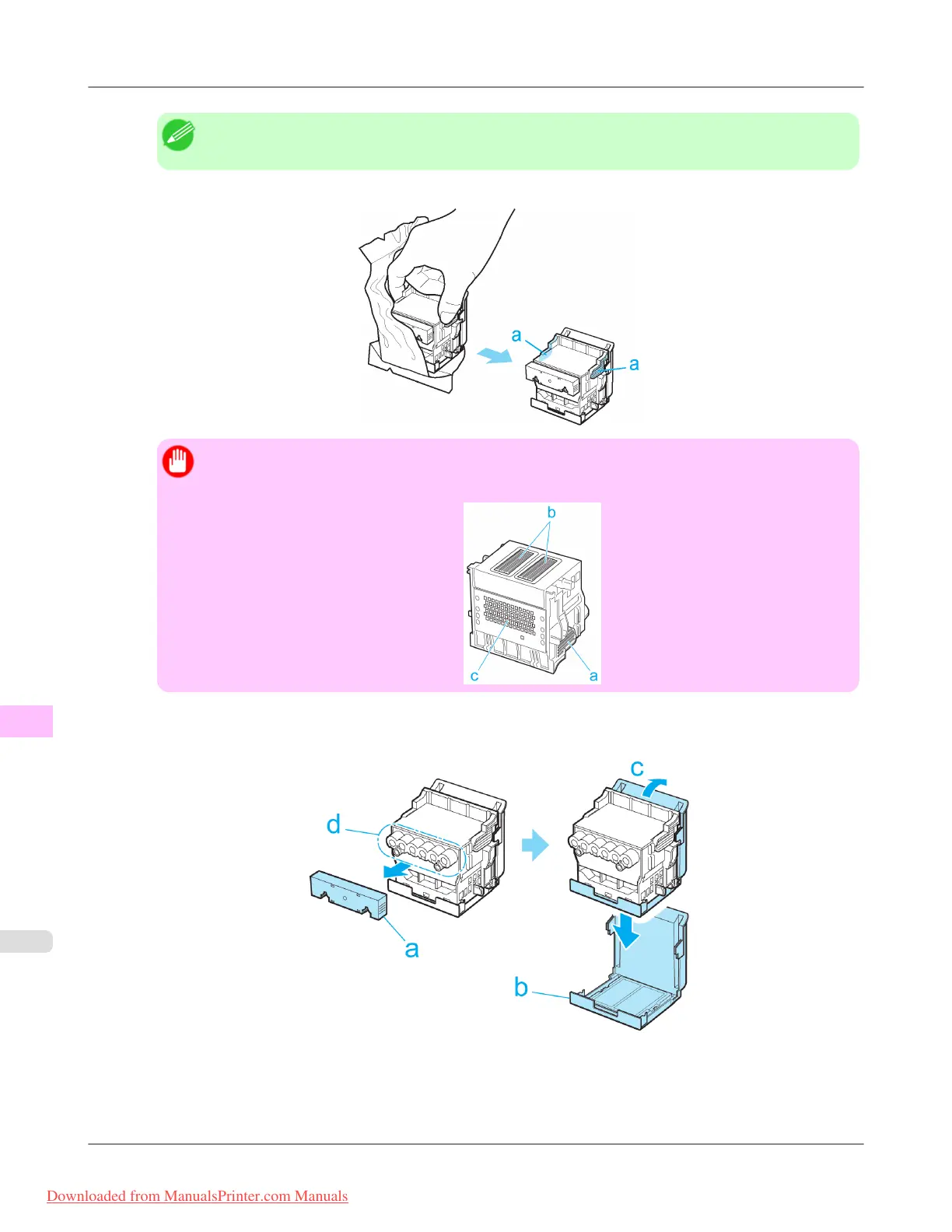
13. Holding the new Printhead by the grips (a), remove it from the case.
Important
• When
handling the Printhead, always hold it by the grips (a). Never touch the nozzles (b) or metal
contacts (c). This may damage the Printhead and affect printing quality.
14. While
firmly holding the Printhead you have removed, use your other hand to remove the orange Safety Cap 1 (a).
Squeeze the grips (c) of Safety Cap 2 (b) and pull it down to remove it.
Maintenance
>
Printheads
>
Replacing the Printhead iPF815
11
824
Downloaded from ManualsPrinter.com Manuals














 To Next Page