LASER CLASS 730i/720i/710 Chapter 5: Appendix
5-28
Data Registration
Set
#
SERVICE MODE
#1 SSSW
SERVICE MODE
#1 SSSW
SERVICE MODE
TEST MODE
1: D-RAM 46080K
[ 1] --- [ 4]
1: D-RAM 46080K
1
1
Display TEST MODE by
pressing or button
1: D-RAM 46080K
1: D-RAM 46080K
complete (no error)
Indicates memory capacity
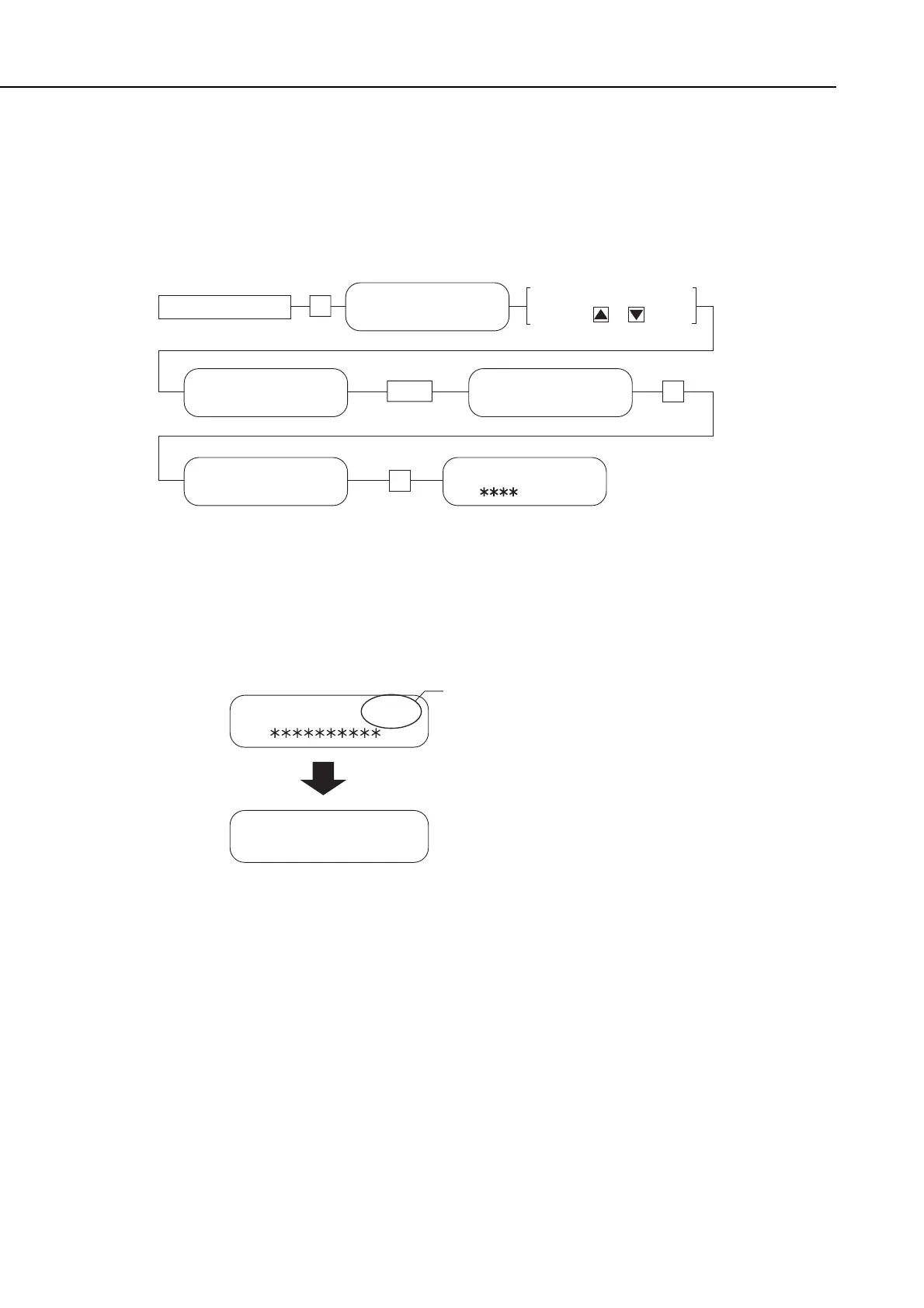
b-5) Check after memory board installation
After installing the memory board, carry out the following procedure to ensure that the
memory board are properly identified by the fax.
(1) Referring to the flow chart, enter test mode D-RAM test [1].
Figure 5-28 Flowchart of D-RAM Test 1
(2) When D-RAM test [1] is entered, check the D-RAM write-in and read-out. Confirm
that the display shows the extended memory capacity value (46080K), and that the
check completes with “no error”.
Figure 5-29 Memory Board Installation Check
(3) After confirming this, push the Stop button, then push the Clear button, which will put
the machine into a standby condition.
(4) If the process does not complete normally, return to b-3) Attaching memory boards, re-
attach the memory board, and then re-check with the D-RAM test.
manuals4you.commanuals4you.com









 To Next Page