5-2
LASER CLASS 730i/720i/710 5.GUIDE TO REPLACEMENT
FIGURE 17-a
FIGURE 17-b
FIGURE 19-a
See Page
2-33
See Page
2-33
See Page
2-37
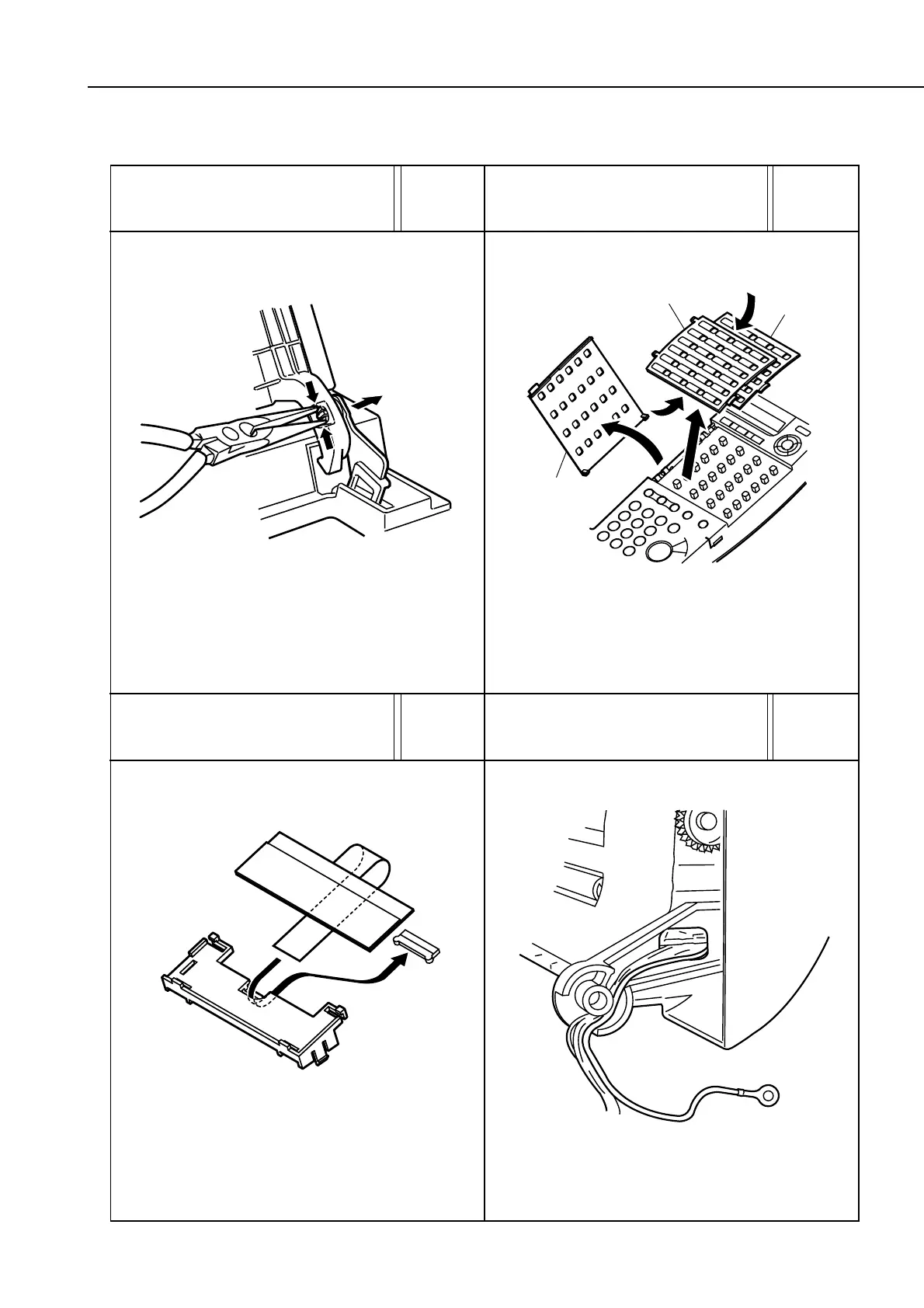
Open one-touch dial cover 1, remove the claw, and take off
the cover. Bend one-touch dial covers 2 and 3 as shown by
the arrows and remove them.
Be sure to route the flat cable of the LCD unit as shown for
connection to its connector.
Feed the sensor board cable and grounding wire through
the groove in the right side of the shaft as shown in the
diagram.
Cover 2
Cover 3
Cover 1
FIGURE 10-a
See Page
2-19
Using a pair of needle-nosed pliers, snip the joint pictured
in the diagram and remove it.
manuals4you.commanuals4you.com









 To Next Page