LASER CLASS 730i/720i/710 5.GUIDE TO REPLACEMENT
5-3
FIGURE 21-a
FIGURE 21-cFIGURE 21-b
See Page
2-41
See Page
2-41
See Page
2-41
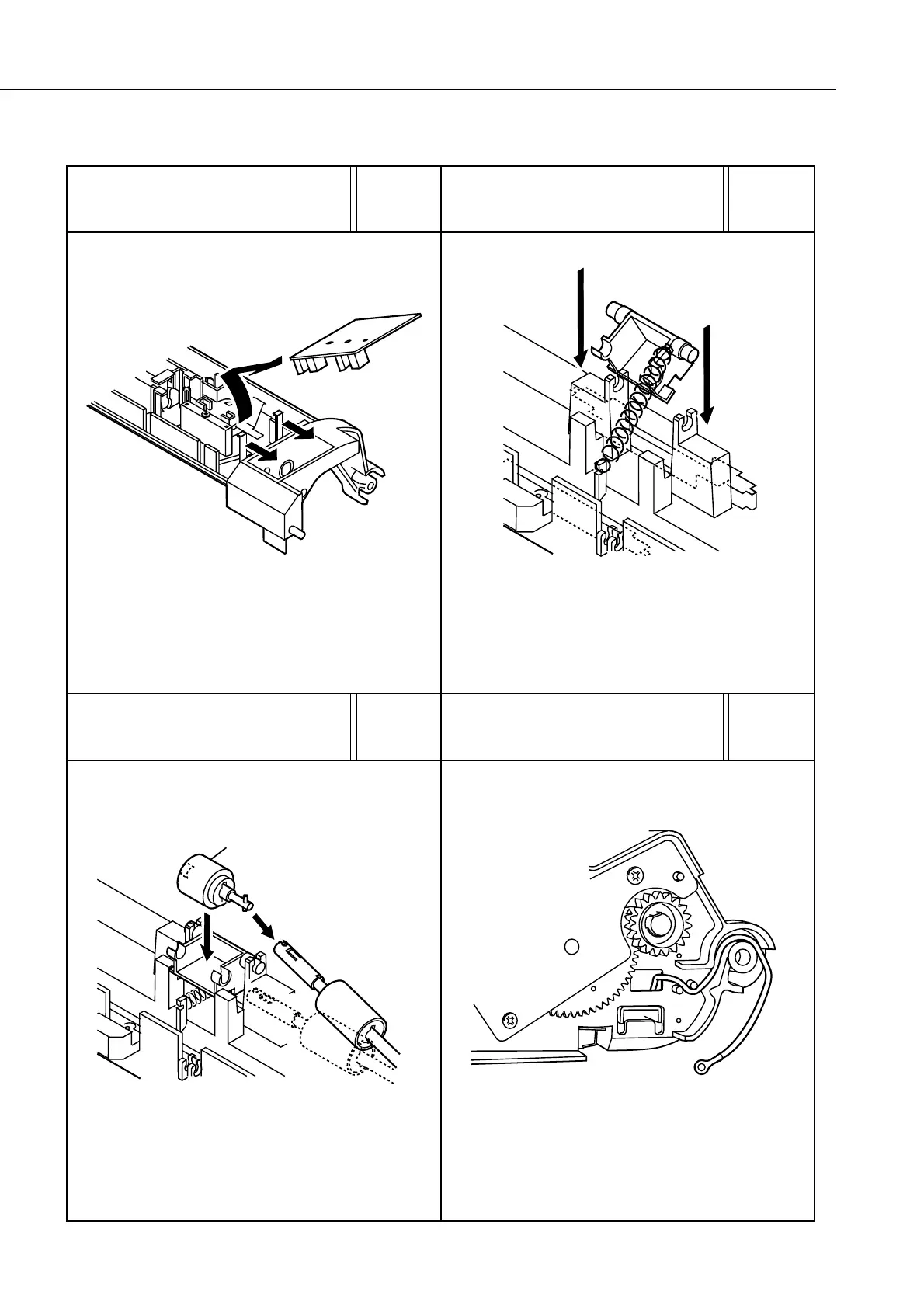
After hooking the spring onto the separation roller holder
hook, hook the other end of the spring onto the hook on the
frame side, incline the holder as shown in the diagram and
stick it onto the bushing. At this time, be careful not to stretch
the spring too much.
After passing the grounding wire through the hole in the
right side of the frame as shown in the diagram, pass it
through space between the 2 bosses, and feed it through
the groove on the top side of the shaft.
After attaching the separation roller (lower) to the torque
limiter, fix the separation roller (lower) to the holder.
1
Separation roller (lower)
2
FIGURE 20-a
See Page
2-39
After removing the claws from the two places on the sensor
board, lift the board slightly in the direction of the claws,
and pull it off to the right.









 To Next Page