59
Advanced Functions
Changing the Settings (1)
E
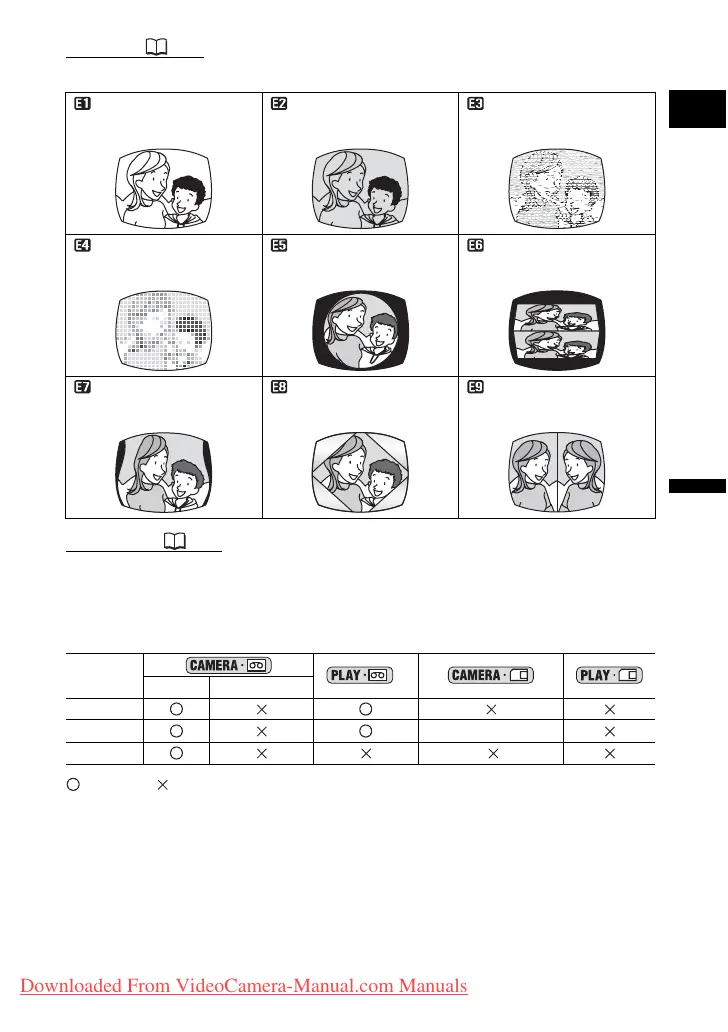
Effects ( 61)
Add flavor to your recordings.
Card Mix ( 61)
You can combine still images from the card with your live video and record on the tape to
achieve interesting effects.
The availability of the various Digital Effects depends on the operation
mode.
: Available : Not available
* When recording simultaneously on the tape and memory card.
** Only when the TV type is set to [NORMAL TV].
Black and White
(BLK & WHT)
Sepia (SEPIA) Art (ART)
Mosaic (MOSAIC) Ball (BALL) Cube (CUBE)
Wave (WAVE)
Color Mask (COLOR M.)
Mirror (MIRROR)
**
Movies Still Images*
Faders
Effects [BLK & WHT] only
Card Mix
Downloaded From VideoCamera-Manual.com Manuals



 To Next Page