Connect the mains supply cable and the network cable
Procedure
IMPORTANT
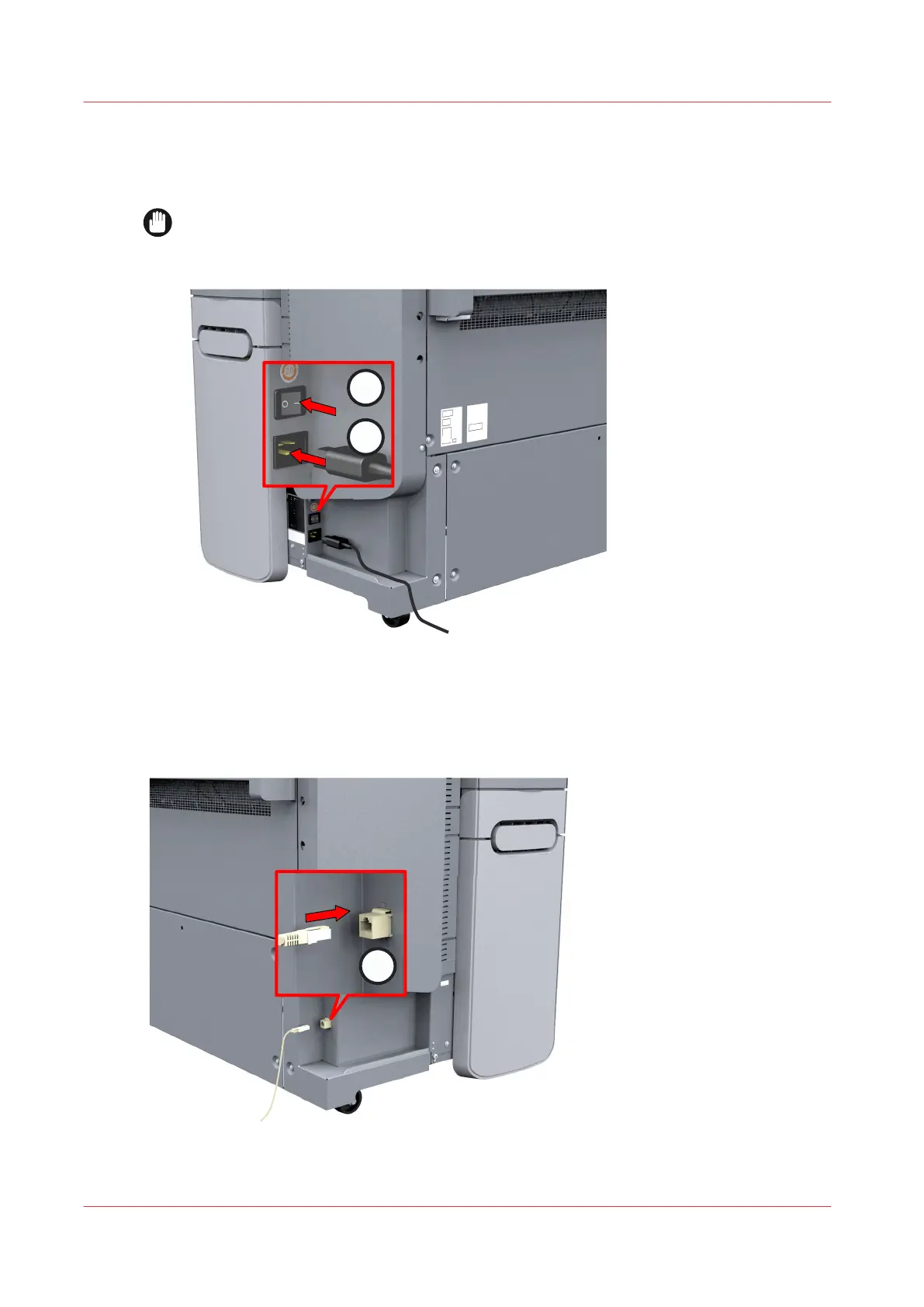
Make sure the power switch (A) is in 'off' position.
1.
Plug the mains supply cable into the power connection at the left back of the printer (B).
2.
Plug the other side of the mains supply cable into the wall socket.
3.
Make sure one end of the network cable is plugged into the modem or router of your company
network.
4.
Plug the other end of the network cable into the network connection at the right back of the
printer (C) , to connect the printer to your company network.
Connect the mains supply cable and the network cable
20
Chapter 2 - Get to Know the Printing System









 To Next Page