The Hardware
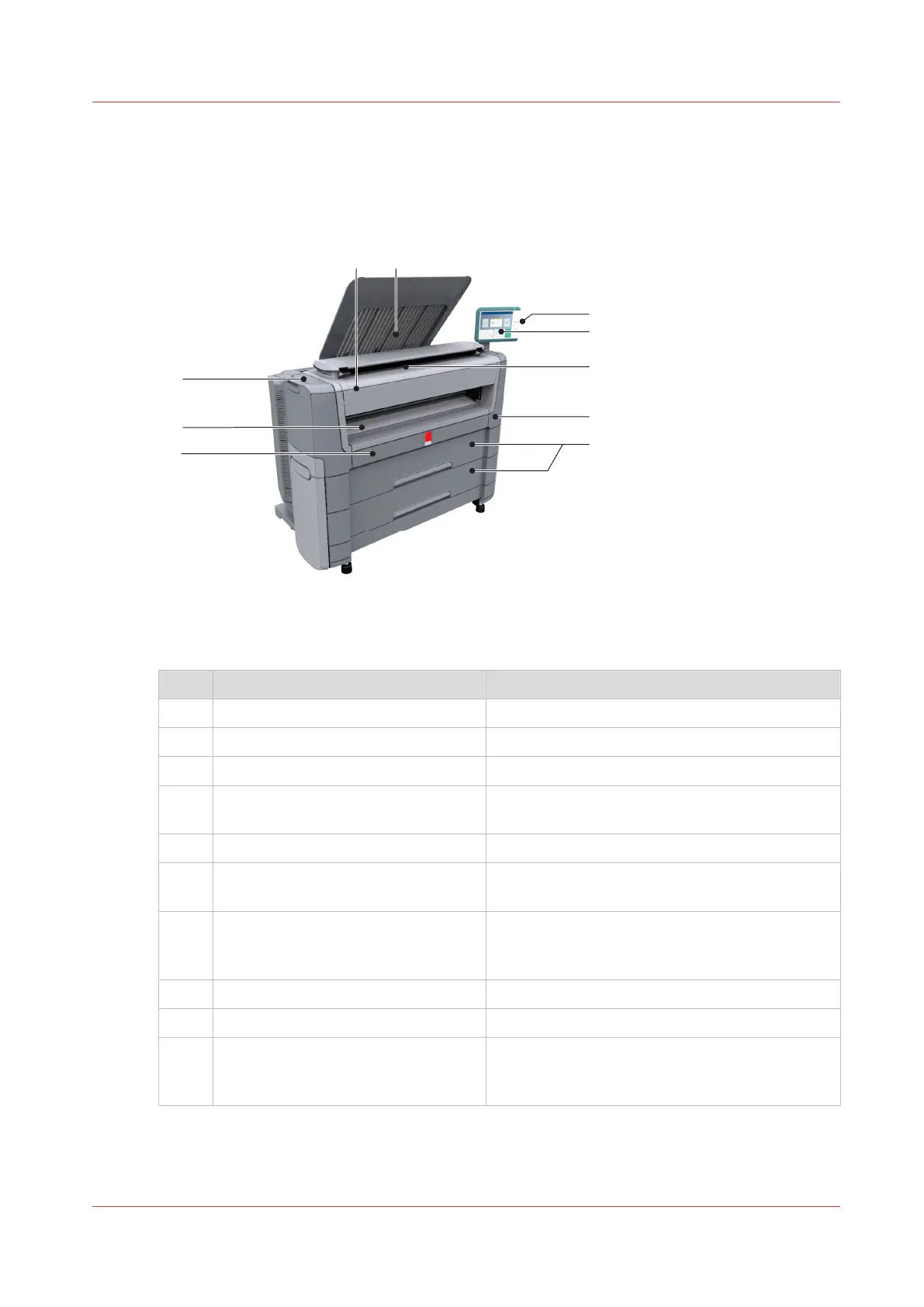
The components of the printer (front)
Component - function table
No. Component Description / Function
1 [lower front cover] Located at the front, used for error recovery.
2 [media bypass] To manually feed cut-sheets up to 36" width.
3 [toner compartment] Compartment to refill toner.
4 [Easy Access cover] Cover that gives easy access for servicing the
printer.
5 [top delivery tray] Delivery tray that collects the printed sheets.
6 [USB port] USB connector to use a USB mass storage de-
vice to print from or to scan to.
7 Océ ClearConnect: multi-touch [user
panel]
The Océ ClearConnect user panel allows the user
to start copy, scan, or print jobs, and to monitor
the system and the job status.
8 [printer top cover] Only available in printer-only version.
9 [on/off button] Button to start or shut down the printer.
10 [media drawer] Media drawer that contains media roll 1 and 2.
Optional media drawer that contains media roll 3
and 4.
The Hardware
Chapter 2 - Get to Know the Printing System
25










 To Next Page