Fold methods
Introduction
The Océ PlotWave folder for the Océ PlotWave 450/550 supports two fold methods: DIN A and
DIN B.
Fold methods
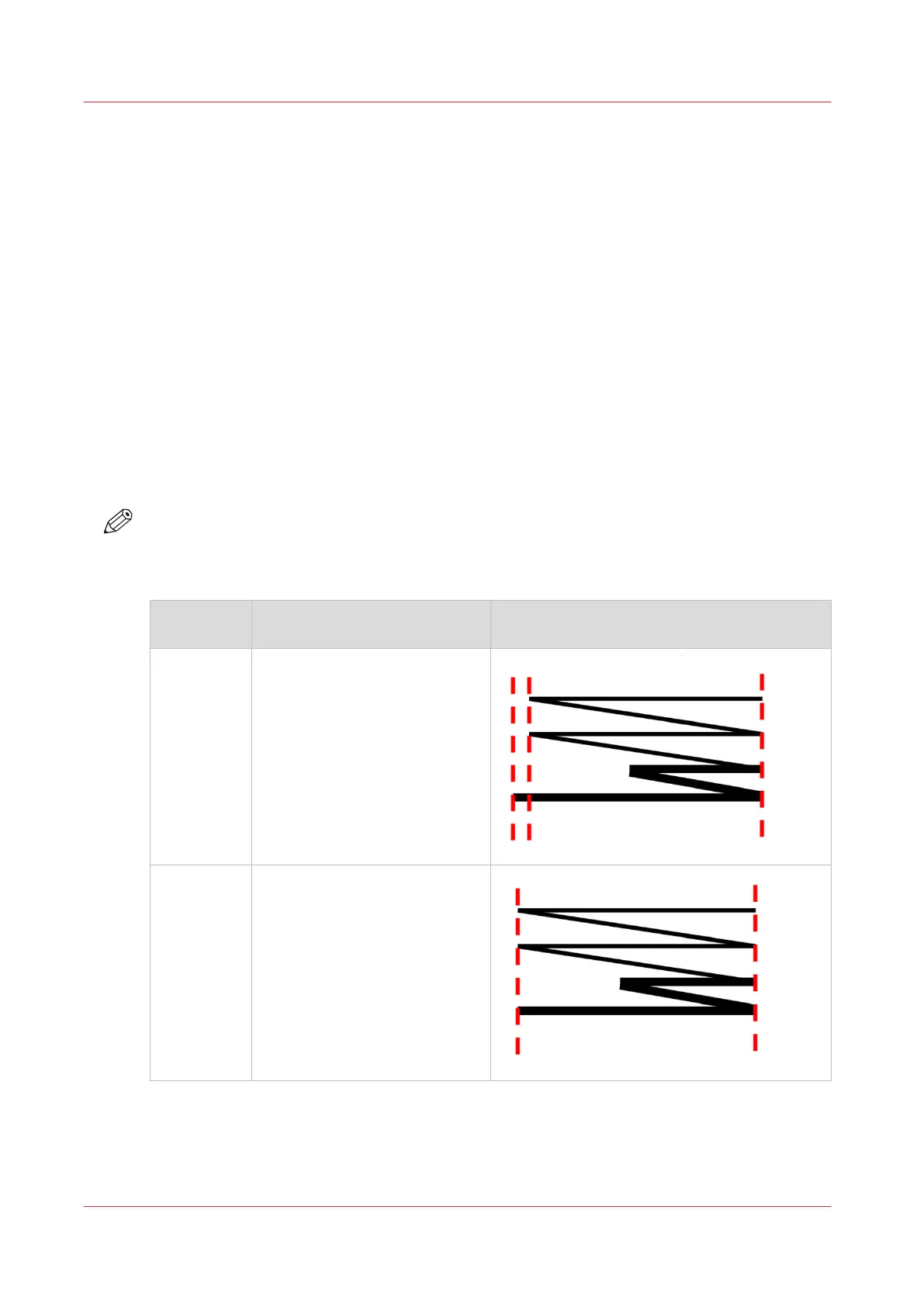
DIN-A
The front page and back page fully cover the folded package and the back panel extends to create
a binding edge. A compensating fold in between is required to ensure that the back panel
completely covers the package and extends to provide the binding edge.
DIN-B
The DIN-B is equal to DIN-A but provides a package without a binding edge. The folder provides a
package with front panel and back panel covering the package. A compensating fold in between
is required to ensure that both panels are covered. This format is used for a basic fold package.
NOTE
You can make the setting for your preferred fold method by creating a template in Océ Express
WebTools. Make sure you set the [Folding method] setting to the corresponding value. For more
information, see
Fold settings
on page 104
Fold method Template [Folding method] set‐
ting in Océ Express Webtools
Illustration
DIN-A [With binding edge]
DIN-B [With same size back]
Fold methods
218
Chapter 5 - Use the Folder










 To Next Page