Prepare the tape roll for operation
Procedure
1.
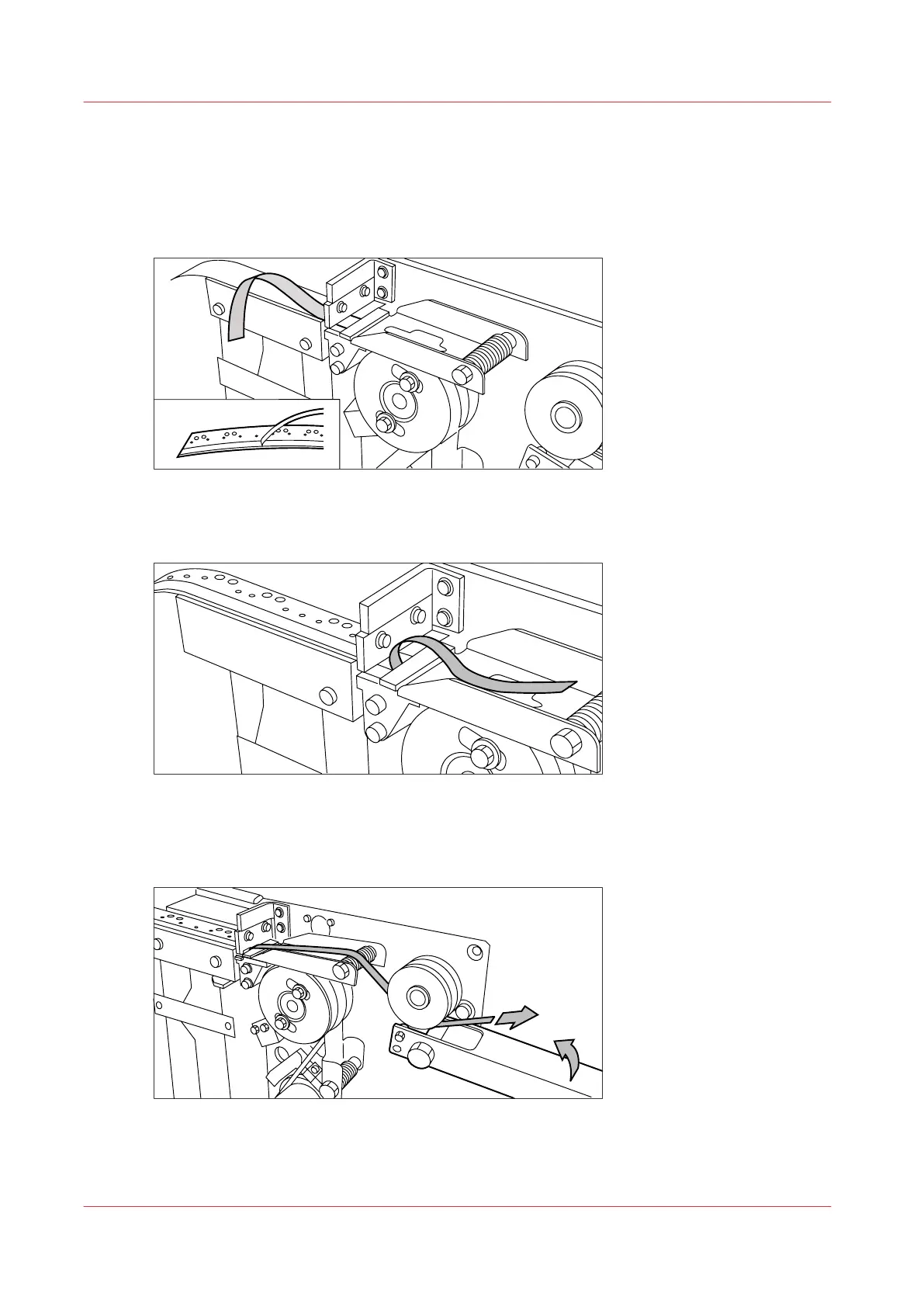
Remove the protection sheet from the tape.
[13] Peeling off the protection sheet
2.
Guide the protection sheet back between the upper and lower knife.
[14] Leading the protection sheet between upper and lower knife
3.
Lift the guide and move the protection sheet between the protection sheet rollers. Pull the
protection sheet tight.
[15] Leading the protection sheet between the rollers
Prepare the tape roll for operation
262
Chapter 6 - Maintain the Printing System










 To Next Page