- 18 -
Section 3: Installation
□ First, please confirm that you have read the Cautions about installation.
3 - a) Environment for installation
The equipment can be used in the ambient temperature of 10~35゜C(50~95°F)
but to ensure the best performance, temperature range of 20~25゜C(68~77°F) is recommended.
Humidity should be 35 - 80% (RH) and without condensation.
□ This printer is very much sensitive to dust. Do not install it in dusty room.
→ If dust remains on the printing surface of the card, it will directly affect the printed image.
In the worst case, it will damage the Print Head and the Printer.
□ Do not place near the equipments which emit magnetic field.
→ It may destruct the magnetic encoding data if the Magnetic Encoder is being used.
In the worst case, it may cause equipment trouble.
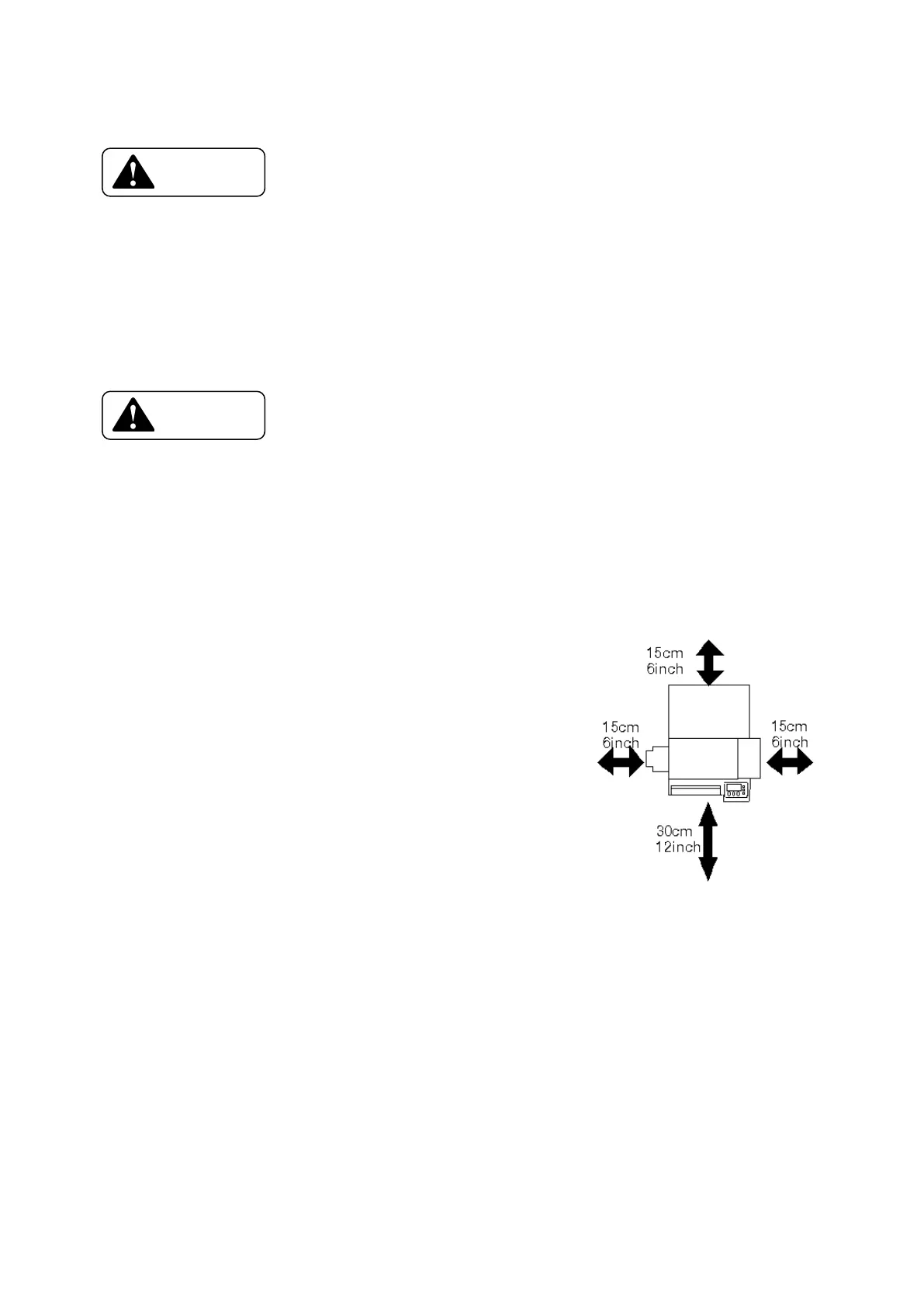
3 - b) Space for installation
The space for the operation as shown in the illustration should
be provided.
◆ At least 20 cm(8inch)of clearance should be kept
for the Top Cover.
◆ Table to place the printer should be able to hold
Minimum 25Kg(55lbs)and have flat top and 4 rigid legs.
◆ It should not incline more than 1゜.
3 - c) Preparation for installation
Take out the printer from the shipping carton, confirm that all
contents are included as listed in section 2-a) and place it on the installing table.
Make sure that the main switch is in OFF position before placing the printer on the table.
Before connecting the plug into the power outlet, make sure once again that the main switch is OFF.









 To Next Page