- 53 -
10 - b) Releasing card jam
Most of the card jam errors are caused by dirt and stain of the card transport rollers.
If the rollers are dirty, card jam error frequently occur. To prevent this, periodic roller cleaning as described in paragraph
6 is recommended.
□ Depending on the position of the card jam, you may have to put your hand in the printer. Please be careful when doing so and
be sure to turn OFF the power before beginning the work.
Usually, jammed card can be ejected automatically to the Card Eject Exit by pressing Clear key on the operation panel. If the card
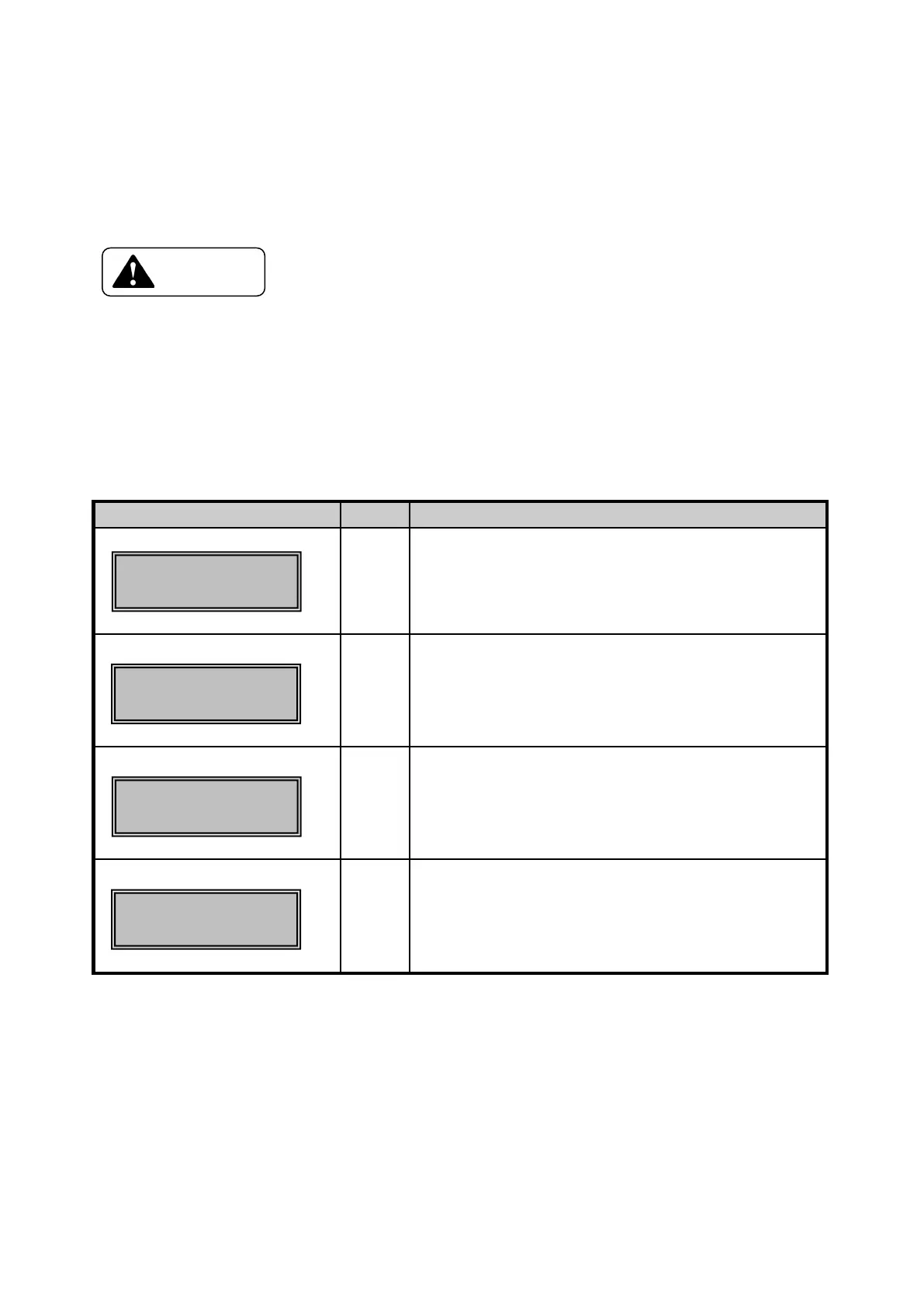
cannot be ejected in this method, remove the jammed card manually. The location(Block) of card jam is shown on the LCD
panel.
The figures next to the "Card Jam Area" indicates the card jam location more closely.
01,02
Inside the Feeder Block
02,04
03
08
Between Feeder Block and Flip Turn Block
Within Flip Turn Block and eject
Between Flip Turn Block and Encoder
04
05
07
Between Flip Turn Block and Print block
With in Print Block
08
09
Between Flip Turn Block and Encoder
Within Encoder
Area ○ ○○-○○
Card JAM F.Turn
Area ○ ○○-○○
Area ○ ○○-○○
Card JAM Encode
Area ○ ○○-○○









 To Next Page