EasyManua.ls Logo

Canon PR-C151 - Structure of User Mode

Canon PR-C151
64 pages
Print Icon
To Next Page IconTo Next Page
To Previous Page IconTo Previous Page
Loading...
- 30 -
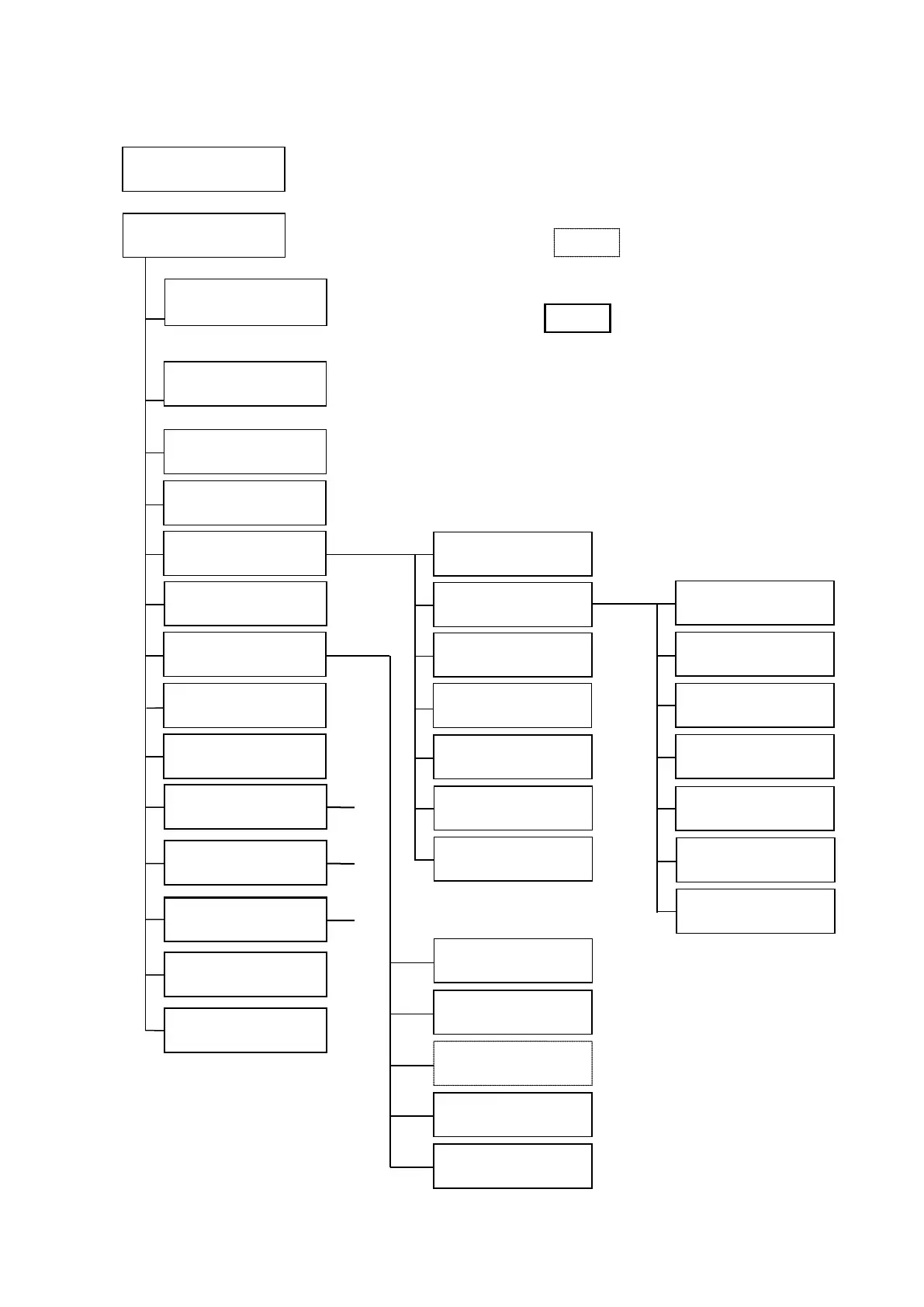
4 - e) Structure of User Mode
The items shown with □□ are to be set by the
User. Default settings is shown by the white letters
on the black background
The display surrounded with appears only
when the corresponding optional unit is connected
Sub-menus as shown with are listed in the next page.
Ready to Print
Removable Ribbon
User Mode
Push MENU Key
Ready to Print
Removable Ribbon
Card Count
○○
Total Count
○○
Image Setup
EXE: sub menu
Error Buzzer
□□
Ribbon Type
EXE:sub menu
Printer Cleaning
EXE:sub menu
Image Setup
Push MENU Key
Color Adjustment
EXE:submenu
Color Print Mode
□□
Sharpness Adjust
□□
Printer Ribbon
□□
H.Roller Ribbon
□□
Return to normal
Mode (EXE)
Return to Parent
Menu (EXE)
Color Adjustment
Push MENU Key
Yellow
□□
Magenta
□□
Cyan
□□
Black
□□
Return to normal
Mode (EXE)
Return to Parent
Menu (EXE)
(High
Speed)
(ON)
Printer ID Disp
ID:□□
Ribbon Type
Push MENU Key
Printer Status
CLR+EXE: sub menu
Interface Setup
CLR+EXE: sub menu
Setup Data Reset
CLR+EXE:Reset
Return to normal
Mode (EXE)
(5)
Return to normal
Mode (EXE)
Return to Parent
Menu (EXE)
Black Correction
□□
(ON)
(0)
(0)
(0)
(0)
(0)
(3BP)
F/W Version
EXE:sub menu
User Mode
CLR:Back EXE:Go

Table of Contents

Related product manuals