- 20 -
Setting Printer ID
There are 16 PRINTER #s. as a specification and each devices must be assigned with different ID
numbers. To set the ID numbers for this card printing system, follow the instruction of the
system.
The default of this Printer is "5".
□ The Printer ID No. shall not be the same as that for the other device.
→ The system will not operate normally.
Internet Connection Settings
Configure Internet connection settings to connect the printer to a network.
Configure these settings on the printer in User Mode or through the printer driver.
→ 4-d) Function of User Mode
Connecting Cable
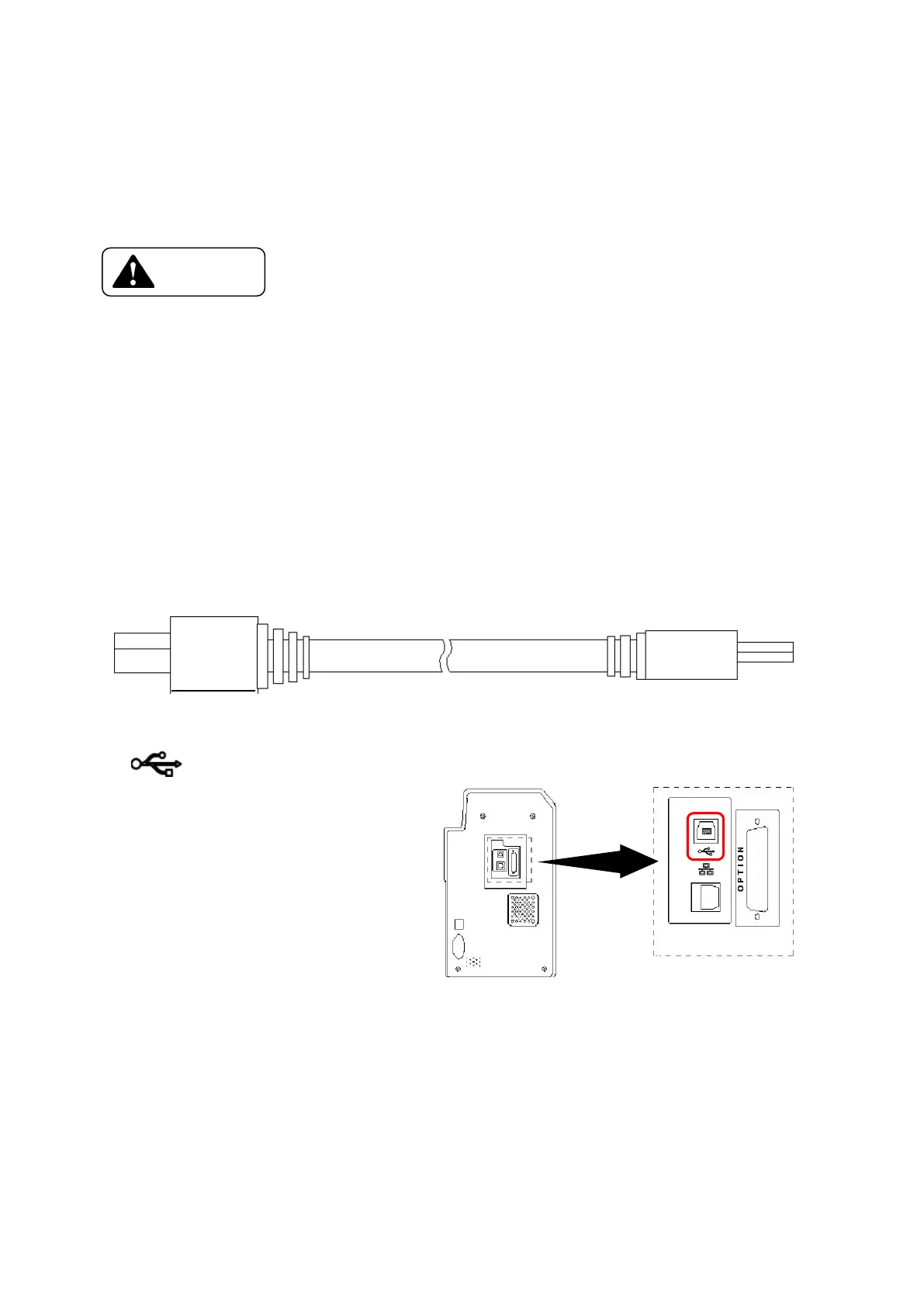
□ USB Cable
Shape of the connector on a printer side :B Type
Connect the B type side to the back of a Printer at the connector with displayed
as as shown on right









 To Next Page