- 21 -
□ Ethernet Cable
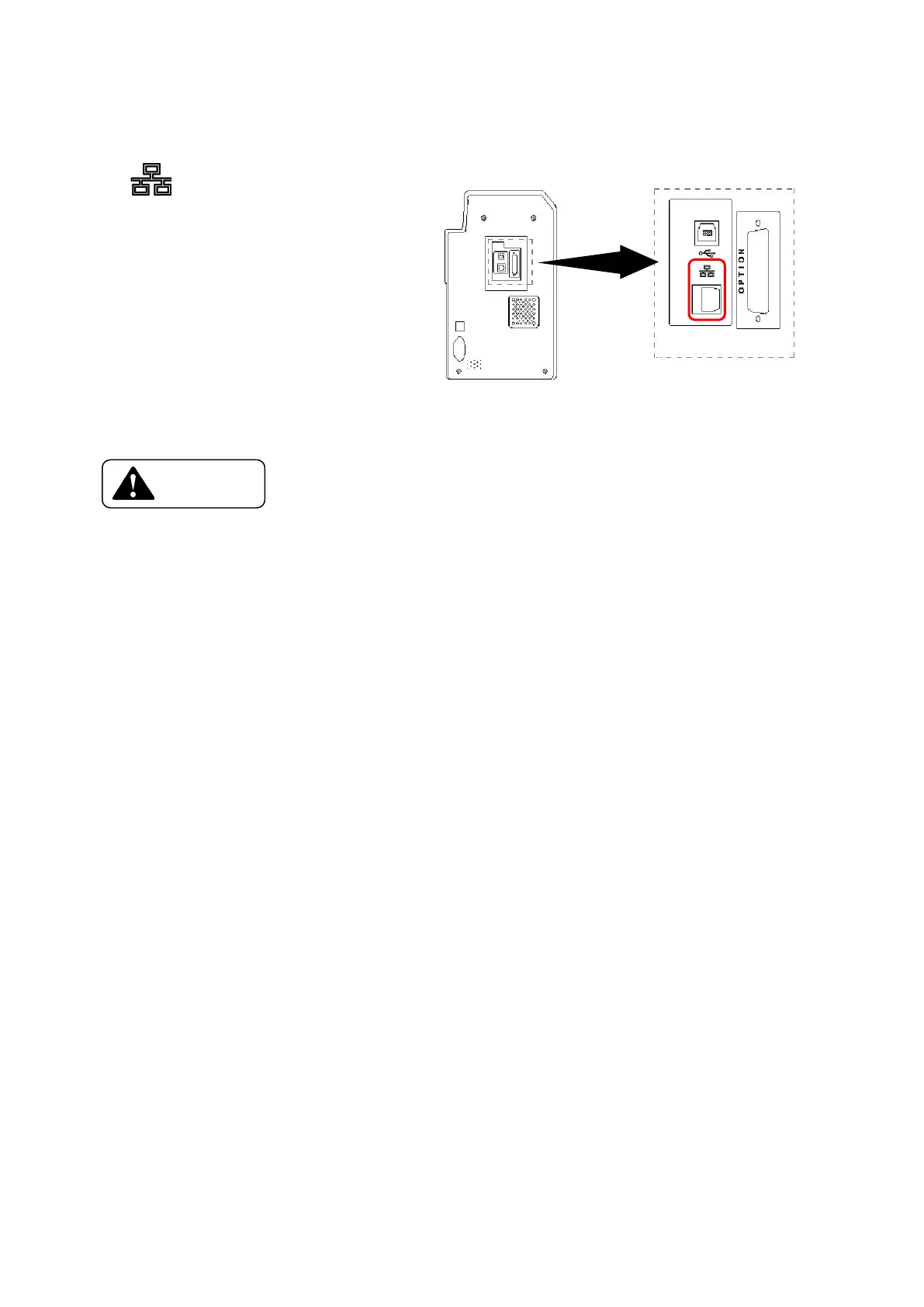
Connect the Ethernet Cable to the back of a Printer at the connector with displayed
as as shown on right
□ Do not connect any device other than the specially designated device
PR-L151(Model Name : PR5302) which are presented by CANON FINETECH NISCA,
to the connector (Non LPS : Limited Power Source) for the options.(Refer to the
printer back view in the Section 2, Name of the parts)
→Connected device may be damaged.
→Circuit voltage rating: 24 Vdc, 5 Vdc
→Fire risk when none designated device is connected.
□ When connecting the cable, do not forget to turn OFF the power switch of the printer and
all other devices to be connected.
→It may cause a trouble to entire system and there is a possibility of big damage such as
losing the stored data.









 To Next Page