- 32 -
Section 5: How to Set Cards and Ribbon
5 - a) Setting cards
□ Do not use the card other than designated by the dealer.
→ Otherwise, it may not produce the normal print quality and cause trouble on the equipment.
□ Double printing on the card which has been printed with this printer is not possible.
→ Double printing will cause trouble on the printer.
Place the Weight on the Top
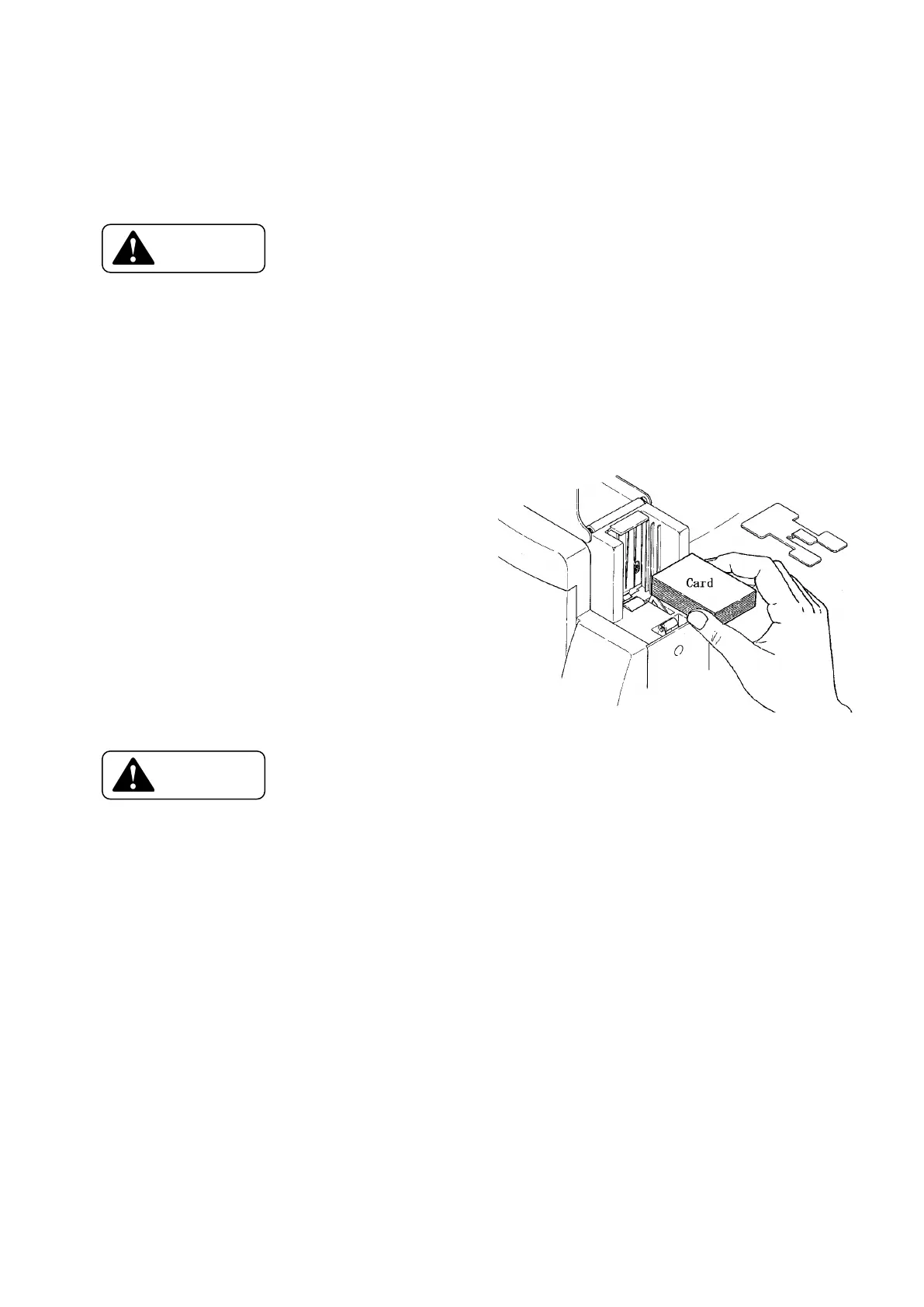
1. Open the cover of card supplying
box and remove the card weight.
2. Hold a stack of card as shown
in the fig. on the right side,
and set.
3. Push the cards in so that the
back edges of the cards
become even.
4. Place the card weight on top
of the card and close the cover.
Hold the card(s) by the edge
□ When loading the cards with mag-stripe, be careful to the direction of
the card. Regarding the direction, read and follow the instruction manual.
→ If the direction is incorrect it becomes "Encoder Write Error".
→ If mag-stripes are on both sides, it may be erroneously encoded.
□ When printing on the pre-printed card, make sure that cards are loaded in the correct direction.
Read the operation manual of the systems which you are using.
→ If it is incorrect, the proper printing will not be made.
□ Do not use dusty or stained cards .
→ It may cause a damage on the Print Head.
□ Hold the cards by the edges only and do not touch the printing surface.
→ It may affect the print quality.









 To Next Page