- 29 -
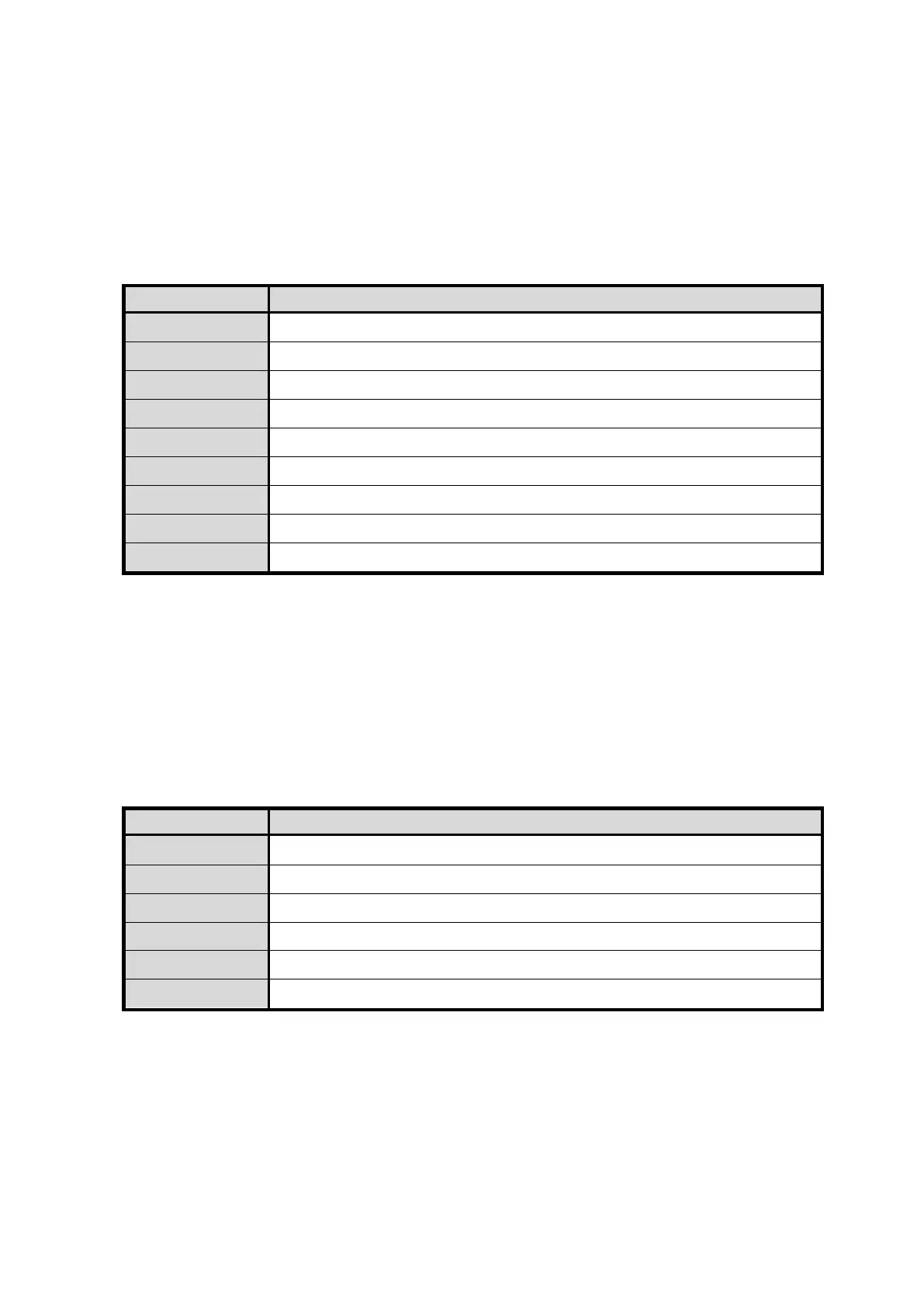
Interface Settings: Interface Setup
These parameters must be configured in accordance with the network environment to
which the printer is connected. Configure these settings per the guidance provided by
your network administrator.
To prevent unintended accidental operation, the CLEAR key and EXE key must be
pressed simultaneously in accordance with the display to enter this menu. Use basic
operation methods to continue configuring these settings.
*This parameter may not appear depending on your system.
Printer ID Set the individual Printer ID (0-15).
Set the DHCP function ON/OFF.
IP Address Set the IP address. (*)
Default Gateway Set the default gateway. (*)
Displays the MAC address.
IP Sec Set the IP sec function ON/OFF.
Set the session timeout (seconds).
Password Reset Disable the printer driver password setting.
(*)To enable settings only when DHCP is turned off or change settings, press the CLEAR key and EXE key
simultaneously to change to the change settings menu.
Device Version Information: ROM Version
This printer is equipped with the function to download the main program from the PC
in order to support various card printing systems. The program has two parts; one is
the Base Program which controls the basic communications and the other is the Main
Program to control all functions. In addition to those two, it is possible to check and
confirm the version of the optional devices, if connected.
Menu Function
Version of the base program used to replace the main program
Version of the main program that prints cards
Version of the magnetic encoder program (only when using connected options)
Version of the Laminating program (only when using connected options)
Printer Settings Initialization: Setup Data Reset
Resets any changed settings to the factory default values.
The following parameters are initialized.
Value [Card Count]
Settings [Error Buzzer]
Sub-menu settings within [Image Setup], [Ribbon Type], [Printer Status],
[Interface Setup]









 To Next Page