- 41 -
6 - f) Cleaning of the Print Head
□ The Print Head will be remaining hot when just after Printing.
Before starting this operation, make sure that the Print Head module has been cool.
□ Turn OFF the main switch and pull out the plug of power cord before the cleaning operation.
→ Otherwise, an electrical shock or personal injury could result.
□ Do not use solvents other than alcohol for cleaning OA equipments.
→ Using the solvent other than alcohol may damage the parts and may cause trouble of the printer.
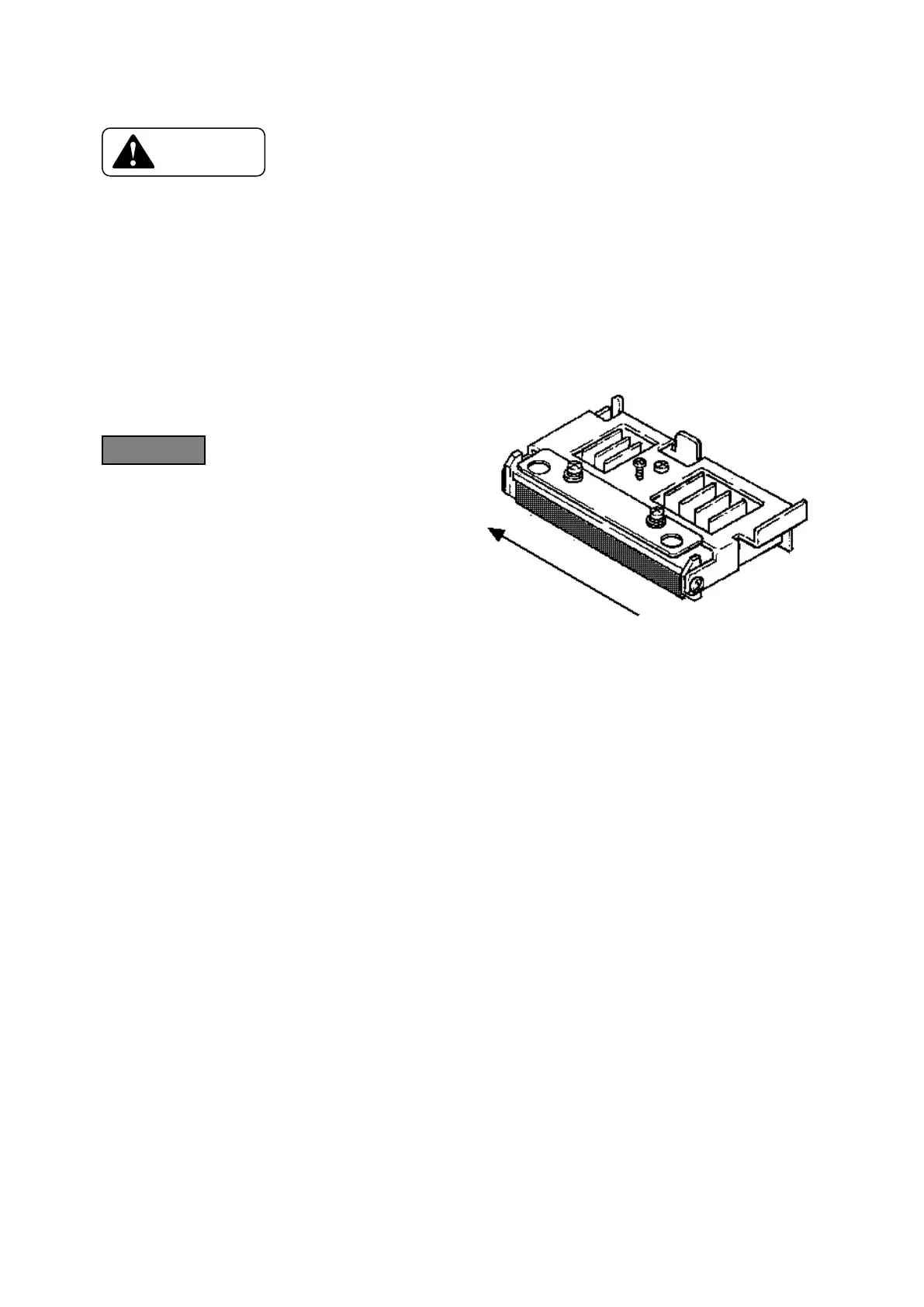
The heating elements are shown with
in the figure on right.
◆ W et and squeeze the soft cl oth
with alcohol for OA equipments
and wipe the heating elements in
the direction as shown by an
arrow in the figure on right.









 To Next Page