- 46 -
7 - c) Replacing Fan Filter
□ Turn OFF the main switch and pull out the plug of power cord before the replacement operation.
→ Otherwise, an electrical shock or personal injury could result.
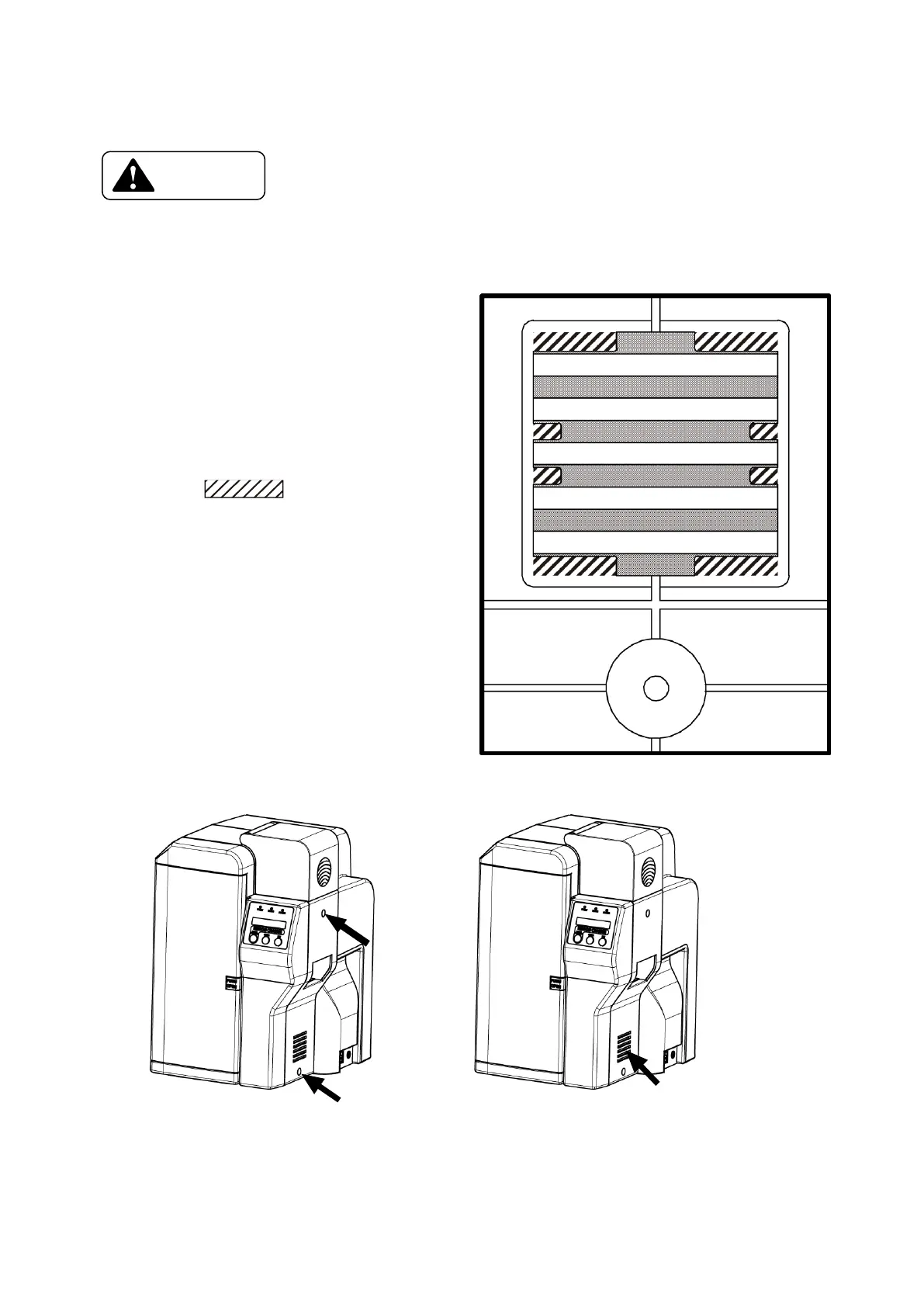
A figure on right shows a part of
back side of the right cover located
just below the card hopper.
Take off Fan Filter installed at
the fan intake duct behind the right cover.
Put Fan Filter into inside the rib,
shown as in the figure
on the right, to fix Fan Filter.
→ Please be careful that in case
Fan Filter is not firmly fixed,
foreign substance might be absorbed
from the gap, which can damage
print head or printer.
Right cover installation screw Filter section
X 2 Change the right cover from the disassembly inside.
Filter









 To Next Page