- 52 -
Trouble shooting
◆ Ink ribbon is not set correctly.
→ Check whether the ink ribbon is correctly set in the cartridge.
◆ Ribbon transport roller is dirty
→ Clean the roller.
◆ Improper card is used.
If a card which is already printed with this printer is used,
the ribbon sticks to the card and card jam error will occur.
→ Peel off the ribbon from the card and roll up the ribbon2-3 turns.
If the ribbon is broken, use Scotch tape etc. to patch up and roll up.
It may require repairing depending of the condition.
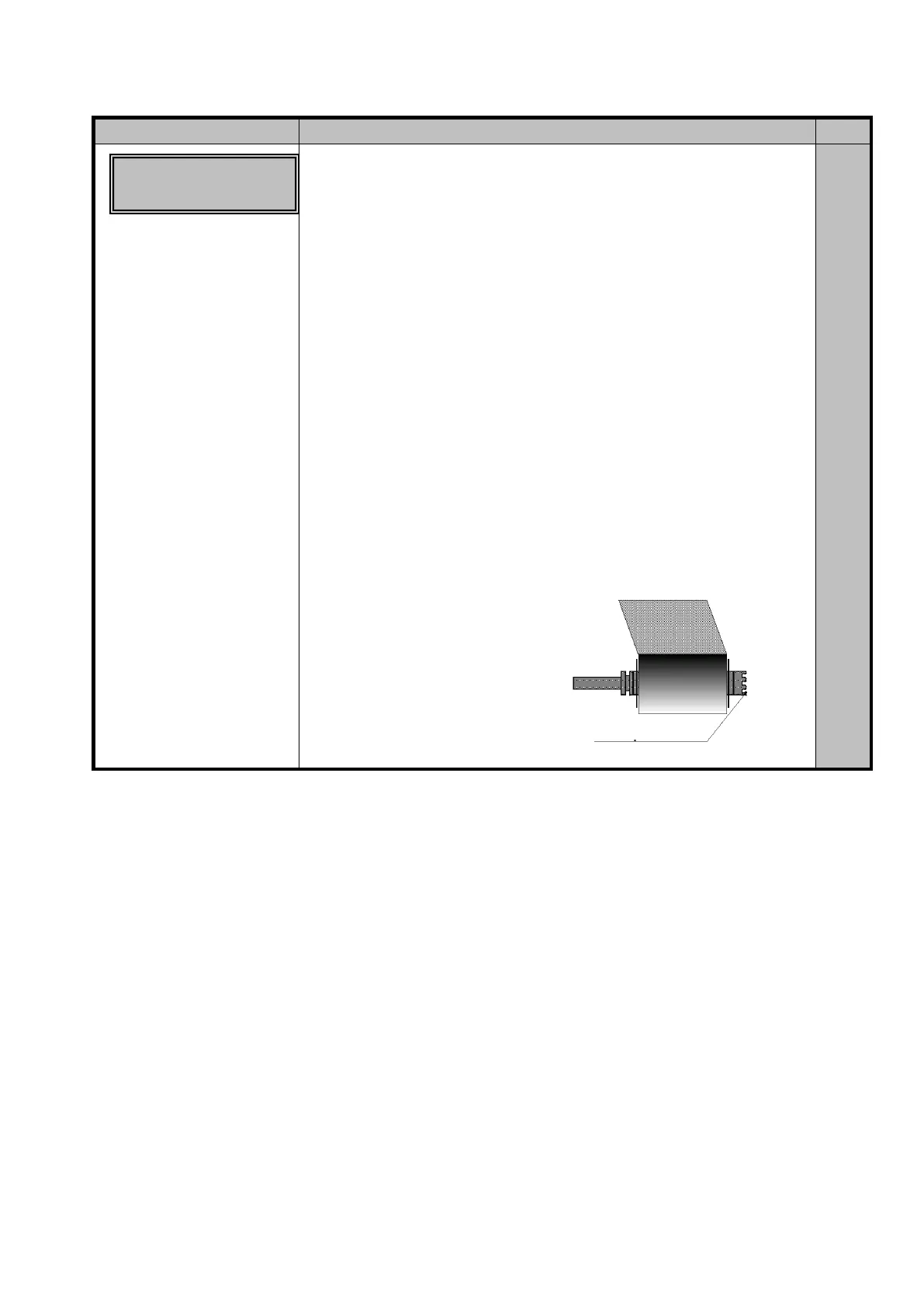
◆ The engagement teeth of the bobbin is broken by dropping etc.
→ Replace with the normal bobbin.
If the take up bobbin is damaged, unwind the used ribbon or cut off the
wound up part of the ribbon, attach the end to the normal bobbin and
wind up to the next frame.
P.34
P.36
P.34
P.34
Ribbon Wind up
Miss ○○-○○
teeth of the bobbin.









 To Next Page