3-17
How to Operate VB-C500 Viewer
VB-C500 Viewer
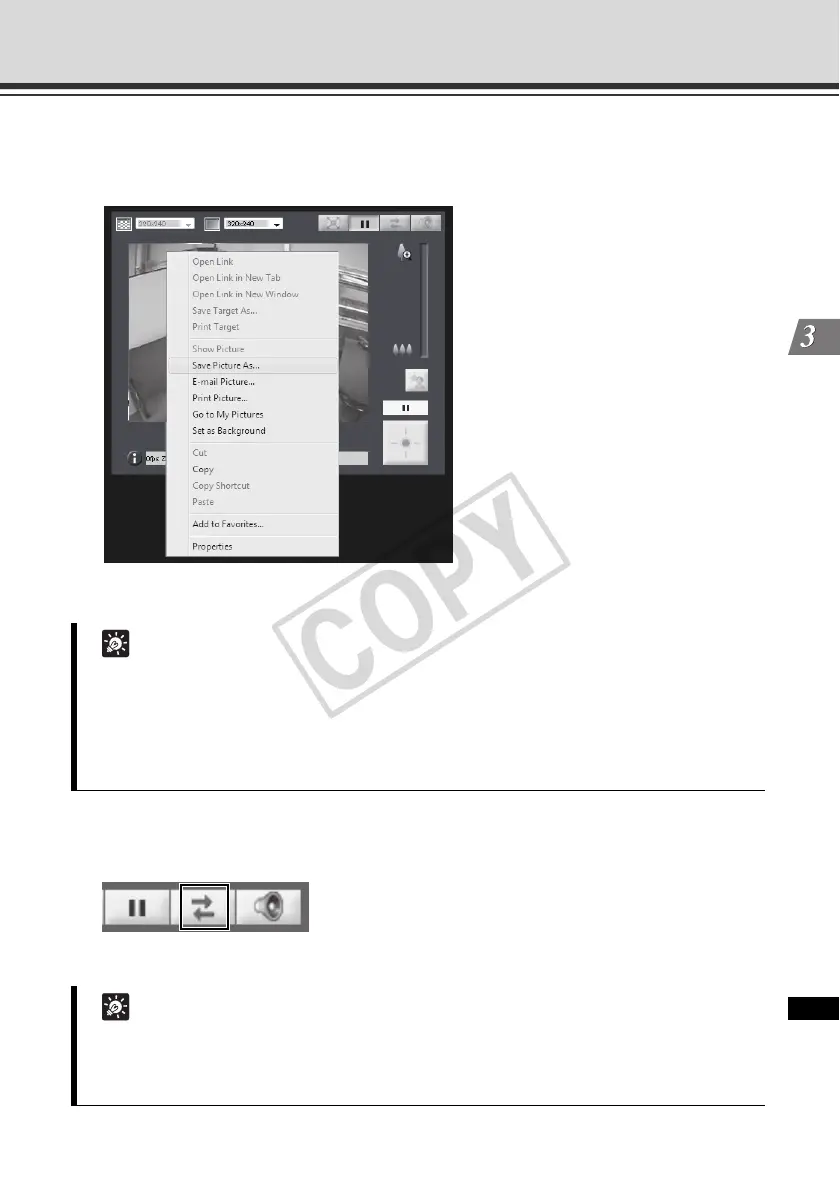
Saving the Paused Image
How to Operate
* Although the sample screen is that of Admin Viewer, you can also save the image in VB Viewer using the
same operation.
Reconnect
This function is used to connect to the camera again.
To reconnect the camera, click this button.
Tip
When the video is paused, functions others than Video Display Size, the Pause/Resume
button, the Control for Admin button, and the Control for Admin items except the followings
are grayed out.
- External Input Status Display - Motion Detection Status Display
Function returns to normal after playback is resumed.
Tip
Once the camera is reconnected, audio reception will stop.
The control privileges will be abandoned and the video capture size and video display size
will also return to the defaults.
1. Click the "Pause/Resume" button to
pause video.
2. Bring the cursor over the video
screen and right-click the mouse to
display the pop-up menu.
3. Select [Save Picture As].
4. Enter a file name and save the
image.



 To Next Page