5-20
Restore Settings
Since the VB-C500VD/VB-C500D supports various functions, it is recommended that you write
down the settings for respective functions. If you forgot the settings and want to set the camera
from the beginning, restore the factory settings first.
* For the factory settings, see P. 5-23.
Restoring the Settings from the Maintenance Page in the
Web Browser
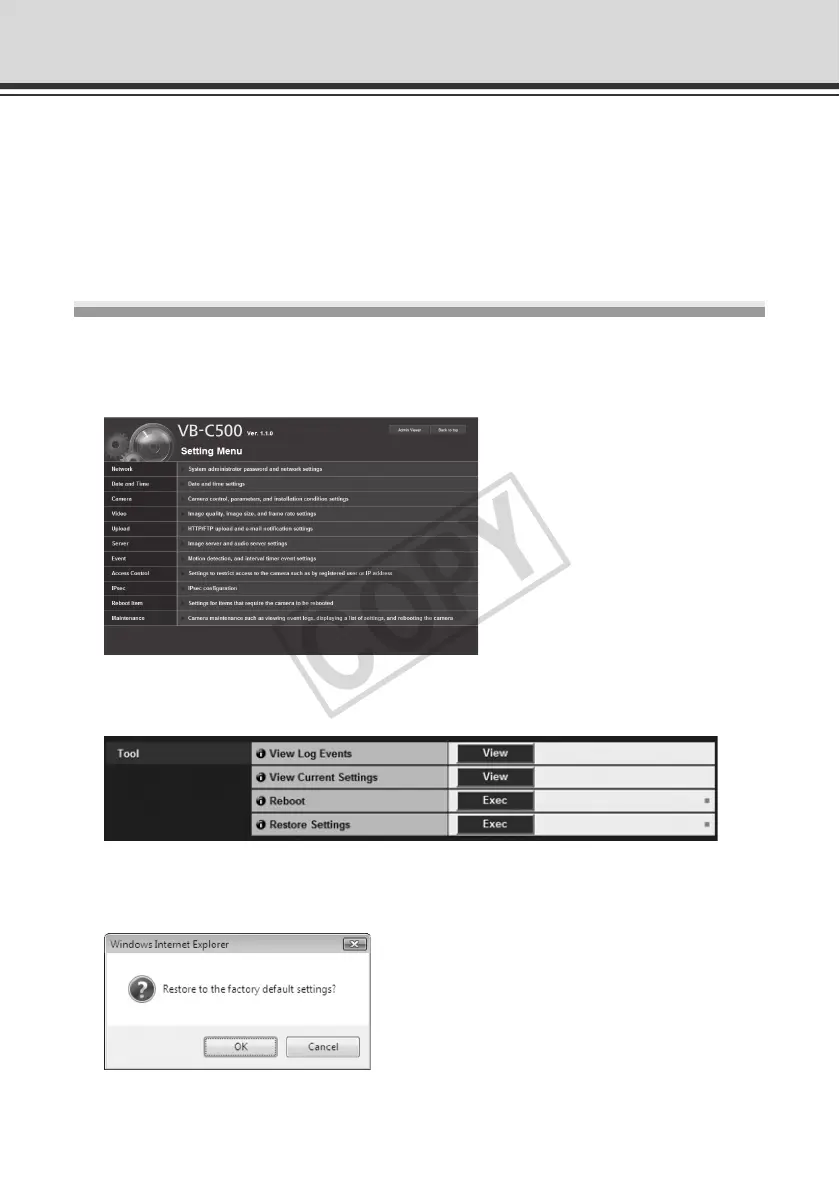
1. Launch the Web browser and display the menu page from which A access various settings.
To display the Setting Menu page, you need to enter the IP address of the camera, user name
and Administrator password ( P. xiii, P. 1-8).
2. On the Setting Menu page, click [Maintenance].
The maintenance page appears.
3. Click [Exec] under [Restore Settings].
A confirmation message appears, asking if you want to restore the factory settings. To restore
the factory settings, click [OK].



 To Next Page