1-26
Setting HTTP/FTP Upload and E-mail Notification (Upload)
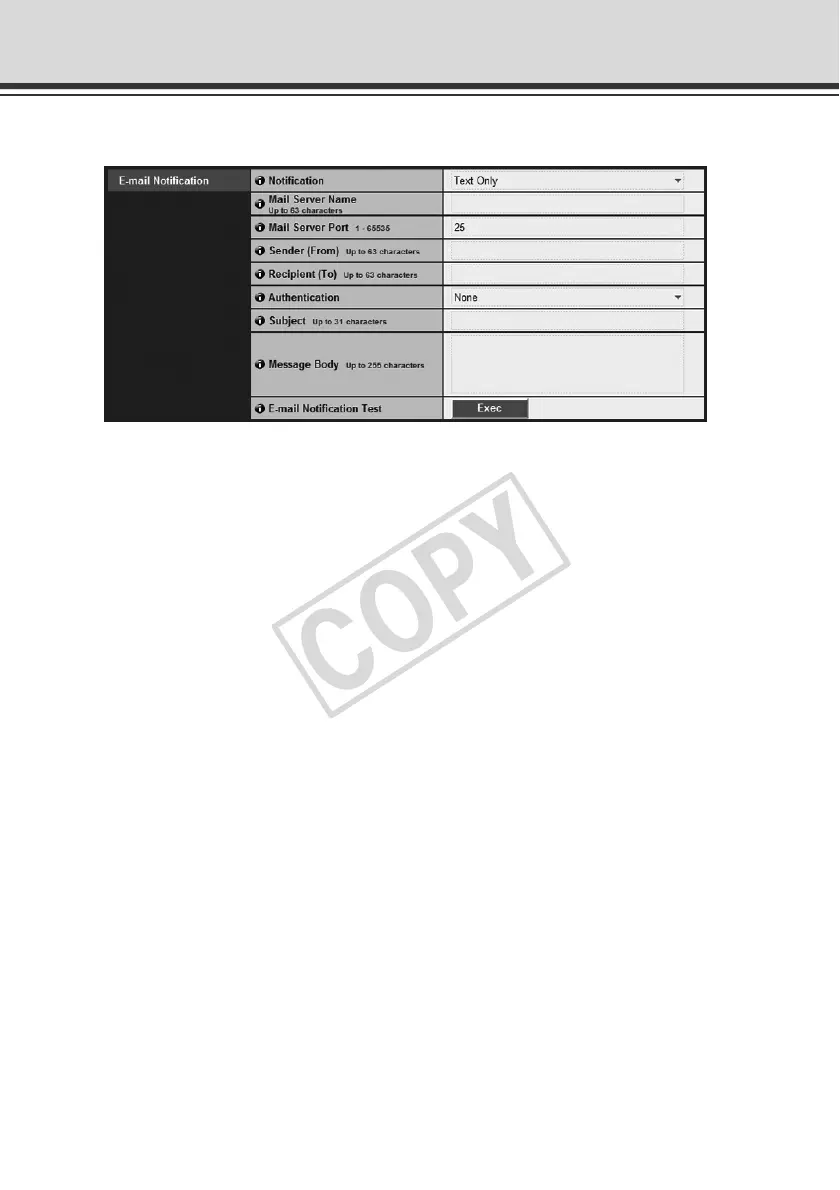
E-mail Notification
(1) [Notification]
Select [Text only] or [Text with image] as the content of notification.
(2) [Mail Server Name]
Enter the host name or IP address of the SMTP server (using up to 63 characters).
(3) [Mail Server Port]
Enter the port number of the SMTP server (default = [25]).
(4) [Sender (From)]
Set the e-mail address of the sender (using up to 63 characters).
(5) [Recipient (To)]
Set the e-mail address of the recipient (using up to 63 characters).



 To Next Page