1-36
Setting the Image Buffer, Motion Detection, Audio Playback and Interval Timer (Event)
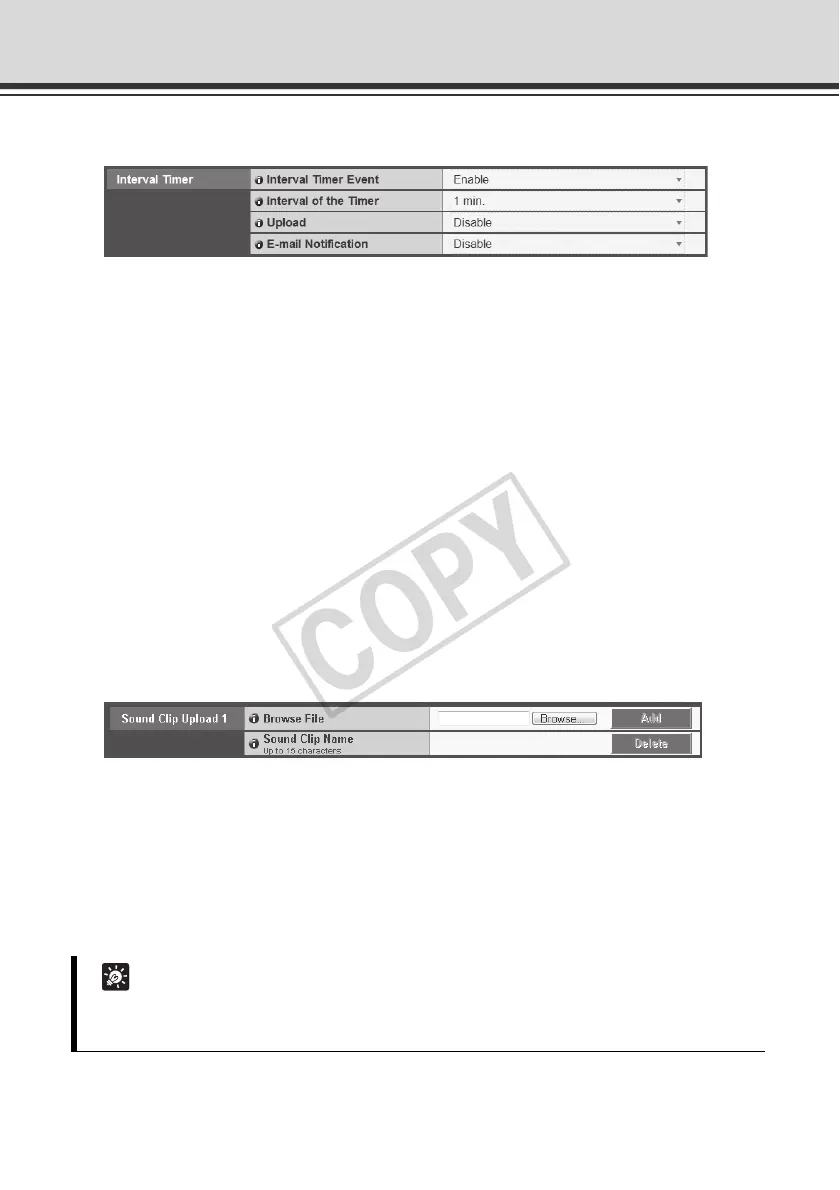
Interval Timer
(1) [Interval Timer Event]
Select whether to [Enable] or [Disable] timer events.If [Enable] is selected, (2), "Timer
Interval," (3), "Upload" and (4), "E-mail Notification" are displayed.
(2) [Interval of the Timer]
Select a desired timer interval from the pull-down menu in a range of [1 sec.] to [24 hours].
(3) [Upload]
Select the upload operation. If [Enable] is selected, upload is performed at the specified
intervals. To use this function, the [Upload] menu must also be set.
(4) [E-mail Notification]
Select the e-mail notification operation to be performed. If [Enable] is selected, e-mail
notification is performed at the specified intervals. To use this function, the [E-mail
Notification] sub-menu must also be set from the [Upload] menu.
Sound Clip Upload
(1) [Browse File]
Specify the audio file to be registered as a sound playback, and then click [Add].
(2) [Sound Clip Name]
Set the name of the audio file to be registered as a sound playback (using up to
15 characters). To delete a registered sound, click [Delete] next to the name of the playback
sound you want to delete.
Tip
Only audio files of the ".wav" file format whose play time is no longer than 20 seconds (µ-law,
PCM 8 bits, sampling frequency 8000 Hz, monaural) can be set.



 To Next Page