2-17
Motion Detection Setting Tool
VBAdmin Tools
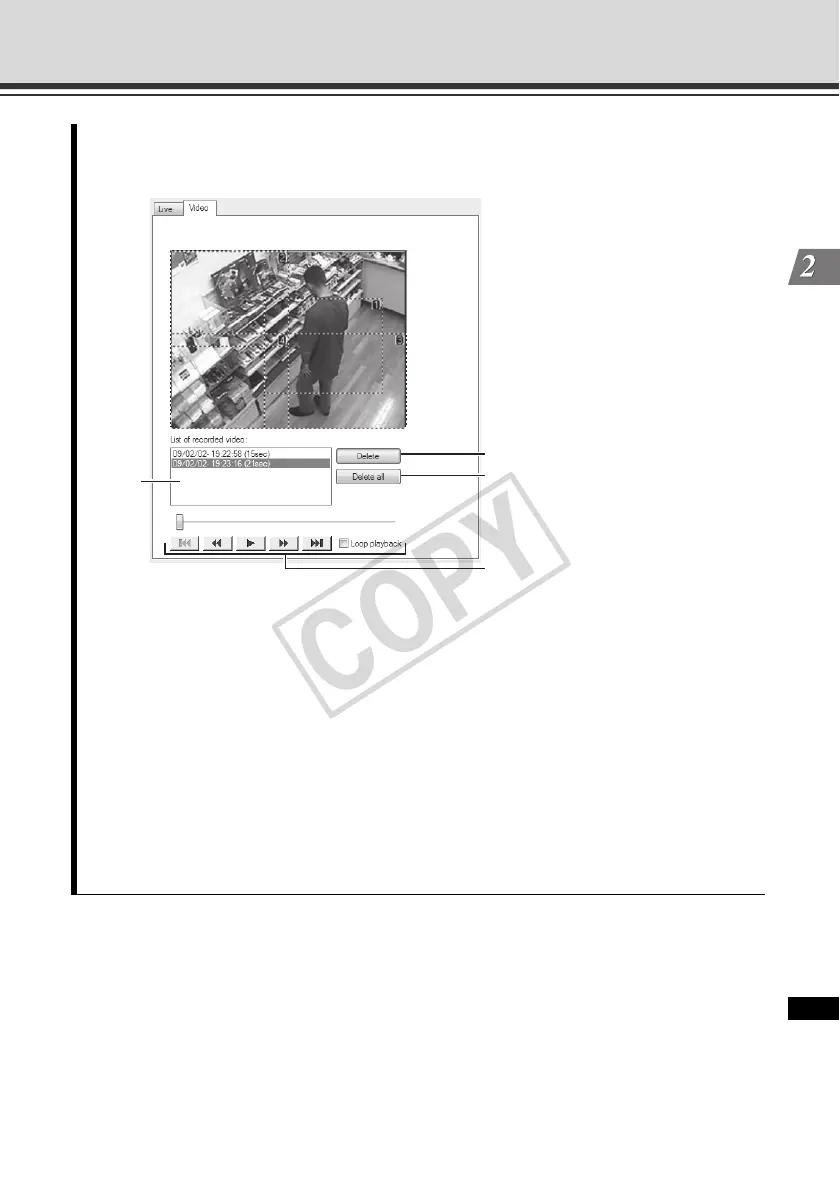
3. Adjust the motion detection sensitivity in the [Area] tab while checking the video in the
[Video] tab.
(1)List of recorded video
A list of recorded video is shown.
(2)[Delete] button
Clicking this button deletes the video selected from the list of recorded videos.
(3)[Delete All] button
Clicking this button deletes all videos shown in the list of recorded videos.
(4)Control buttons
The available buttons are "Move to Start", "Rewind", "Play", "Fast Forward" and
"Move to End" from the left.
When the [Loop playback] check box is selected, the video is played repeatedly.
(1)
(2)
(3)
(4)



 To Next Page