1-12
Notes on Operating Environment
Notes on Use When the [Windows Firewall] Function is
Enabled
When [VB Initial Setting Tool] is started, the [Windows Security Alert] dialog box may appear.
If the [Windows Security Alert] dialog box appeared, click [Unblock].
Once this button is clicked, this warning dialog box will no longer appear.
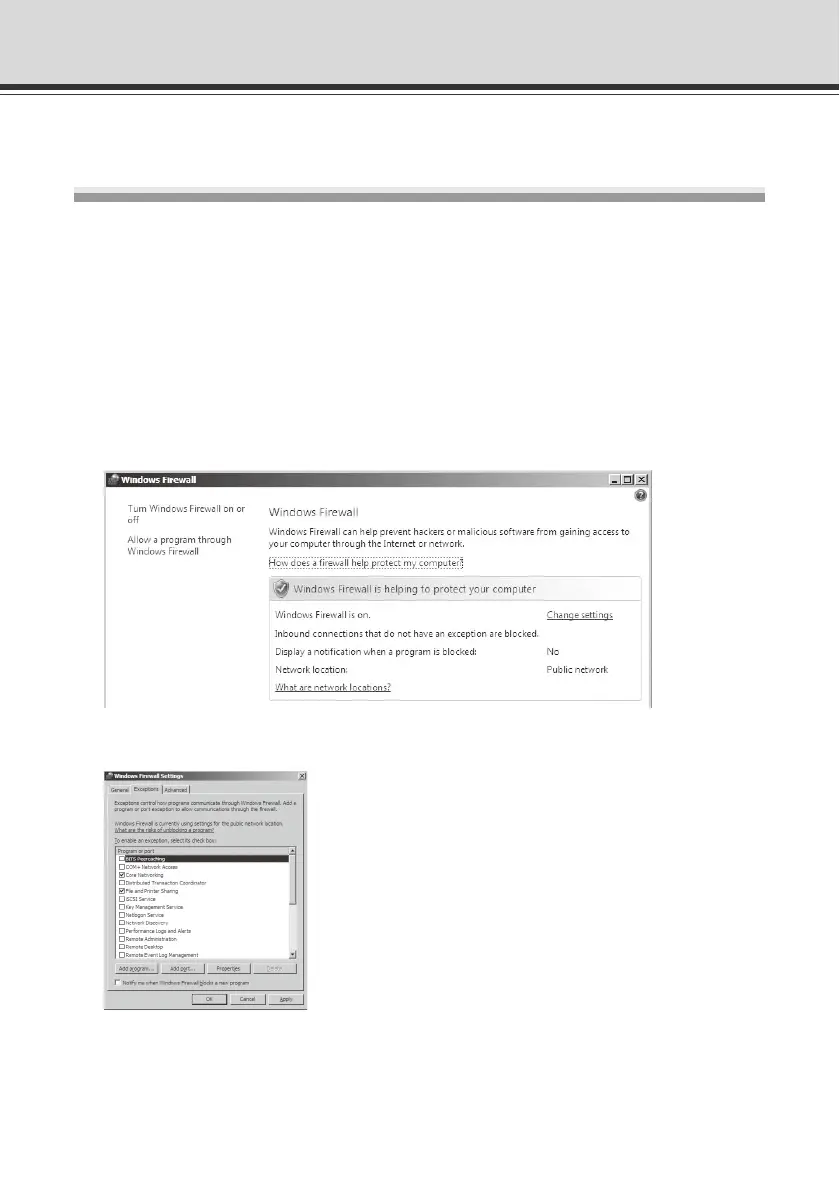
If the [Windows Security Alert] dialog box is not displayed, the warning function of the Windows
firewall may be disabled. Follow the procedure below to add [VB Initial Setting Tool] as an
exception to the Windows Firewall.
1. Click [Control Panel] and select [Windows Firewall]. If you are using Windows Vista/Server 2008,
also click [Allow a program through Windows Firewall].
2. Click the [Exceptions] tab, and then click [Add program...].



 To Next Page