3-8
Input/Output Terminals
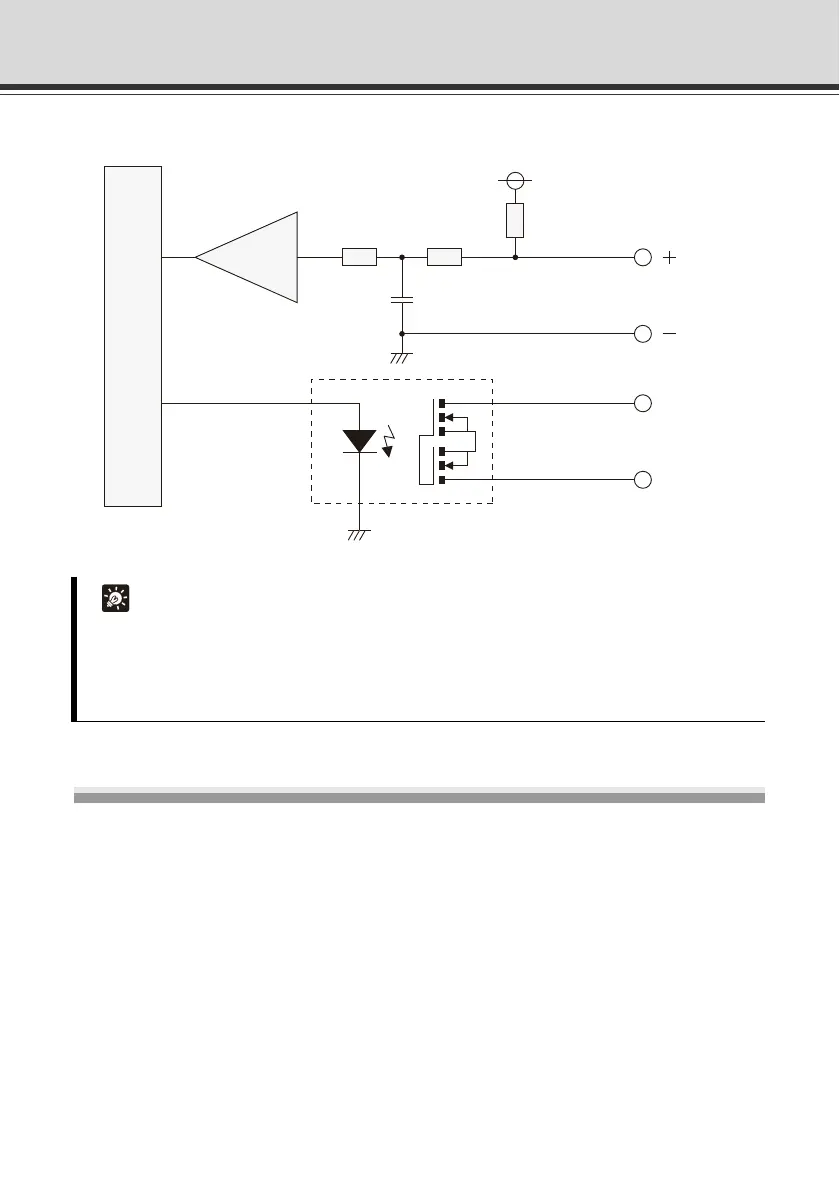
Internal Connection Diagram
Audio Input/Output Terminals
One audio input terminal and one audio output terminal is available.
A microphone, speaker with amplifier or other audio input/output device can be connected to the
camera to send/receive sound via the viewer.
To connect the camera to an audio input/output device, use a dedicated audio interface cable
WA500-VB.( P. 1-21)
Use a Φ3.5 monaural mini jack connector to connect the audio interface cable and audio input/
output device.
Tip
Applicable wire for external device cable
Single wire of AWG No. 28 to 22
Conductor size Φ0.32 to 0.65 mm (Φ0.013 to 0.026 in)
Strip the cable by approx. 8 to 9 mm (0.31 to 0.35 in)
Internal controller
External device
External
device
Input terminal:
IN1, IN2
Output terminal:
OUT1, OUT2
10k
Ω
10k
Ω
10k
Ω
+3.3V
0.1
µ
F



 To Next Page