Chapter 4 Verifying, Editing and Organizing Your Contacts
4-2 Corex Technologies
1
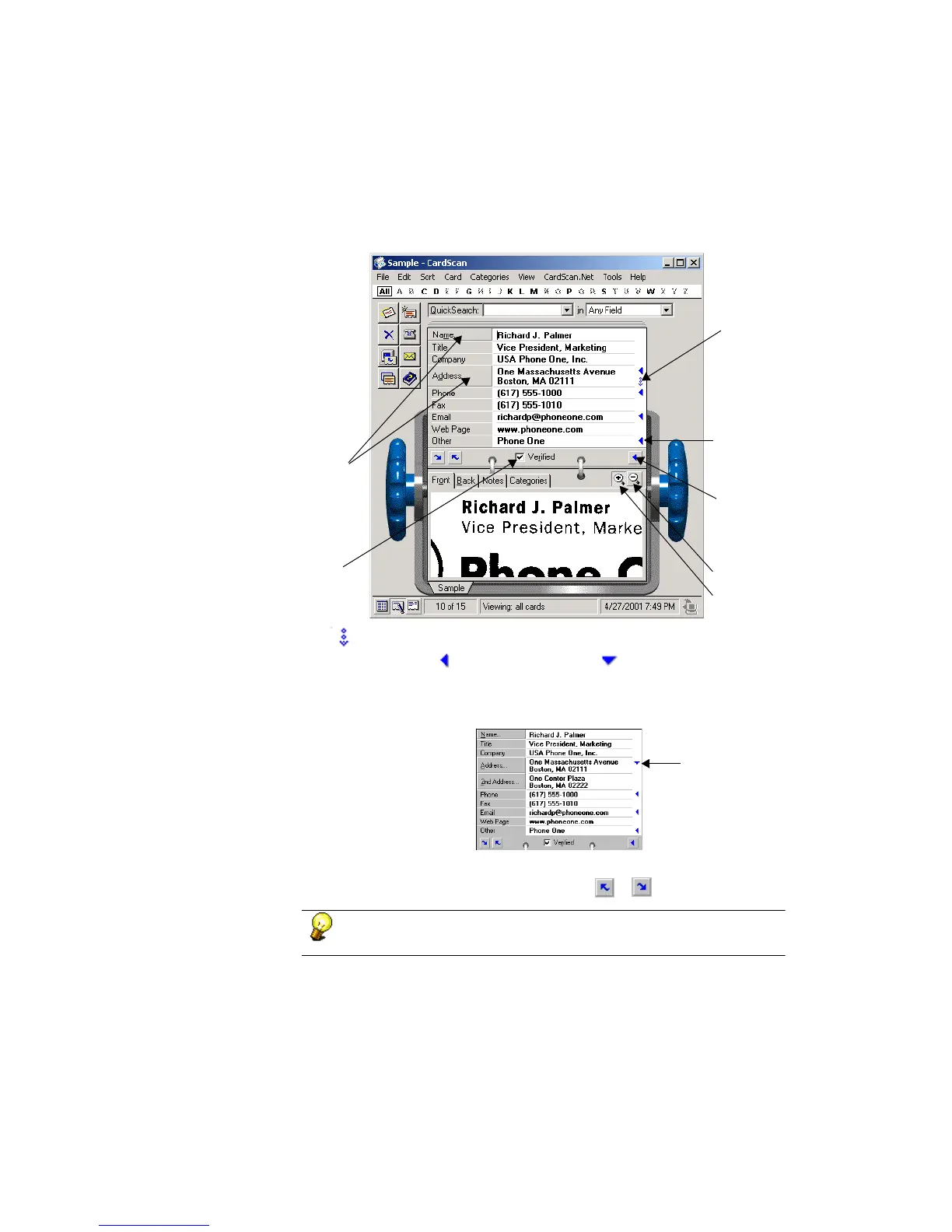
Pay attention to the symbols indicating hidden text and fields.
The symbol indicates a hidden field.
To see the field, click . The arrow changes to , and the field opens. For
example, if you click this arrow in the A
DDRESS field, the 2ND ADDRESS field
opens.
To verify the previous or next contact, click the or button, respectively.
You can also use the PageUp and PageDown keys to move from
contact to contact in Edit view and Summary view.
Click to zoom
out of image.
Click to check details of
name and address.
Hidden field
symbol
Check this box when
done verifying.
View all
text.
Click to see
more text. in
field.
Click to zoom
in on image.
Click to hide
additional field.



 To Next Page