Adding Information to Contacts
CardScan User’s Guide 4-5
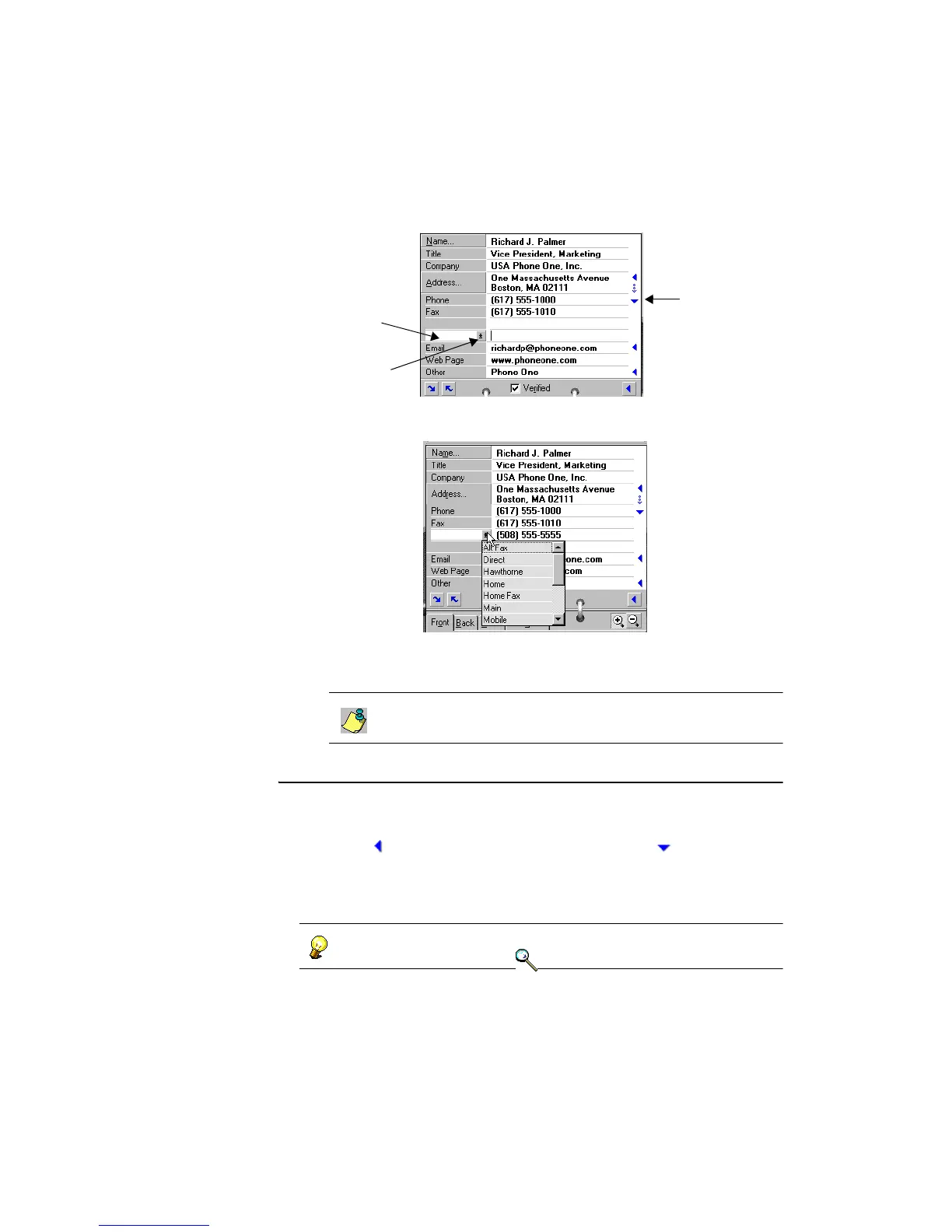
2. Type the contact information, and click the arrow on the left to open the
label dropdown list.
3. Choose a label from the dropdown list or type your own label in the blank
field.
The dropdown list contains labels entered previously. If you
type a label, it is saved in the dropdown list for future use.
Adding Email and Web Addresses
Each contact displays one email and one Web address. You can add and label
up to six more email or Web addresses:
1. Click in the Email field. The arrow changes to , and a blank
field opens.
2. Follow step 2 through step 3 in “Adding Information to Contacts” on
page 4-4.
You can add, rename, or delete labels. Also, you can use the same label
for more than one number. Keywords: “email”, “fax”.
Dropdown list
Blank field
Click to close
additional field.



 To Next Page