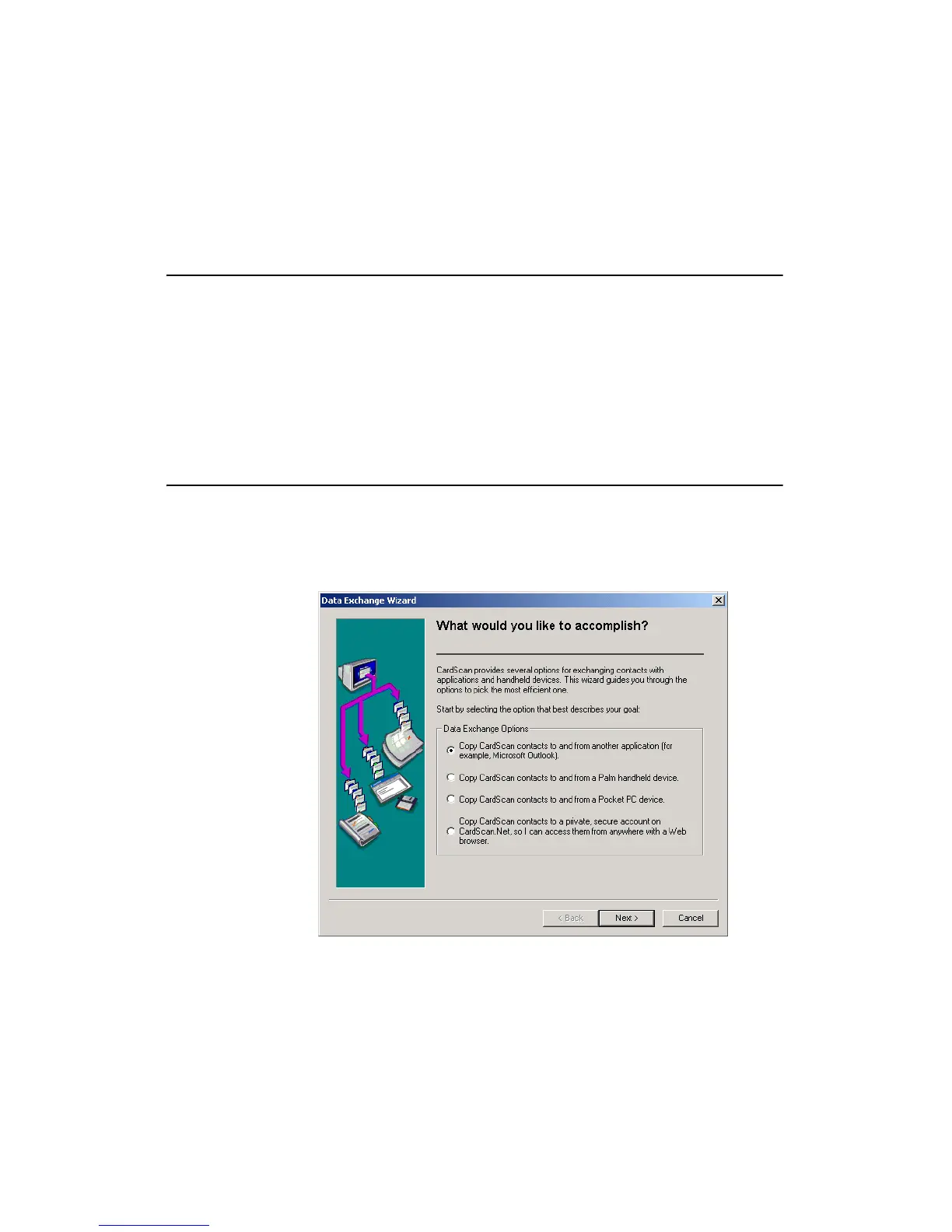
Data Exchange Wizard
CardScan User’s Guide 7-1
Chapter 7 Exchanging Data with Other
Applications
A major benefit of CardScan is the ability to create an accurate and well-
organized address book quickly and then pass new contact information on to
your favorite contact manager, PIM, or PDA. The changes to your contacts at
either end are “synchronized”, so that the contact data is consistent in both
CardScan and the other application.
This chapter introduces two major data-exchange features:
• The Data Exchange Wizard
• CardScan Synchronization
Data Exchange Wizard
Whenever you need to get contacts from CardScan into another
application or from another application into CardScan, the Data
Exchange Wizard will help you pick the most efficient method to
accomplish your goal.
1. Choose File→Data Exchange Wizard, and this screen appears:
2. Select the option that best describes what you want to do, and click Next.
Continue to do so, and you will arrive at the most suitable of all methods
available in CardScan.



 To Next Page