Chapter 6 Maximizing Your Contact Potential with CardScan.Net
6-2 Corex Technologies
1
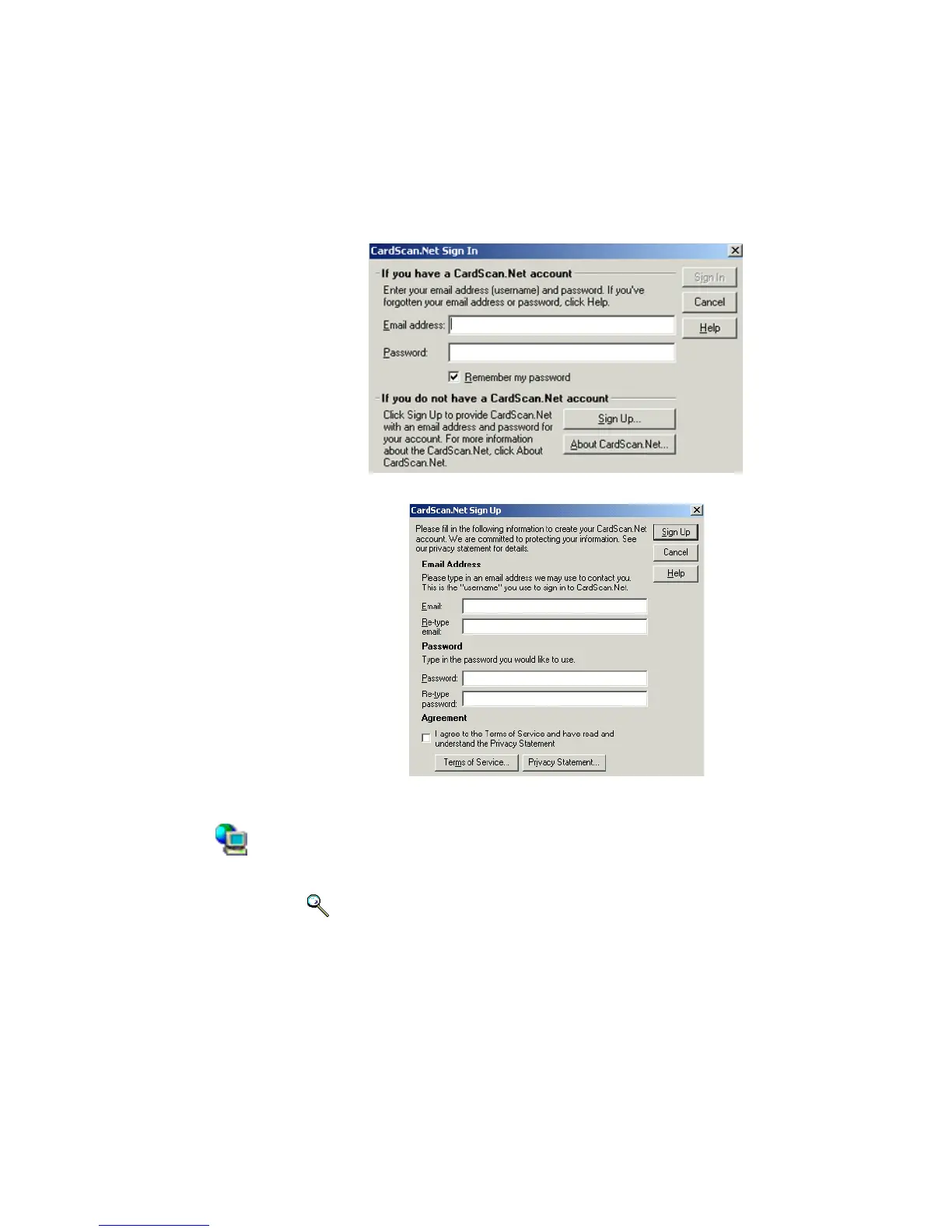
1. Click OK. This dialog appears:
2. Click Sign Up. This dialog appears:
3. Enter the required information, make sure to read the Terms of Service
and Privacy Statement before you check the Agreement box, then click
Sign Up.
CardScan creates your account on CardScan.Net and signs you in to
the account. On the desktop, the CardScan.Net Indicator is
illuminated.
Keywords: “CardScan.Net”, “AccuCard”, “backup”, “privacy”, “security”.
CardScan.Net
Indicator



 To Next Page