Setting up ActiveSync
9-2 Corex Technologies
1
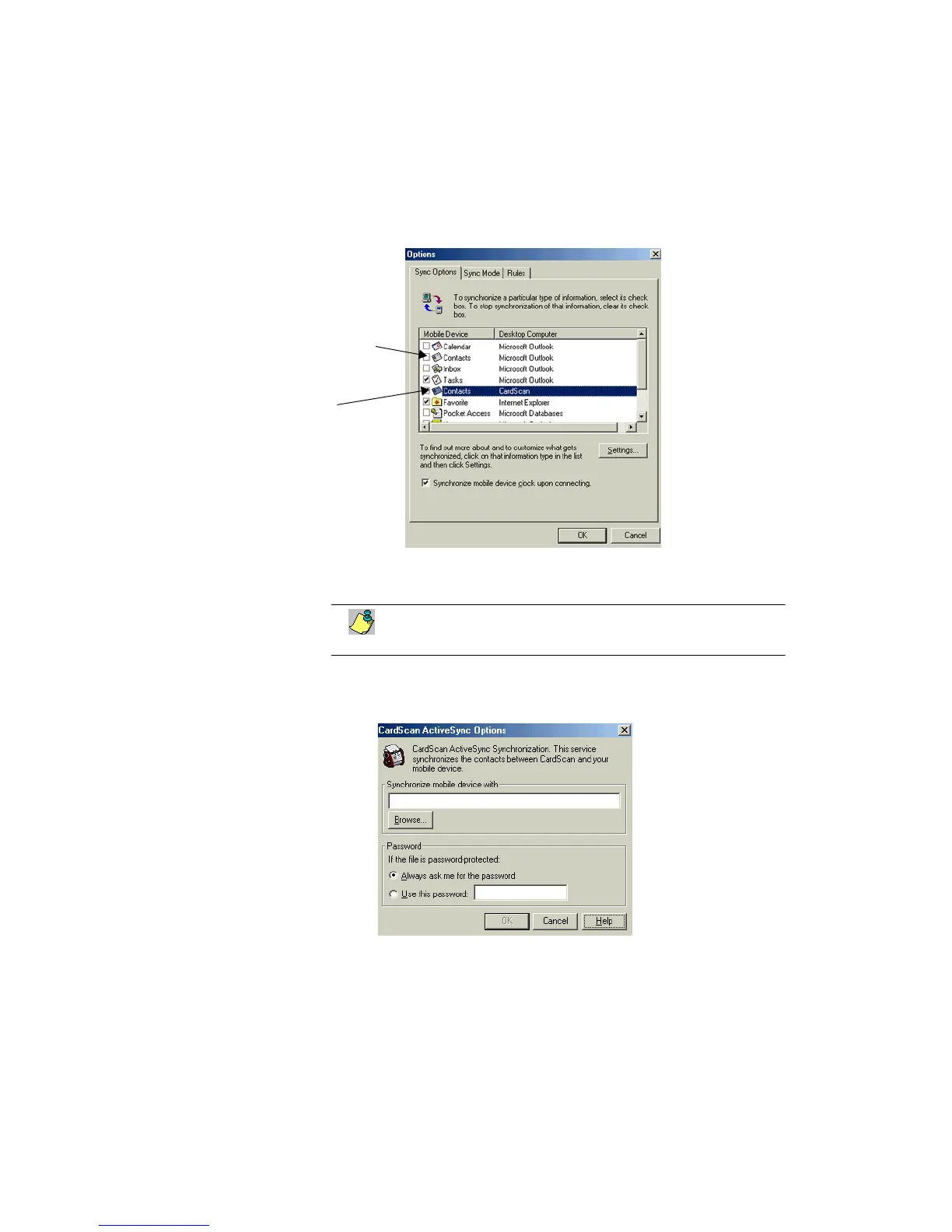
2. Choose Tools→Options. This dialog appears:
3. Enable CardScan service, and disable any other services that
synchronize the contacts on the device.
You can synchronize contact information with only one service at
a time.
4. On the Sync Mode tab, select when you want synchronization to occur.
5. On the Rules tab, specify the conflict-resolution and file-conversion rules.
6. Click Settings. The CardScan ActiveSync Options dialog appears.
7. Browse for the CardScan file with which to synchronize.
Disable any other
services that syn-
chronize contacts
on the device.
Enable CardScan
service.



 To Next Page