Basic Operating Tasks
2–6 AA2204_en | 2012-07-27
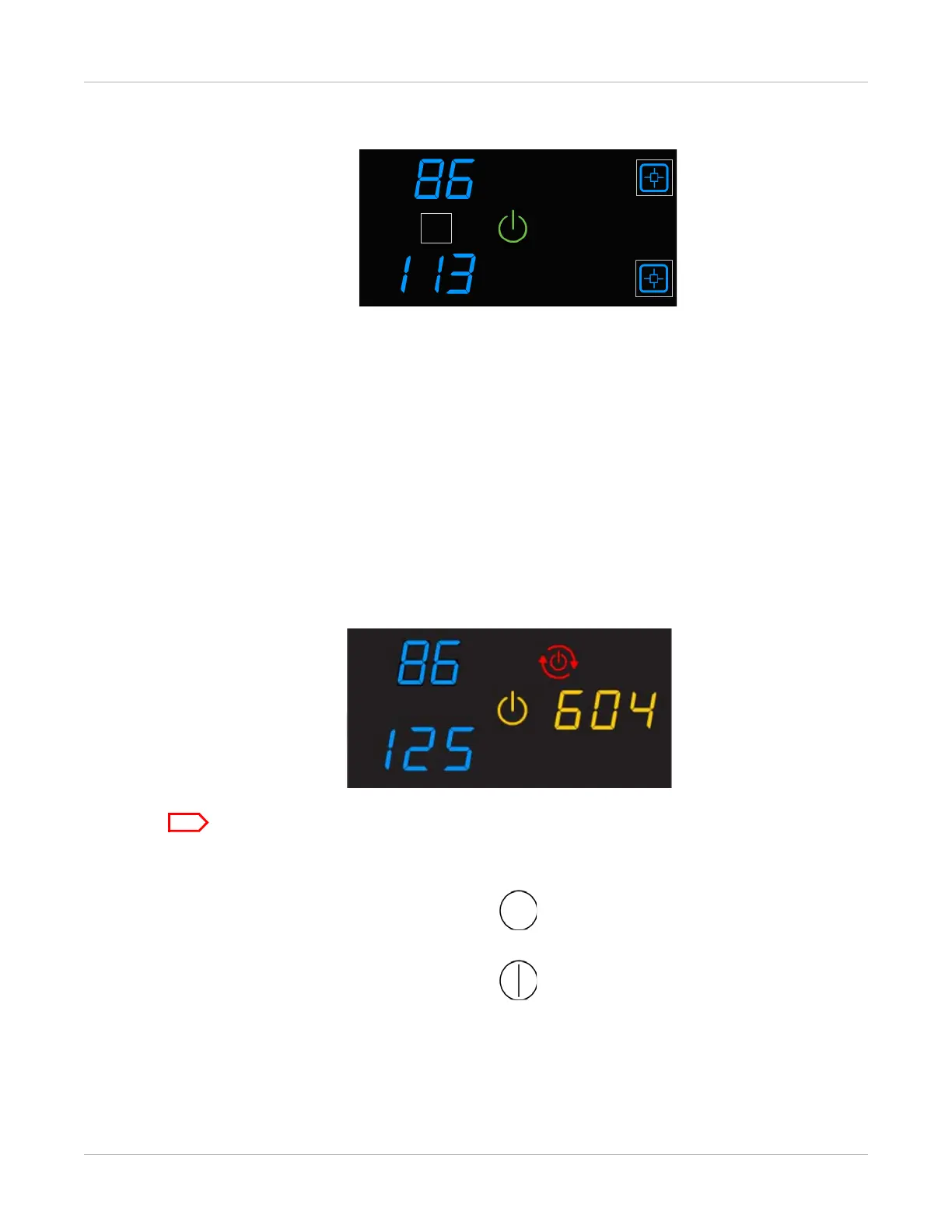
Figure 3: The green power symbol indicates that the imager is ready to process job requests.
Emergency Shutdown or Power Loss
In the event of a power loss, or if an emergency requires an immediate shutdown of the
imager, films in process will not be completed. However, when power is restored, the
imager will restart. After warming up, the imager automatically reprints any films that
were in process when the power was interrupted.
Restart the Imager
If the imager encounters an error that is usually corrected with a restart, the display
screen shows the Restart symbol.
Figure 4: A restart is required, and the error code indicates the error condition.
Check the Troubleshooting chapter or the Quick Reference Card to identify the error code.
1. Press the power switch on the back of the imager off.
2. Press the power switch on.
If the error does not clear after the restart, it might be necessary to contact a qualified
service provider.



 To Next Page