Installing the Zone Ctrl II
Zone Ctrl II and
VAV Zone II Secondary Duct Installation and Start-up Guide CARRIER CORPORATION ©2019
Error! No text of specified style in document.
11 All rights reserved
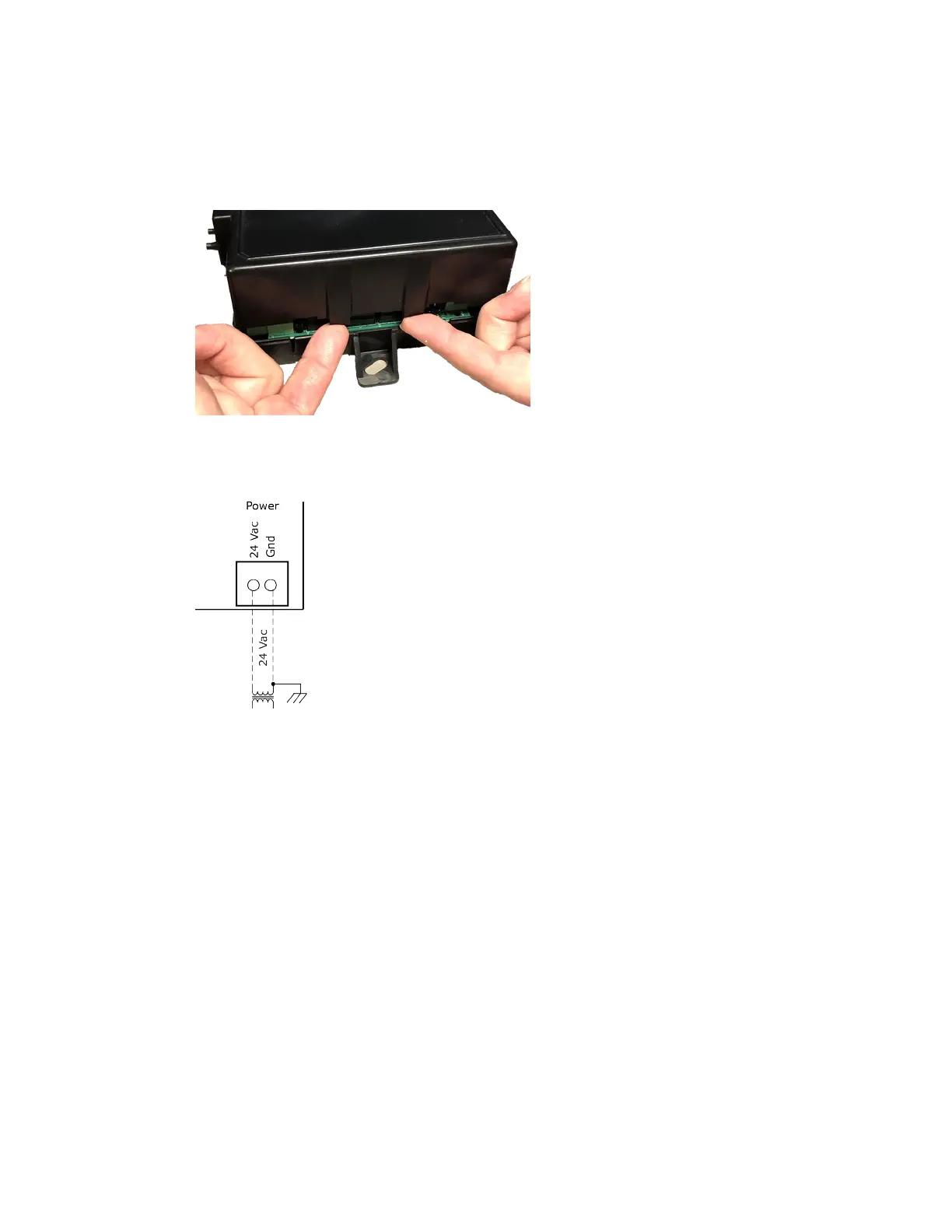
To wire the controller for power
1 To access the screw terminal connectors, lift up the controller's cover by pulling the tabs located on both
sides of the controller's left mounting bracket.
2 Remove power from the power supply.
3 Pull the screw terminal connector from the controller's power terminals labeled
and
.
4 Connect the transformer wires to the screw terminal connector.
5 Apply power to the power supply.
6 Measure the voltage at the Zone Ctrl II’s power input terminals to verify that the voltage is within the
operating range of 21.6–26.4 Vac.
7 Connect a 4-inch (10.2 cm) wire from
to the control panel.
8 Insert the screw terminal connector into the Zone Ctrl II's power terminals.
9 Verify that the
LED is on and the
LED is blinking.










 To Next Page