Installing the Zone Ctrl II
Zone Ctrl II and
VAV Zone II Secondary Duct Installation and Start-up Guide CARRIER CORPORATION ©2019
Error! No text of specified style in document.
24 All rights reserved
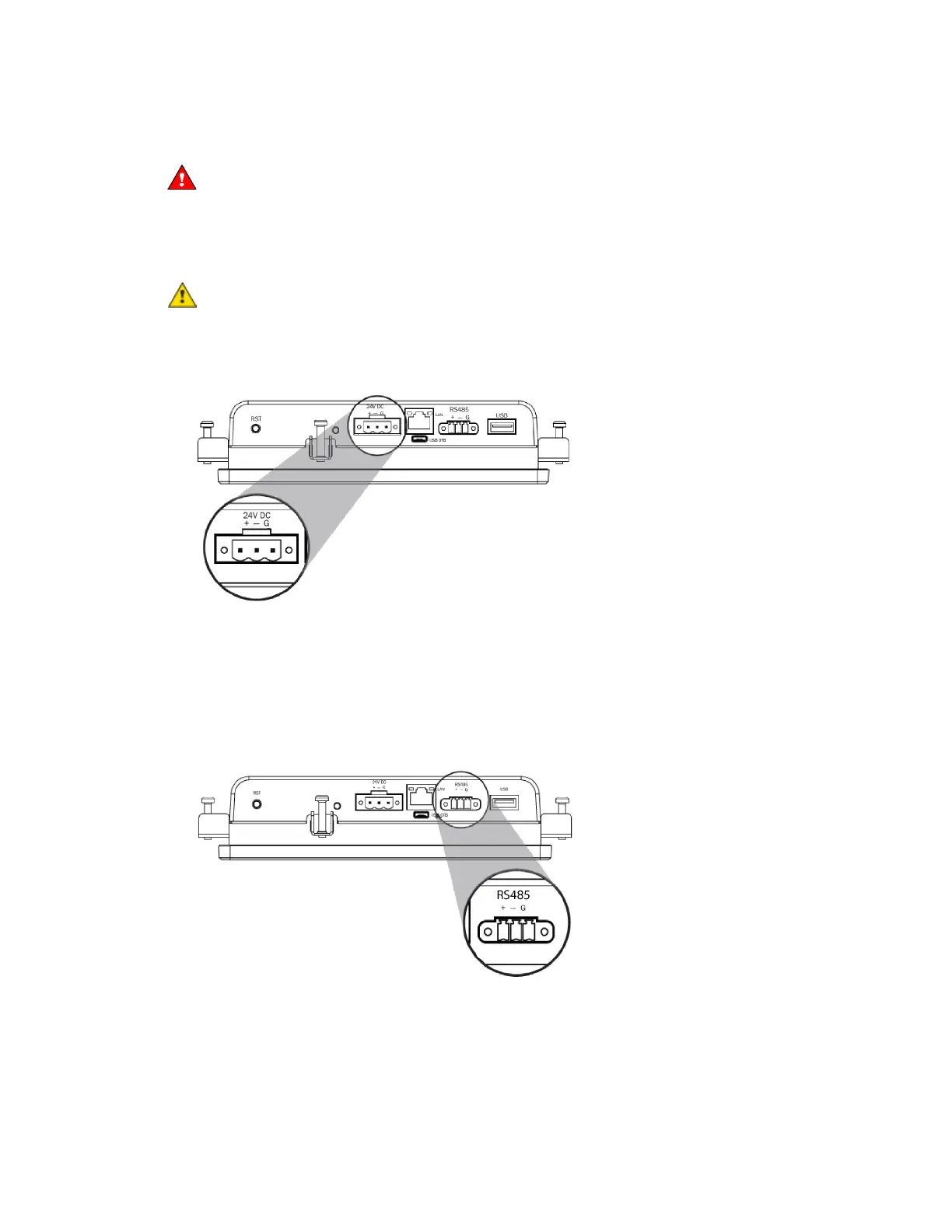
To wire the TruVu™ ET Display
Do not apply line voltage (main) - 24 Vdc power only.
Wiring power
Wire the TruVu™ ET Display
connector to the 24 Vdc power supply using 2-conductor 18 AWG wire.
Maximum distance 100 feet (30 meters).
The TruVu™ ET Display can share a power supply with the Carrier controller as long as:
• The power supply is DC power.
• You maintain the same polarity.
• You use the power source only for Carrier controllers.
Wiring communication
1 Turn off the Zone Ctrl II's power.
2 Wire the TruVu™ ET Display's
connector to the <ALCProduct>'s
port,
to
,
to
,
to
using 2-conductor 22 AWG wire with a maximum distance of 500 feet (152 meters).
3 Turn on the Zone Ctrl II's power.
For complete TruVu™ ET Display installation instructions, see the TruVu™ ET Display Installation and Start-up
Guide.










 To Next Page