Installing the Zone Ctrl II
Zone Ctrl II and
VAV Zone II Secondary Duct Installation and Start-up Guide CARRIER CORPORATION ©2019
Error! No text of specified style in document.
20 All rights reserved
To wire ZS sensors to the controller
ZS Sensors are thermistor-based temperature sensors that may optionally sense humidity, CO
2
, or VOC. ZS
Sensors are wired to the Rnet port on i-Vu® Open controllers.
You can use the following ZS sensors:
• ZS Standard
• ZS Plus
• ZS Pro
The ZS CO2 model uses 190 mA during sample period. Use auxiliary 12 Vdc, unless it is the only device on
the Rnet port.
1 Remove power from the Zone Ctrl II.
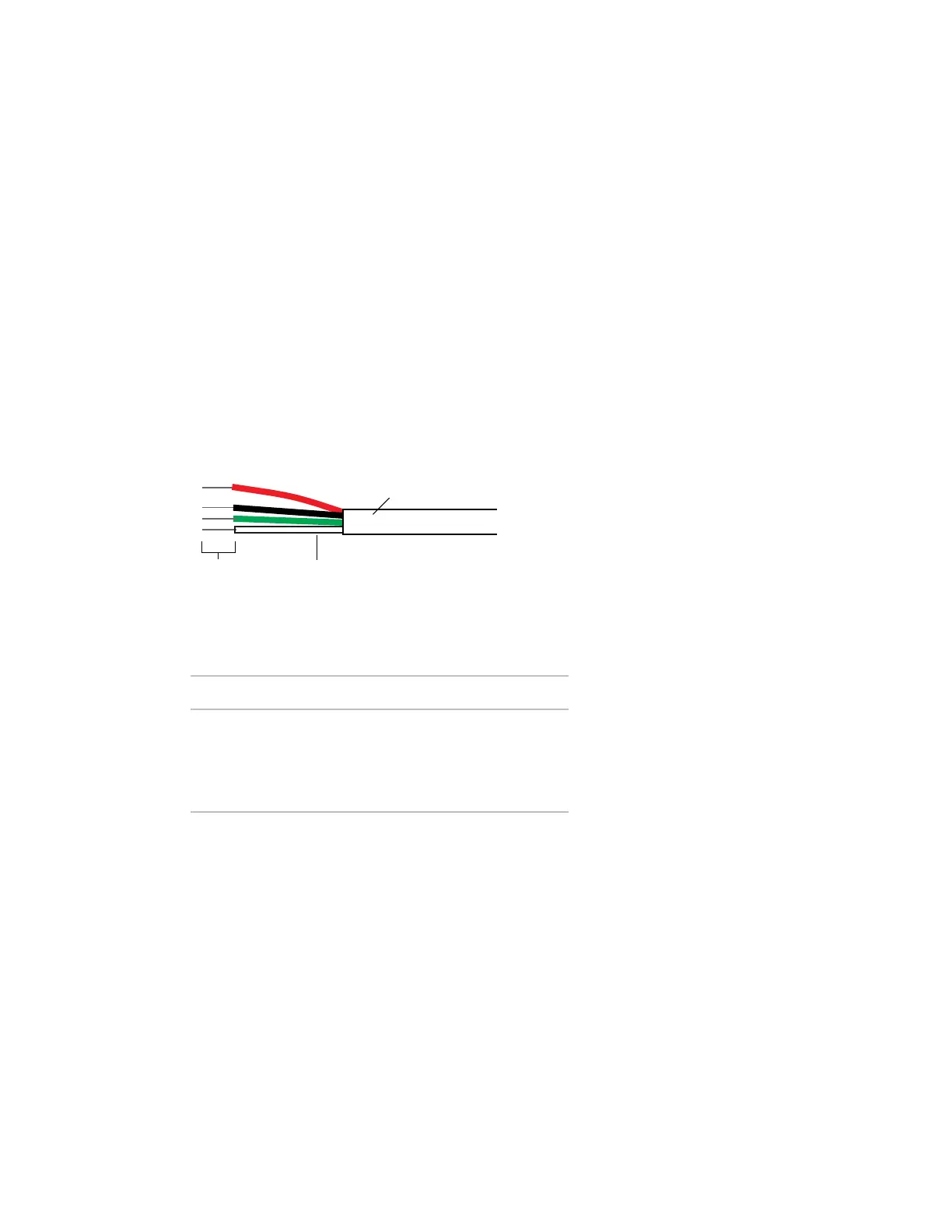
2 Partially cut, then bend and pull off the outer jacket of the Rnet cable(s). Do not nick the inner insulation.
Strip about .25 inch (.6 cm) of the inner insulation from each wire.
Outer Jac
ket
Inner insulation.25 in.
(.6 cm)
3 Wire each terminal on the sensor to the same terminal on the controller. See diagram below.
Carrier recommends that you use the following Rnet wiring scheme:
Red
Black
White
Green
+12V
Rnet-
Rnet+
Gnd
4 Apply power to the Zone Ctrl II.










 To Next Page