Installing the Zone Ctrl II
Zone Ctrl II and
VAV Zone II Secondary Duct Installation and Start-up Guide CARRIER CORPORATION ©2019
Error! No text of specified style in document.
22 All rights reserved
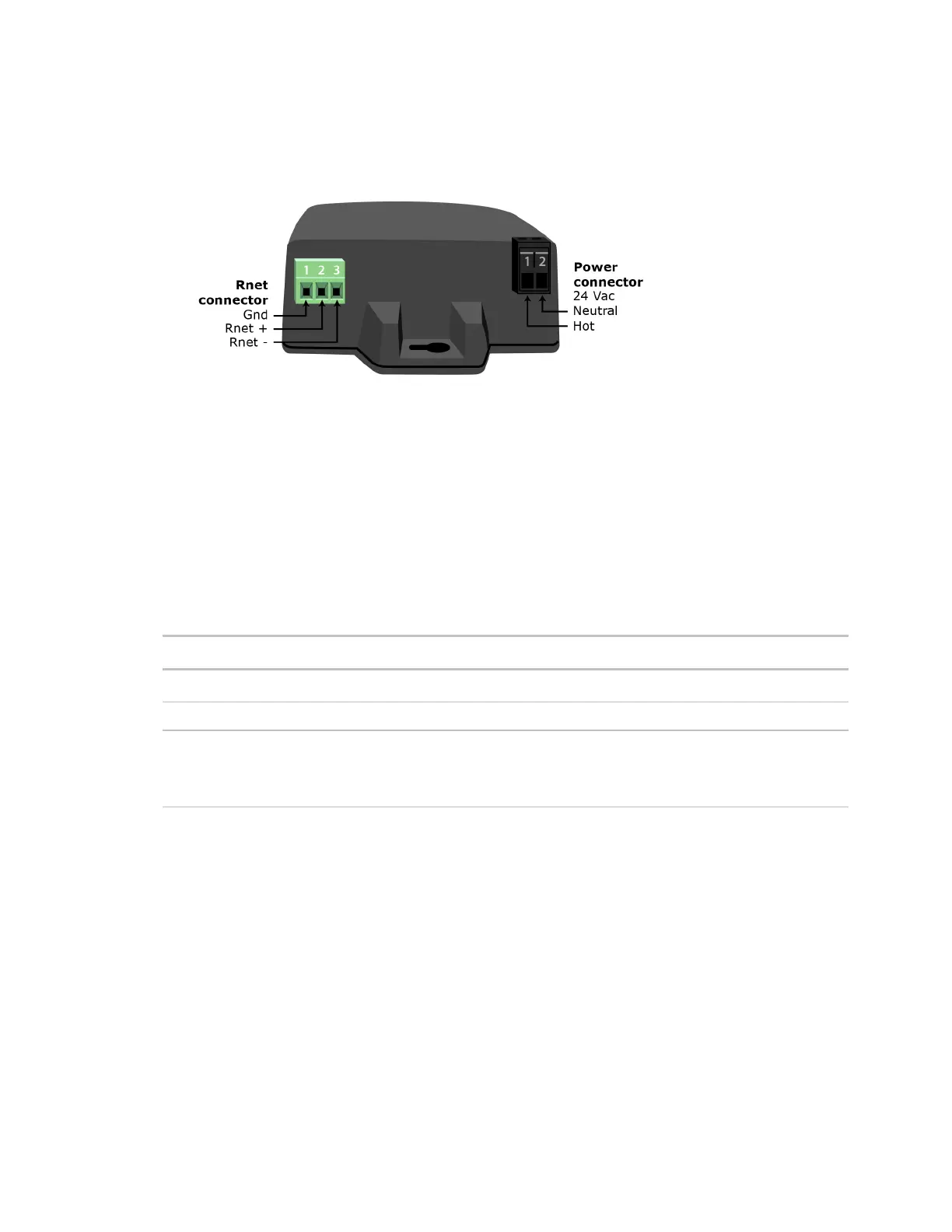
4 Wire the
,
, and
terminals on the controller's
port to the terminals of the same name on
the Wireless Adapter's Rnet connector.
If using shielded wire, connect the shield wire and the ground wire to the
terminal.
5 Wire the 24 Vac external power supply to the Wireless Adapter's power connector.
6 Mount the Wireless Adapter by inserting 2 screws through the mounting tabs on each end of the Wireless
Adapter.
7 Apply power to the external power supply.
8 Verify that the LED on top of the Wireless Adapter is blinking. See "LED" below.
9 Turn on the controller's power.
The blue LED on the top of the Wireless Adapter indicates the following:
Off Is not powered or there is a problem.
Blinking Is working properly.
Steadily on Has a problem. Do one of the following:
• Cycle power to the device.
• Insert a small screwdriver or paper clip into the hole next to the LED to reboot the










 To Next Page